macOS 26.4 is out now with subtle upgrades and a big hint about the future
macOS 26.4 is now available with new emoji, battery charge limits, Safari tweaks, and performance fixes, but no major Siri AI upgrades yet.
 BigThink

New emoji, battery controls, and Safari changes headline the update
 Apple
Apple
Apple has officially rolled out macOS Tahoe 26.4, and while it’s not a flashy update, it brings a handful of useful tweaks and improvements.
 Nirave Gondhia / Digital Trends
The update focuses on refinements rather than major new features, with Apple adding small quality-of-life changes, system optimizations, and bug fixes. Notably, there’s still no sign of the upgraded Siri AI features, which many were expecting.
What’s new in macOS 26.4?
The update may be subtle, but there are a few noteworthy additions. One of the more practical upgrades is a new Battery Charge Limit feature, which lets users cap charging between 80% and 100% to help preserve long-term battery health, something Mac users have wanted for a while.
 Nadeem Sarwar / DigitalTrends
Apple has also brought back the compact Safari tab bar, giving users a more space-efficient browsing option that was removed earlier. On the lighter side, similar to iOS 26.4 and iPadOS 26.4, macOS 26.4 adds new emoji, including some quirky additions like an orca and a distorted face, because no update is complete without them.
Additionally, macOS 26.4 introduces alerts for apps that still rely on Rosetta 2, Apple’s translation layer for running Intel apps on Apple Silicon Macs. This is part of Apple’s broader plan to phase out Intel support in future macOS versions, nudging developers to update their apps sooner rather than later. In other words, this update quietly signals where Apple is headed next.
 Apple
Apple
macOS 26.4 also brings a few smaller but handy updates across apps. Freeform is getting upgraded features for Apple Creator Studio subscribers, including advanced image tools and a premium content library, while the free version remains unchanged. Apple has also improved Purchase Sharing by letting family members use their own payment methods, added new keyboard shortcuts in Reminders for marking tasks as urgent, and made subtitle and caption settings easier to access with real-time previews.
What’s missing?
The biggest omission is pretty obvious: Siri AI upgrades. Despite ongoing expectations, macOS 26.4 doesn’t include any major advancements to Siri or Apple’s broader AI efforts. That lines up with recent reports suggesting Apple’s AI roadmap is facing delays, something that’s now starting to affect multiple products and updates. Nonetheless, macOS 26.4 is more of a polish update than a headline-grabber.

Varun is an experienced technology journalist and editor with over eight years in consumer tech media. His work spans…
Don’t sleep on the M4 MacBook Air: 24GB RAM, a 15-inch Retina display, and $300 off thanks to the M5 launch
MacBook Air M4 15-inch drops to $1,299 (save $300): 24GB RAM, 512GB SSD, Liquid Retina display.

Apple's M5 MacBook Air is out, and the predictable knock-on effect is that the M4 15-inch has dropped to $1,299 at Amazon, a $300 saving off its $1,599 list price. If you've been waiting for a good moment to pick up a MacBook Air, this is it. The M4 chip is still one of the most capable processors in any laptop at this price, and 24GB of unified memory at $1,299 is genuinely unusual.
get the deal
Playing with AI: My Sweet 16 is still pretty sweet

(NOTE: This article is part of an ongoing series documenting an experiment with using AI to fill the NCAA brackets and see how it fares against years of human experience. The original article is as follows.)
After the first two rounds, I am at the top of both my friends' pool with sixty entries and my family pool with six. For a broader sample size, my brackets stand in the 98th percentile among the 27 million brackets entered into the ESPN challenge.
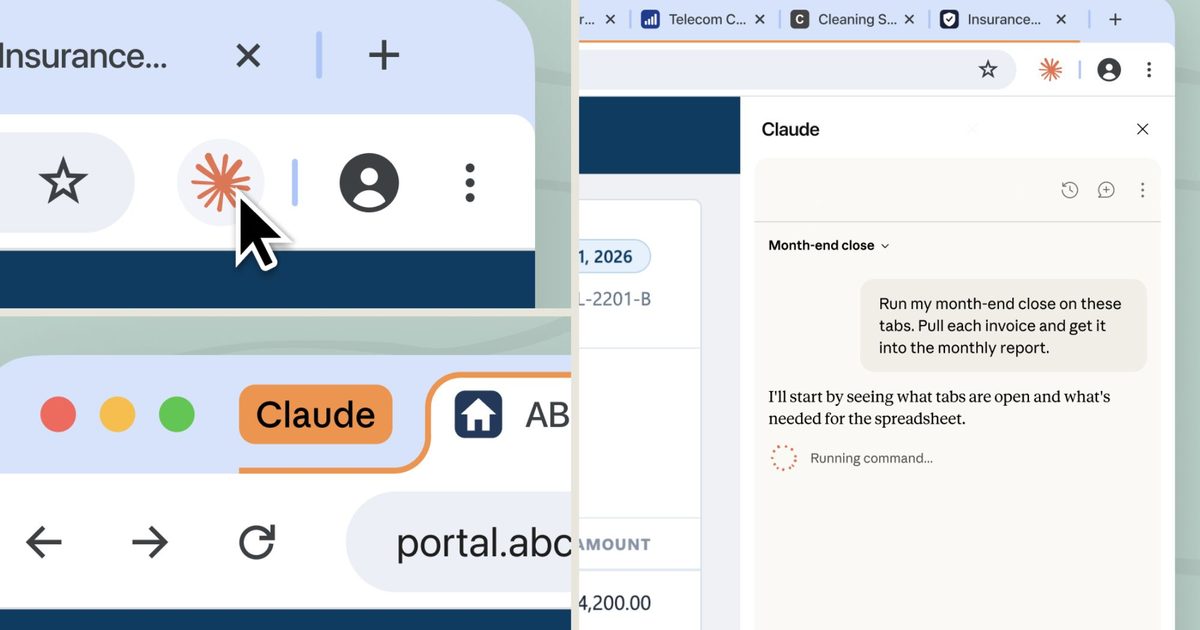
Claude can now autonomously handle chores on your PC without any fussy OpenClaw setup
Assign it a task, walk away, and come back to finished work. Claude's got the rest.

OpenClaw took the world by storm upon its launch, demonstrating that a true personal assistant capable of executing complex commands on a computer is possible.
Despite its success, OpenClaw is not for everyone. It’s difficult to set up and has several safety concerns, making it viable for highly technical people. A better solution for the average consumer is Claude Cowork, which Anthropic launched recently.