Claude Code for SEO: 35 Use Cases
35 practical ways to use Claude Code for SEO, from content briefs and Search Console analysis to internal linking and technical fixes, with real examples.Read more ›
 Lynk
Lynk
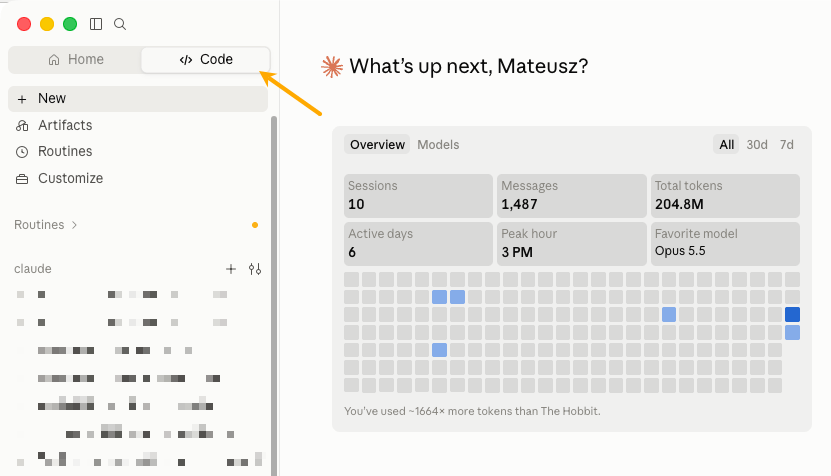
Claude Code can handle SEO tasks that would normally require several tools and a lot of manual work. Give it a task and access to the right data, and it can compare reports, analyze pages, draft changes, or create a list of recommendations for you to review.
You don't need to automate your entire SEO workflow to make it useful. Start with a single task and stay in control—decide which findings are important and which changes are worth making.
This article covers practical ways to use Claude Code for SEO, organized by the type of work you want to get done. A simple way to get started is to choose a task you already handle, find an example that fits, and adapt it to your own workflow. You can even show this article to Claude Code and ask it to turn these ideas into SEO skills.
How Claude Code works for SEO
Claude Code becomes useful for SEO when you give it something concrete to work on, rather than a vague request like “make me rank #1 by tomorrow.” For example, instead of asking it to “analyze traffic,” give it two Search Console exports and ask which pages lost the most clicks, how much they lost, and what changed between the two periods.
It can compare the files, calculate the differences, and save the results in a new table.
That same pattern works for a lot of SEO jobs: give Claude the relevant files or data, tell it exactly what you want to find out, and ask it to produce something you can review.
You can start with simple exports such as CSVs or spreadsheets. You do not need to connect Claude to every SEO tool from day one.
Anthropic has also made Claude Code easier to access. For a quick start, you no longer need to install and run it through the terminal as you did before, so it’s much easier to try without a technical setup.
It’s also worth knowing these three terms, as you’ll come across them often when using Claude for SEO.
None of these changes the basic idea: Claude needs access to the right information and a clear job to do.
Connect Claude Code to leading SEO data source
Ahrefs MCP lets Claude request data about what people search for, which pages rank, and which websites link to you. It can also use your connected Google Search Console and Web Analytics projects.
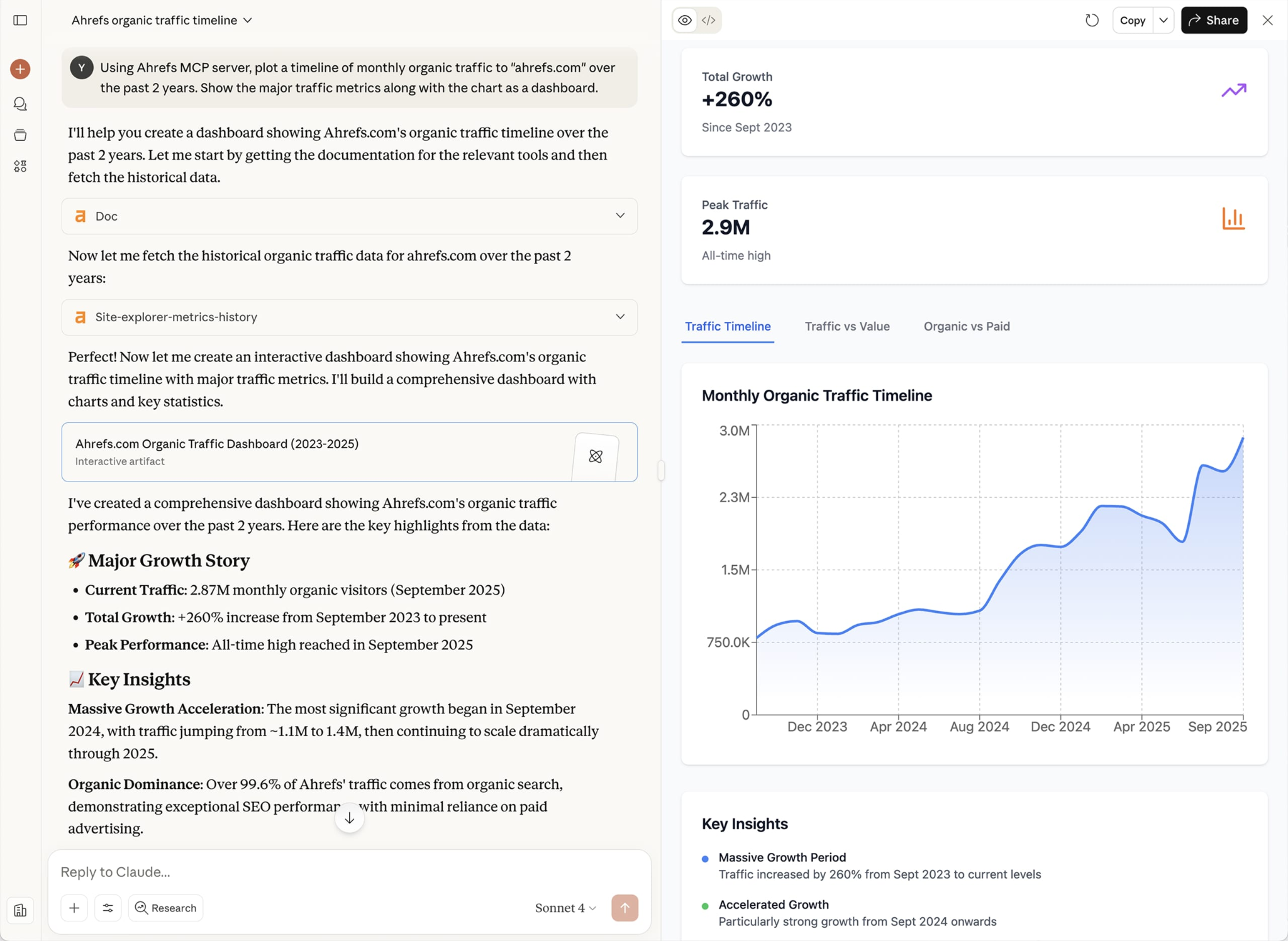
That gives Claude information to compare with your own files, such as competitors' rankings or the links pointing to a page you're reviewing.
Ahrefs MCP is available on paid plans starting with Lite, and the usage limits for each plan were recently doubled. You can connect Ahrefs to Claude Code to start using it.
Use Claude Code for SEO content creation and optimization
The first examples show how Claude can turn material you already have into something new—for example, turning a recording into an article or a finished guide into a script. You still decide what gets published, while Claude helps by creating a draft you can review and edit.
1. Build a free SEO tool that answers a search query
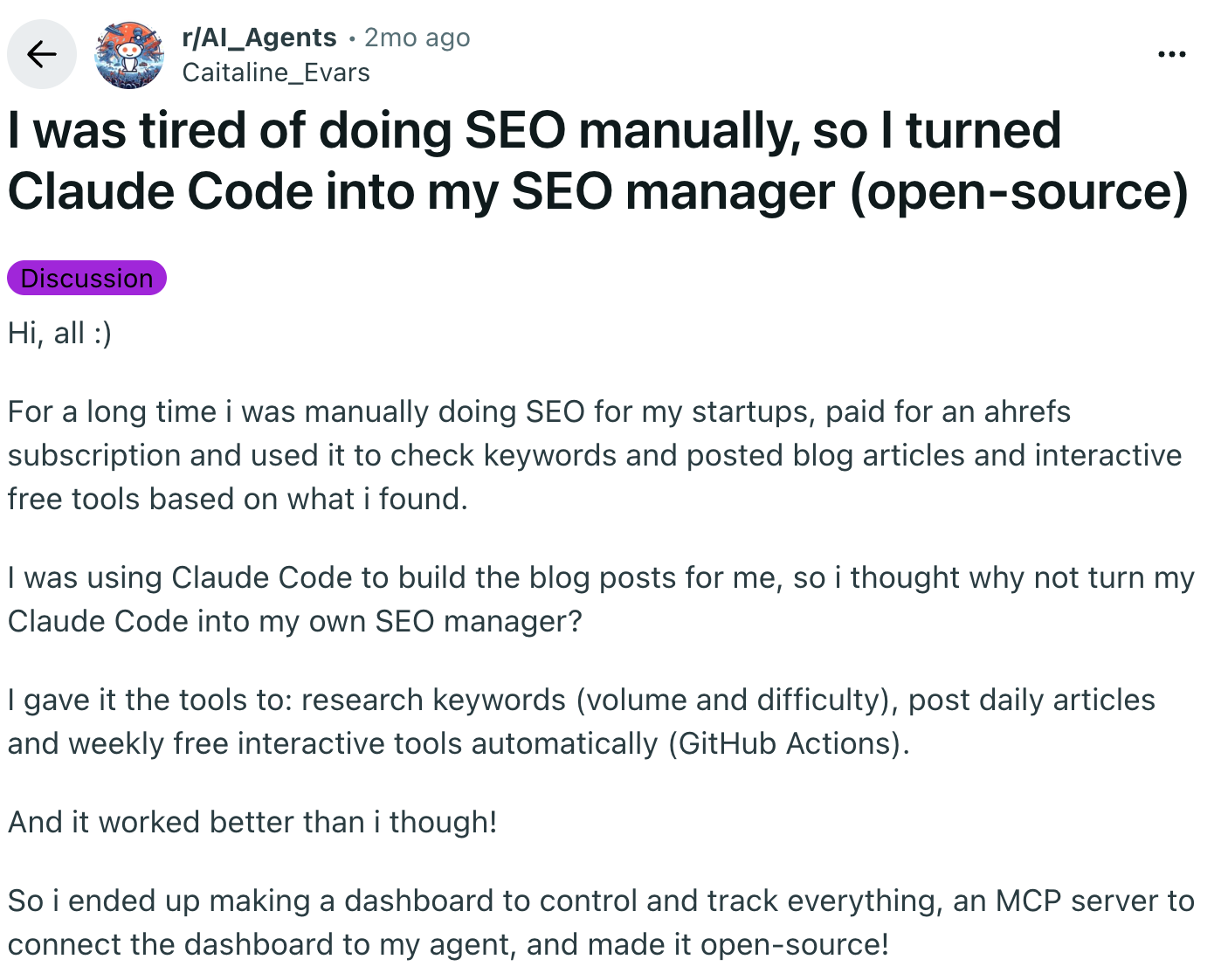
A Redditor posting as u/Caitaline_Evars built an open-source system in which Claude Code researches keywords, then publishes articles daily and free interactive tools weekly. The project also includes a dashboard for controlling and tracking the work.
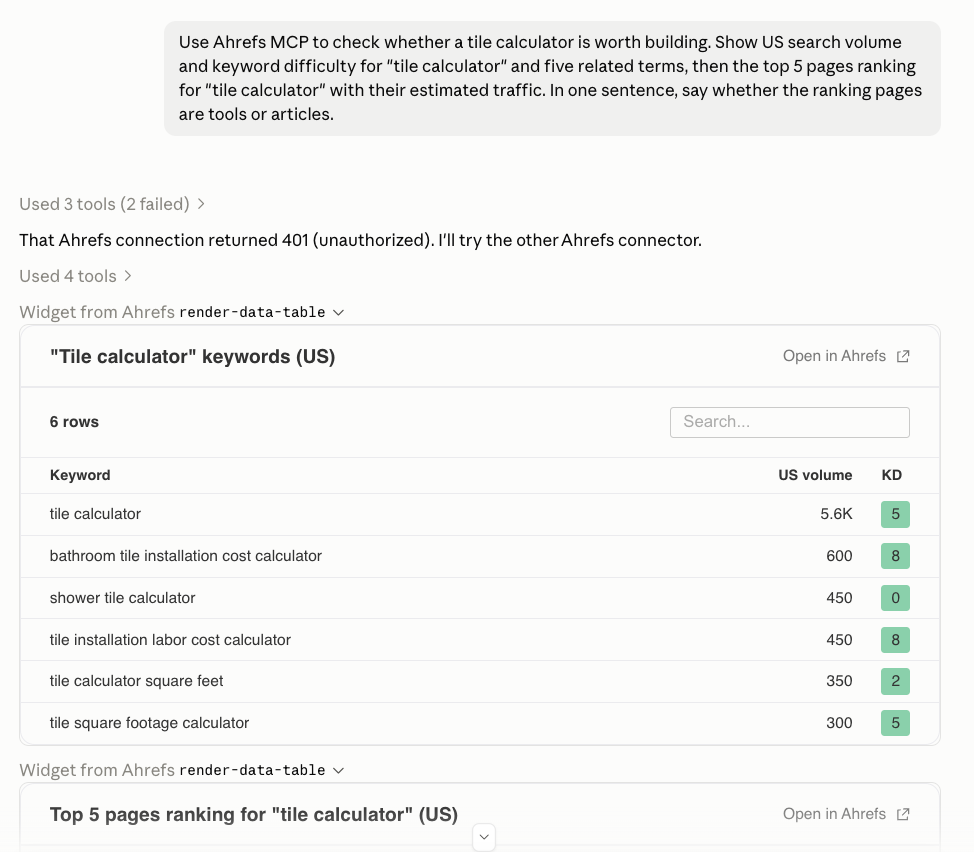
Some searches are best answered by something people can use. For example, someone working out how many tiles to buy may find a calculator more helpful than a long article about measuring floors.
Claude Code can help write the code for a small tool like this. You need to describe what people will enter, how the answer should be calculated, and what the page should show.
Ahrefs MCP can help check search demand and competing pages before you start.
2. Turn expert interviews into original SEO content
Cody Schneider describes an SEO process for software companies in which your own view of the industry goes into every article. Claude then writes each article from the ranking pages and that recording.
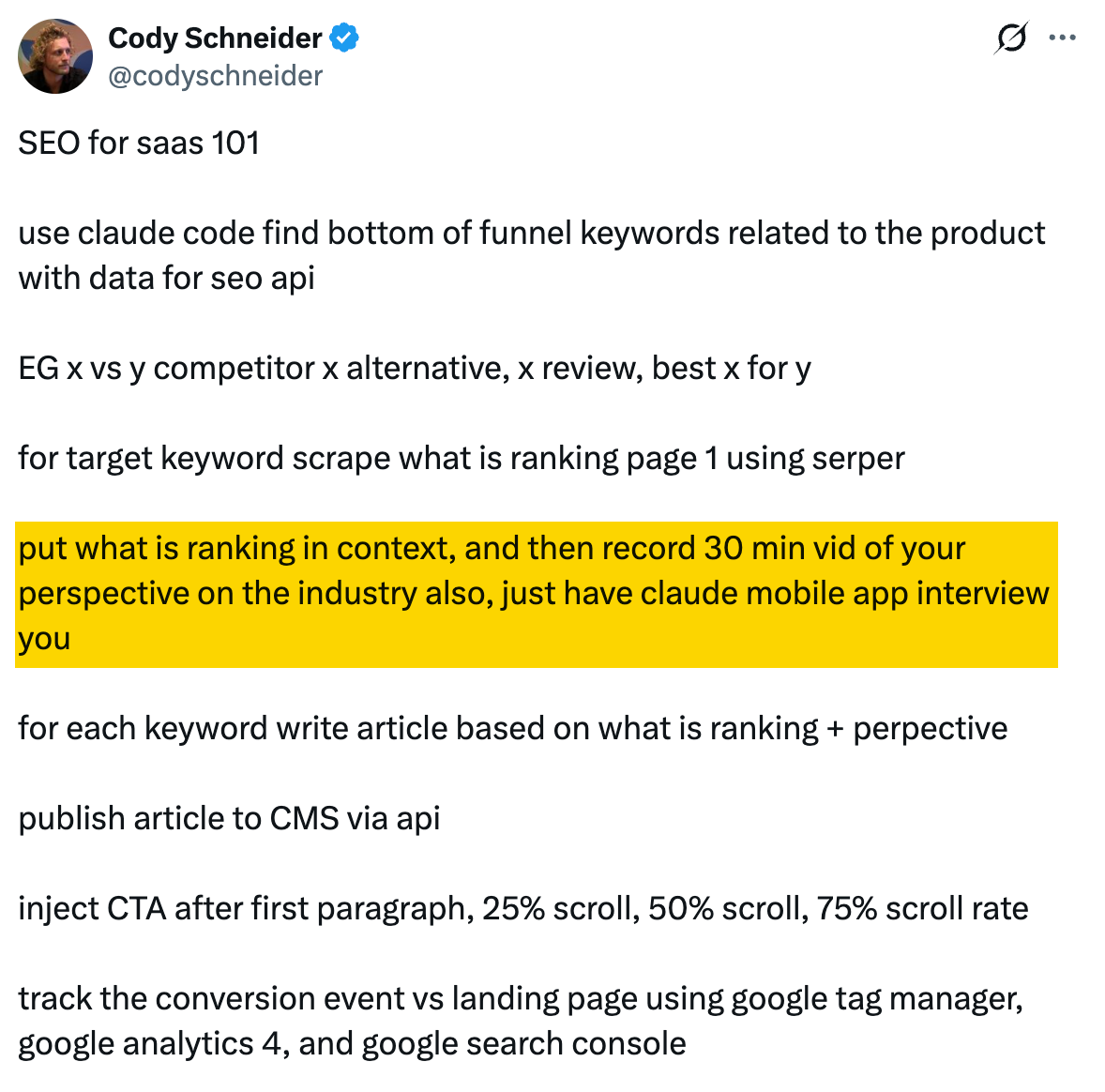
An article written only from the pages that already rank can only repeat them, which gives a reader no reason to choose it (aka commodity content). Google's guidance on helpful content asks whether a page offers original information and shows first-hand experience, such as having actually used a product.
Your experience is the part that competing pages don't have: the objections customers raise before buying, the mistakes new users make, or the kind of buyer you'd point toward a competitor. Talking these points through is often easier than writing them down.
Ask Claude to keep your points specific rather than smoothing them into general advice, then check that your view survives the editing and that nothing is attributed to you that you didn't say.
3. Find content gaps in your existing articles
Teresa Torres converted her blog archive and book content into text files and had Claude compare them with keyword data to find gaps in her coverage. She then wrote an article on one of those gaps in about an hour, because most of the material already existed in her earlier writing.
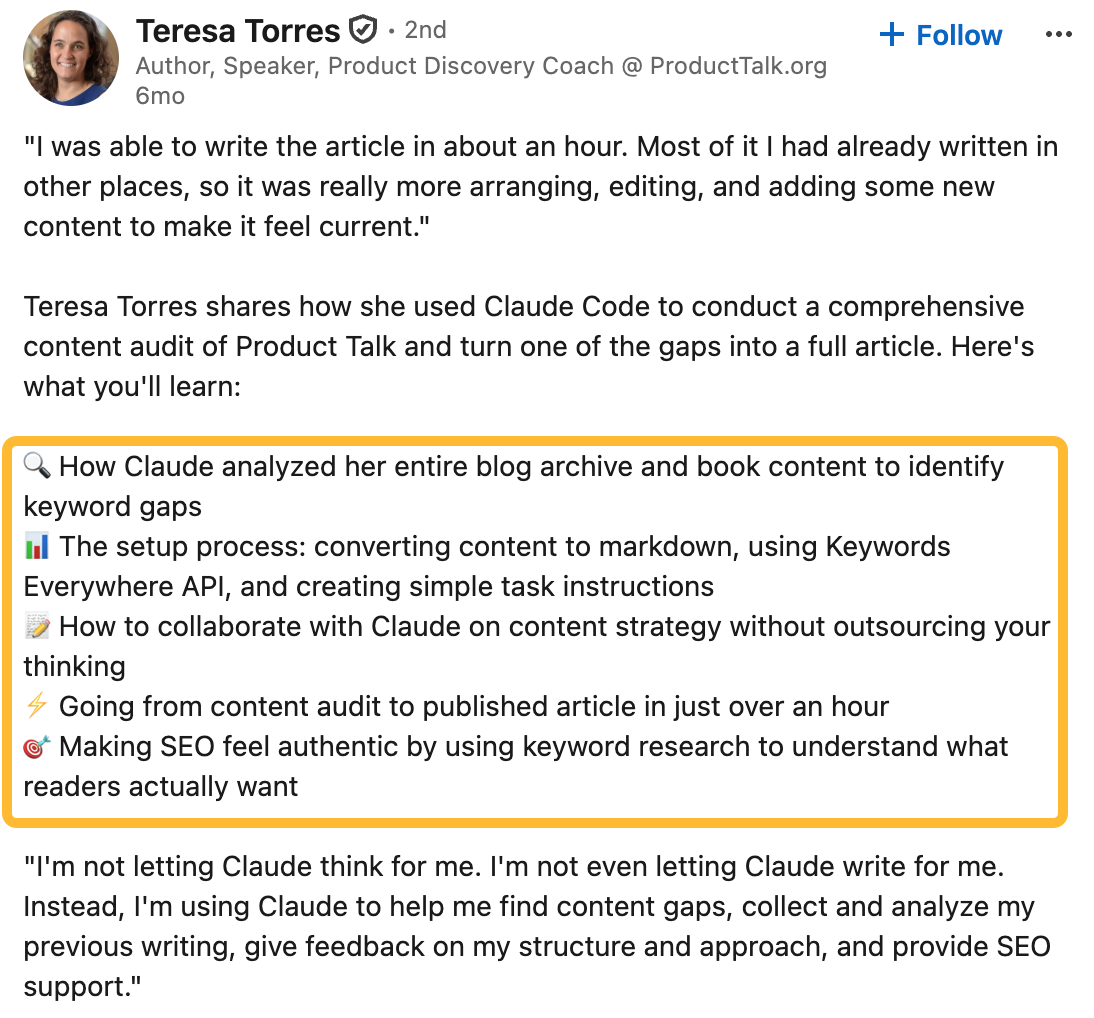
When you've published for years, it is easy to forget where you explained a particular idea. A useful answer might be buried inside a long article, spread across several posts, or sitting in a book manuscript.
You can ask Claude to compare what people search for with what you've already written, then point to both missing topics and existing passages you could build on. The output helps you plan an article without starting from a blank page. Torres is clear that Claude found and organized her material, while she wrote the article herself.
4. Add FAQs that answer missing questions
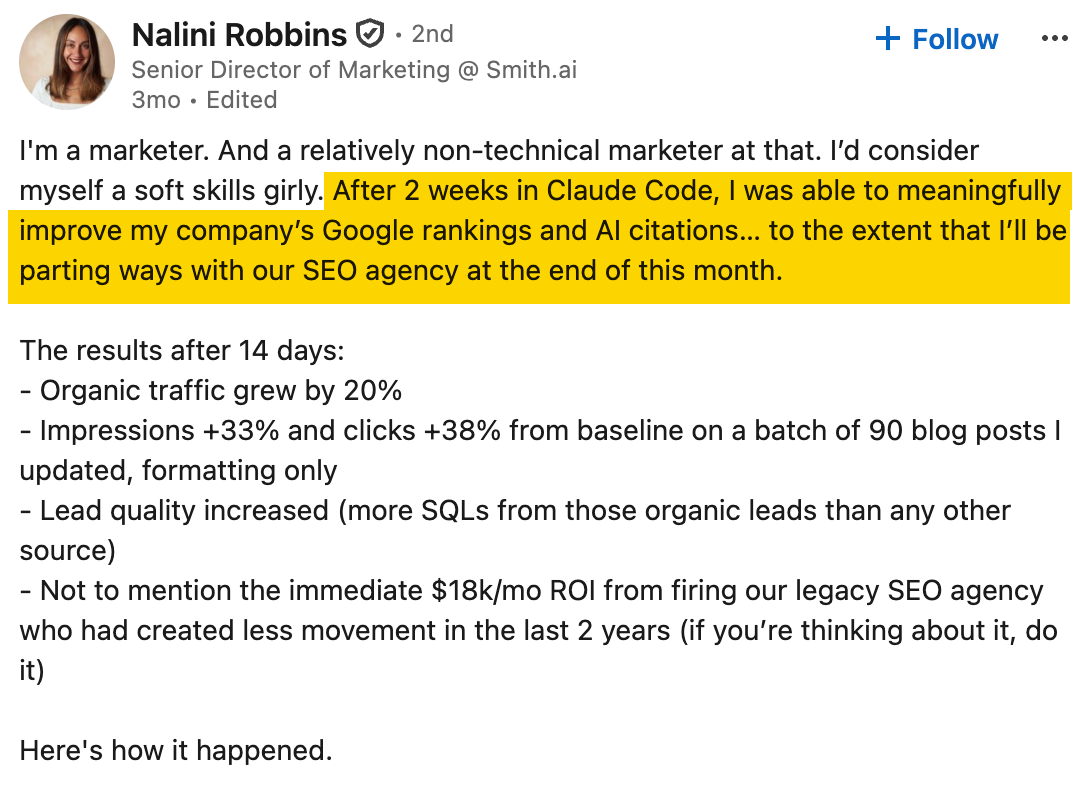
A page can explain a service well and still leave readers wondering what is included, how long it takes, or whether it is suitable for them. A short FAQ section can answer those questions on the page they are already reading.
Give Claude the page, the questions your team actually receives, and reliable information it can use in the answers. It can draft a section for you to check and add. Robbins doesn't explain how she selected the questions, so that part still needs your judgment. Use the FAQ to answer genuine questions rather than generate more text for its own sake.
5. Optimize content for direct answers and AI search
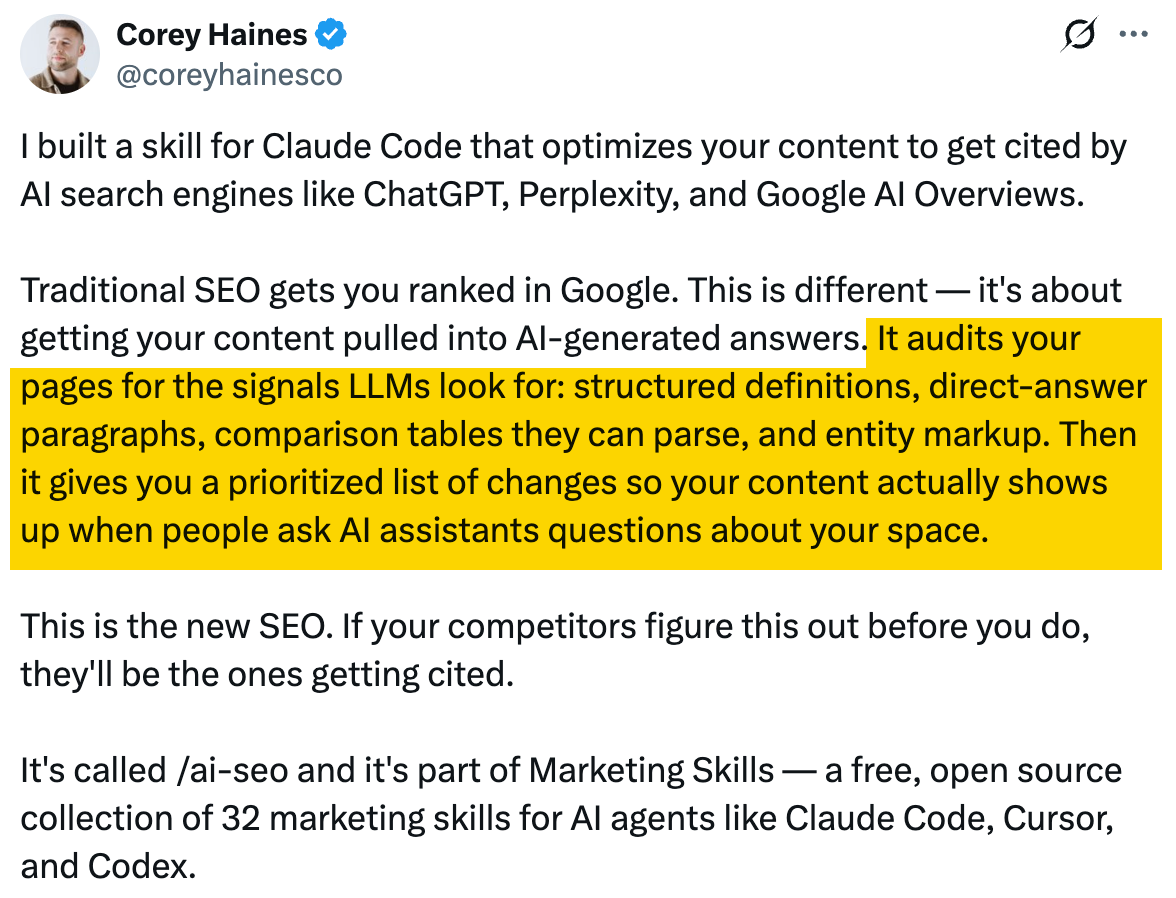
Sometimes a page contains the answer people need, but makes them read several paragraphs before finding it. For example, a heading might ask what a service costs, followed by a long discussion before any price information appears.
Claude can read the page, find those delays, and propose an opening sentence that answers the question before giving the explanation.
Give Claude the draft and ask it to show the original passage beside the suggested revision so you can compare them. Keep any conditions that affect the answer. A clear statement about price still needs to explain what the price includes.
Another good idea from Corey is fixing image alt text tag. Ask Claude to list the images on your pages, their current descriptions, and any missing entries so you can review them together. Look at each image in context before accepting a suggestion. A chart may need its important message explained, while a purely decorative image can have empty alt text so it doesn't interrupt the reading.
6. Turn a video into an SEO-friendly article
If you've recorded a useful tutorial or product demonstration, you already have much of the material for an article. The challenge is turning a spoken explanation into something people can read and find through search.
Give Claude the transcript, the searches you want to target, and the audience. It can reorganize the material around what searchers are looking for, add useful headings, remove repetition, turn demonstrations into written steps, and make sure the important topics are actually covered. Then check the draft against the video and add any images needed to understand it.
You can also teach Claude Code how you want content optimized by giving it an SEO guide you trust. For example, you could use our On-Page SEO: How to Optimize for Robots and Readers guide as the basis for its instructions.
7. Turn an article into a video script
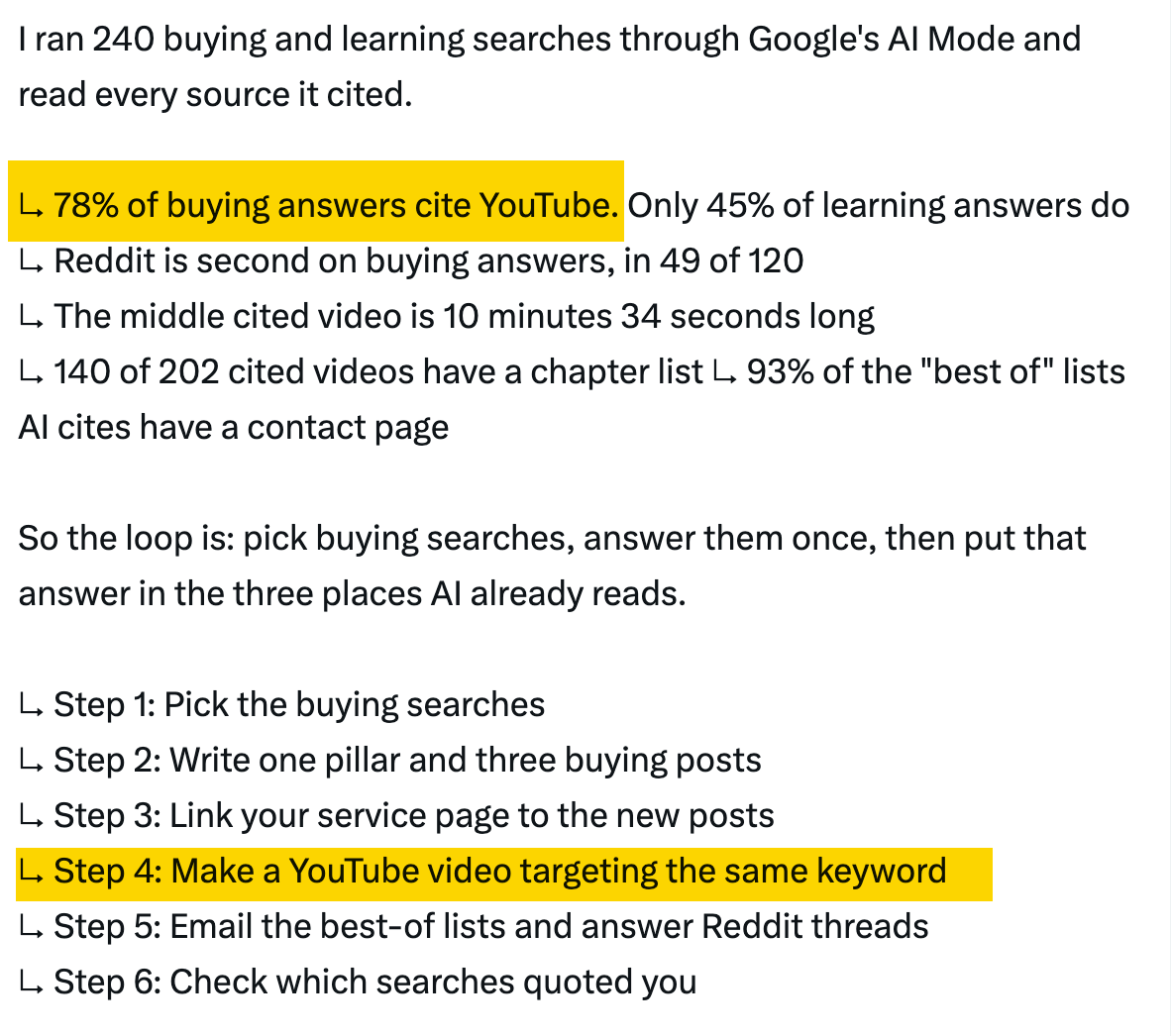
A finished article already gives you much of what you need for a video: research, examples, and a clear explanation of the topic. But simply reading the article word for word usually won't make a good video.
Give Claude the article, explain who the video is for, and describe the format you want. It can shorten explanations that feel too long when spoken, organize the main points into natural sections, and suggest where to add screenshots, examples, or other visuals.
The result is a script the presenter can rehearse and refine. Instead of researching the topic all over again, they can focus on making the explanation clear and engaging on camera.
8. Repurpose an article into social posts and answers
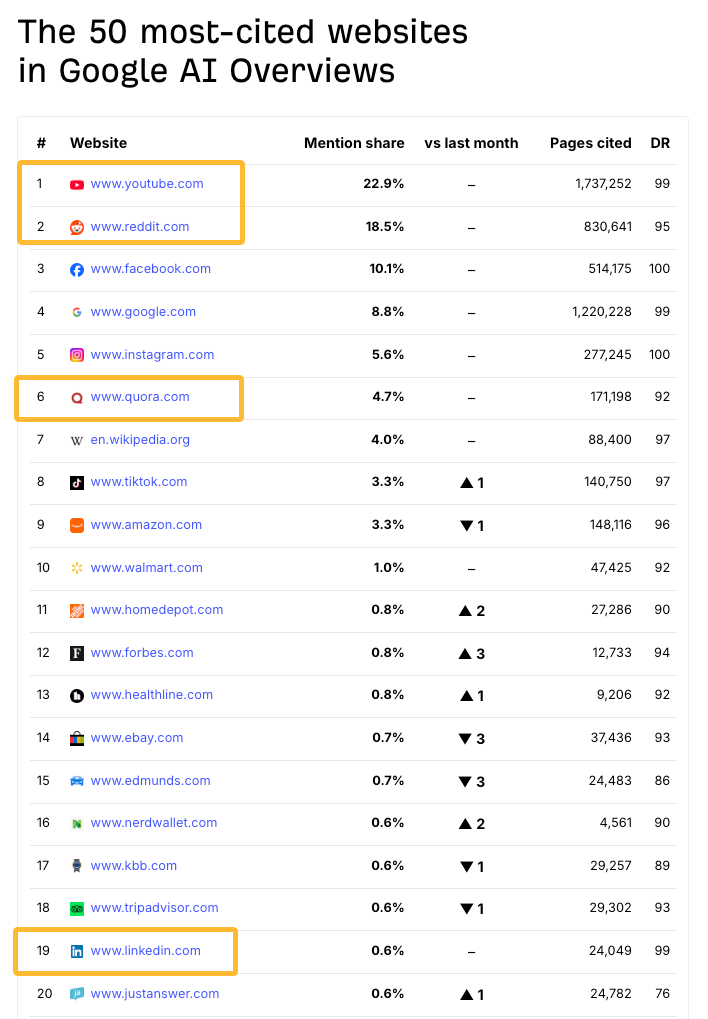
One article may contain several ideas worth sharing in different places. A long guide might answer a question someone has asked in a community, while one of its examples could make a useful social post.
Give Claude the original article and the exact question or publishing requirements. It can pull out the relevant material and write a shorter piece that makes sense on its own. Check that the new version answers the question and includes enough explanation for someone who hasn't read the original. This lets you reuse the research without expecting every reader to work through the full article first.
9. Chain skills into a repeatable article pipeline
Ryan Law, our Director of Content Marketing, built a content system from 23 Claude Code skill files that takes a keyword idea to a nearly finished draft in six to twelve minutes. The skills cover separate stages of the editorial process, such as keyword research, topic gap analysis and outlining. A main skill runs them in order. We published around 15 articles this way and updated about 30 more.
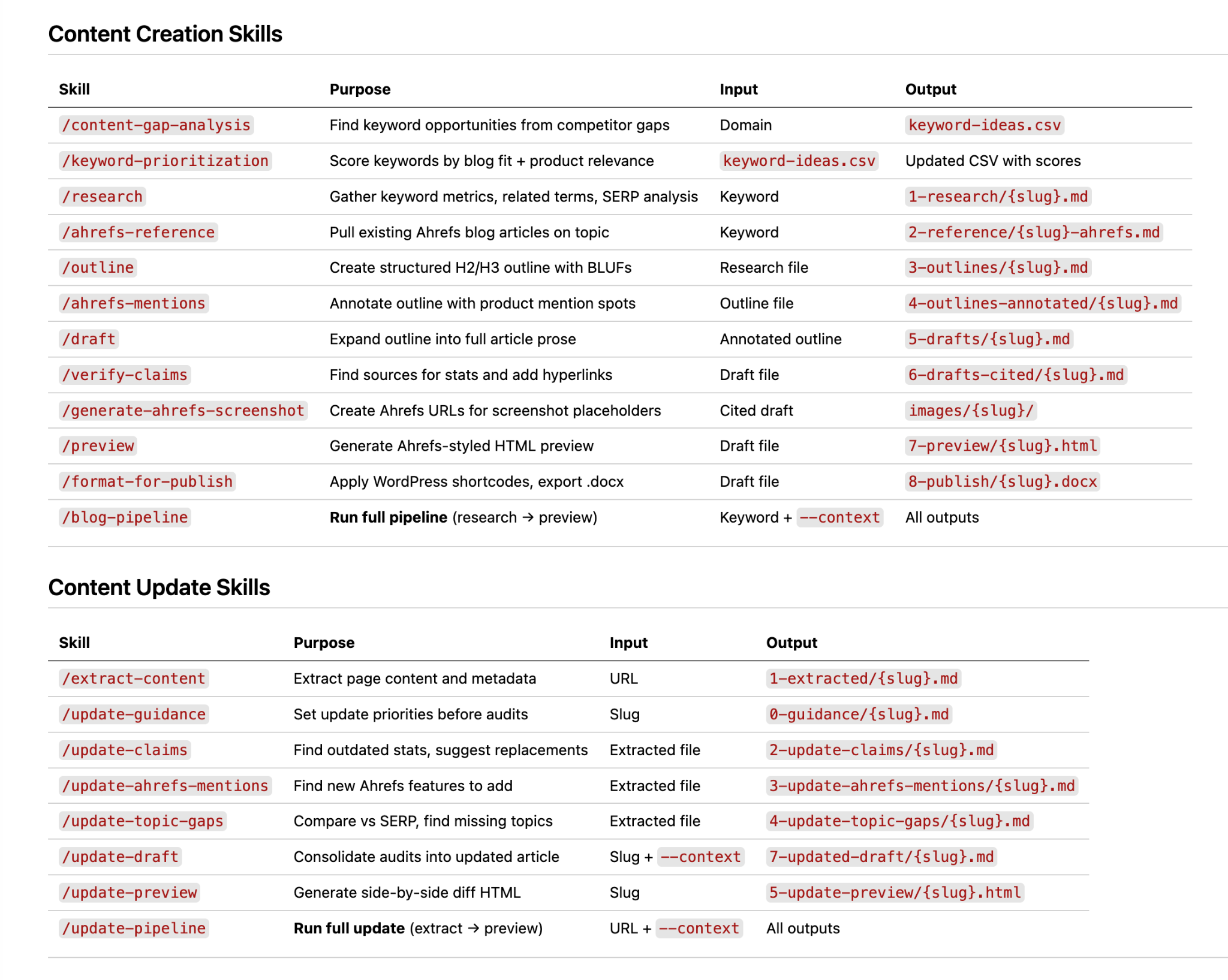
Writing an article involves several distinct jobs, and each needs different instructions. One long prompt that tries to cover all of them usually does each job worse. Separate skills let you give Claude focused guidance for each step. You can then run a step on its own or as part of the whole process.
Save the output of every stage as its own file. If the final draft is weak, you can open the outline or research file, find where things went wrong, fix that skill, and restart from the last good step instead of from the beginning.
Give Claude real data for each stage, too. Ryan's pipeline uses Ahrefs MCP to pull keyword metrics, common questions, and the current search results, so the draft doesn't rely on invented figures.
Before a run, he also adds a sentence or two of direction, such as the angle to take or the product features to include. Ryan notes that the process works because it copies an editorial process his team already had. He only uses it on topics he knows well enough to check every claim.
You can watch Ryan demo the whole system on the Ahrefs podcast.
Analyze SEO performance with Search Console and analytics data with Claude Code
Search Console shows how your pages perform in organic search, advertising reports show what happens in paid search, and website analytics show what visitors do after they arrive. Claude can match data across these reports so you can analyze them together.
10. Find keywords where paid and organic search overlap
Will Scott built a project folder where short scripts pull his clients' Search Console, website analytics, and advertising data into files Claude Code can read together. Claude Code wrote those scripts for him.
For one higher-education client, it found 351 search terms where the client was paying for ads while already ranking well in the unpaid results. That raises a useful question for any business in the same position: is the ad bringing in extra customers?
Give Claude exports from both reports and ask it to match the search terms, keeping the organic position, ad spend, and recorded inquiries or purchases beside each match. You get a list that the paid and organic teams can review together.
Ahrefs MCP can add search demand, estimated cost per click, and competing results. Use the list to choose advertising tests, rather than assuming a good organic ranking makes an ad unnecessary.
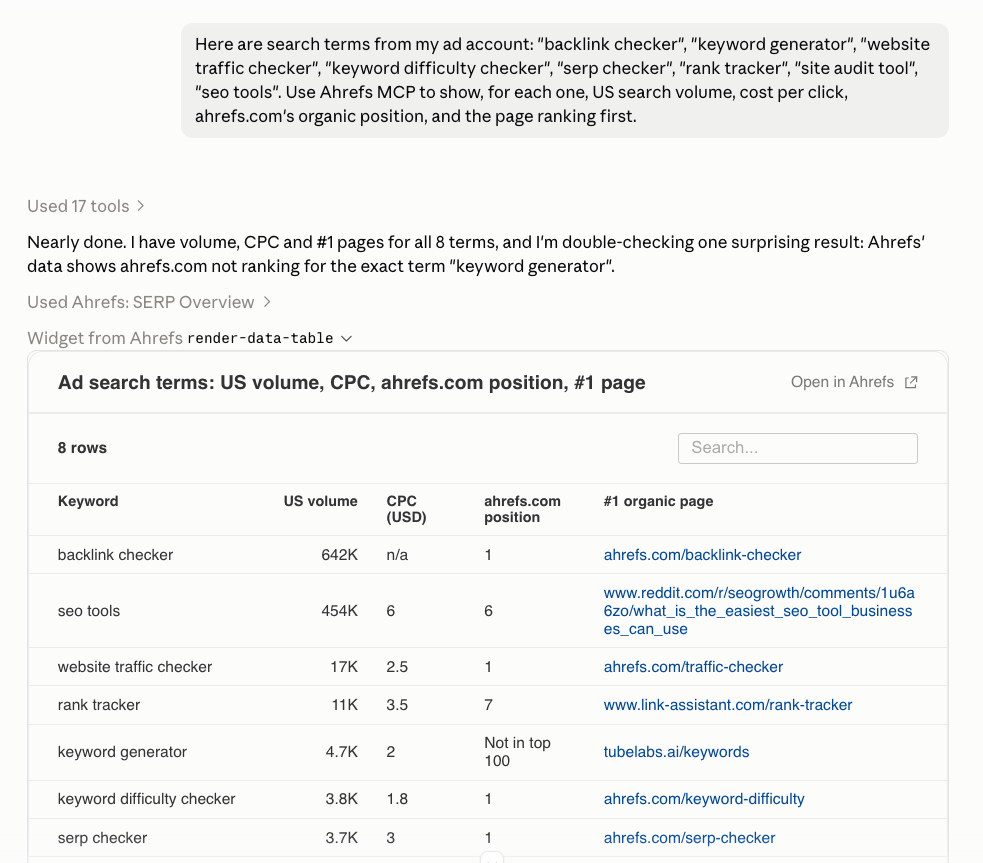
11. Find paid keywords with little or no organic visibility
Scott's analysis for the same client also found 41 search terms where ads were its only presence, with no organic visibility at all. He treats those as content gaps.
Your advertising reports can reveal searches that already bring relevant visitors or customers, even when your site has little organic visibility for them. Those terms are useful starting points for content research.
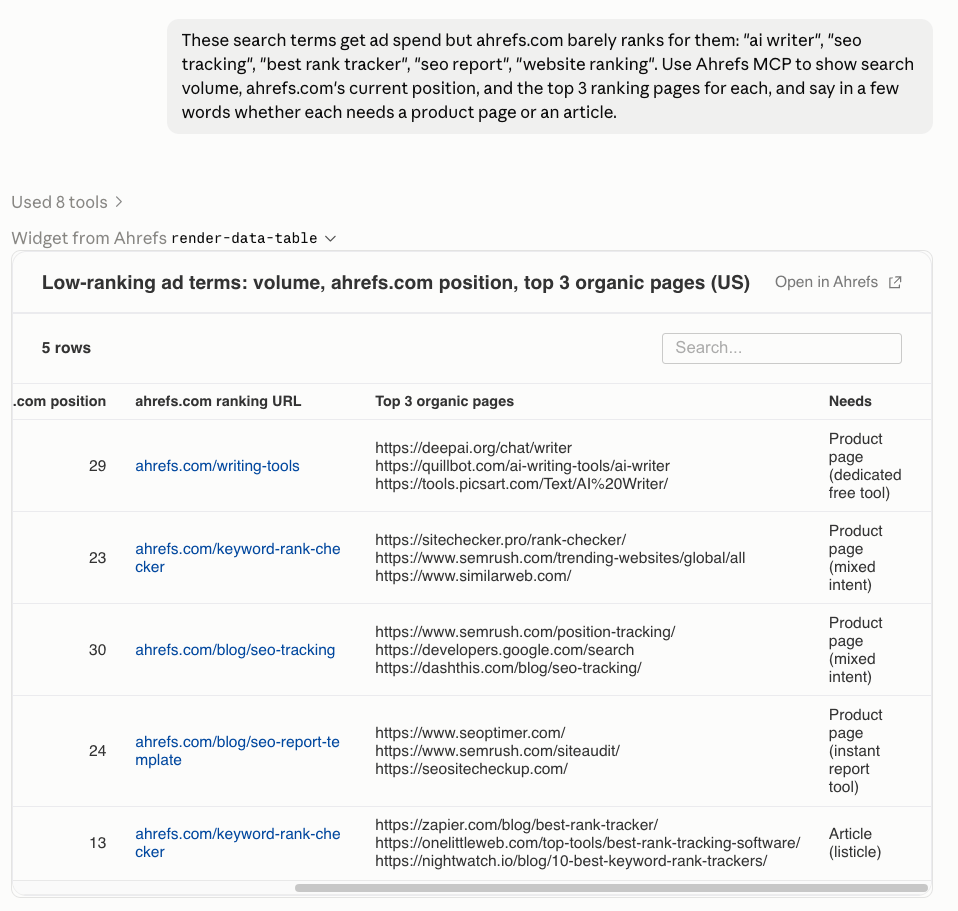
Claude can compare the paid search terms with the organic data you supply and return a table of the missing terms with their advertising spend and recorded leads or sales, so you can see which ones deserve attention.
Ahrefs MCP can then show search demand and the pages currently ranking.
12. Find organic keywords worth testing in paid search
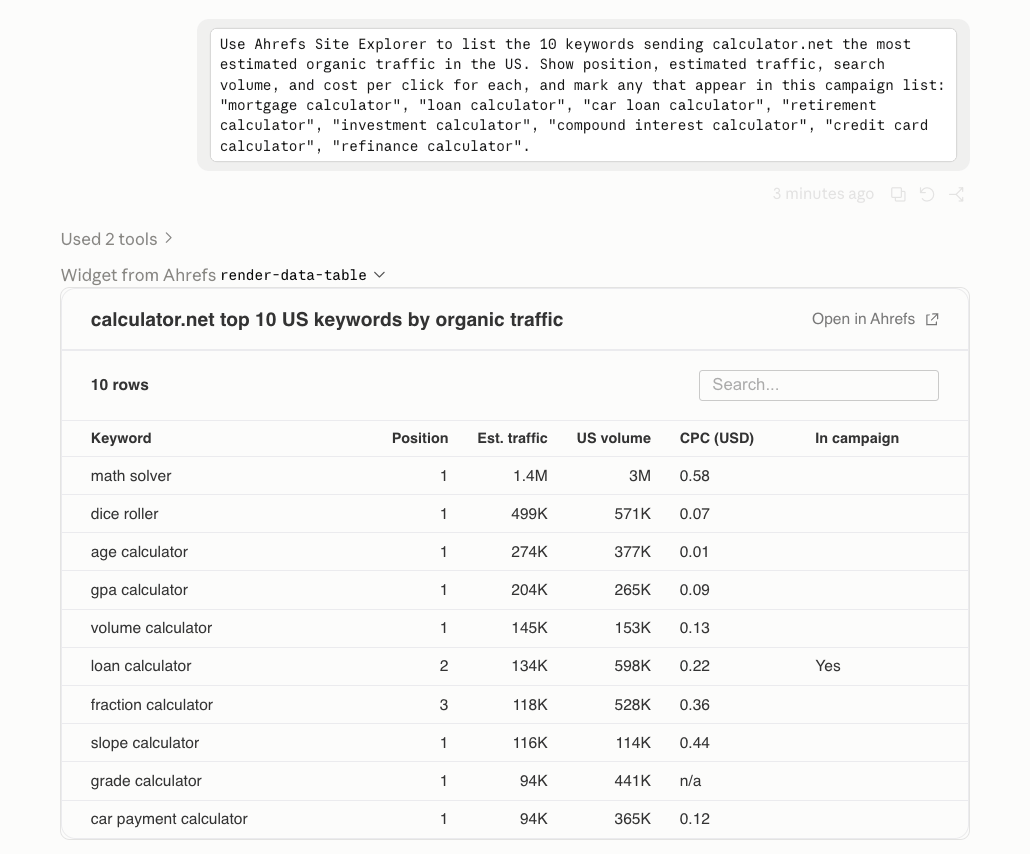
An impression means the site appeared in the search results, so the report identifies searches where it already gets some exposure. Claude checks the organic query list against the campaign list and returns the missing terms for the advertising team to investigate.
Ahrefs MCP can add search volume and cost-per-click estimates. Those figures help with planning, but the team still needs to judge whether the search fits the offer and whether a paid campaign could be profitable.
13. Find SEO pages that generate leads or sales
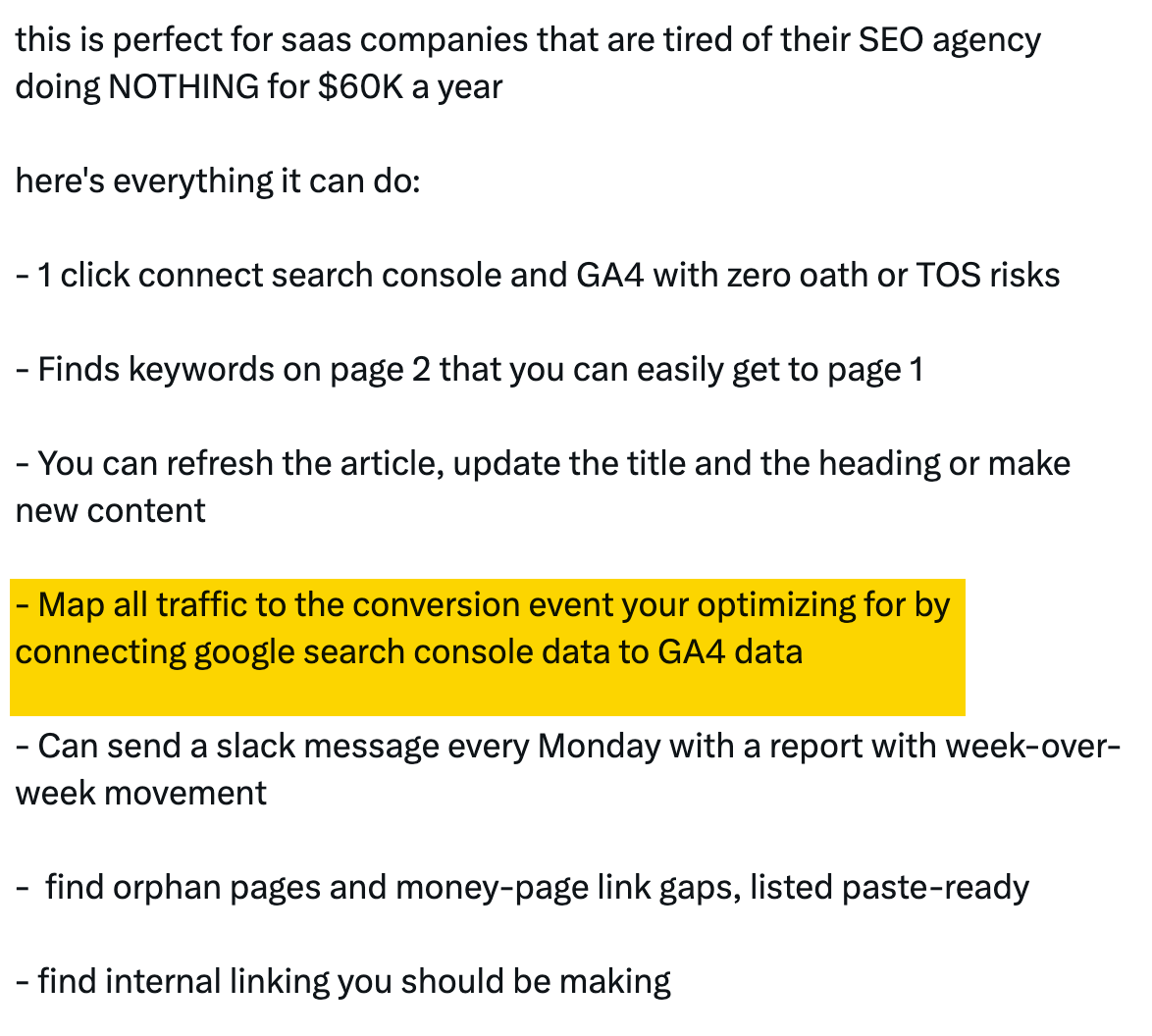
A page can attract plenty of visitors without producing many inquiries or purchases. To see the difference, you need search data and records of what visitors do after they arrive.
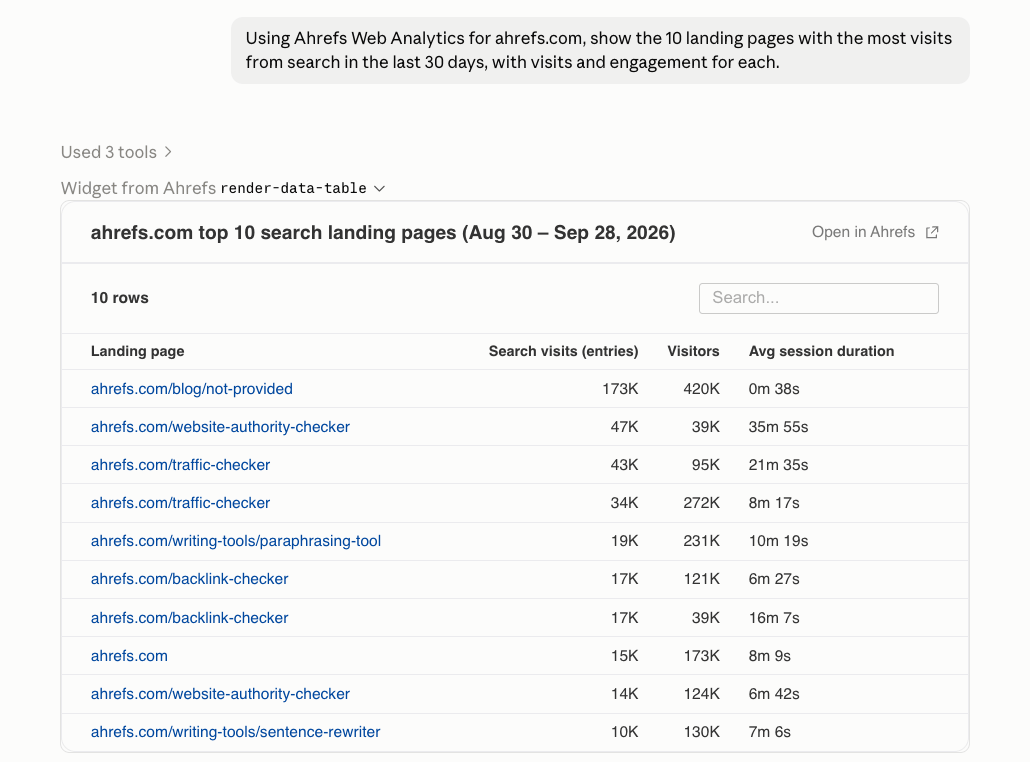
Give Claude reports covering the same dates, with page addresses in both. It can use those addresses to match search clicks with recorded actions, such as completed inquiry forms. This helps you compare pages on more than traffic alone.
Ahrefs MCP can add engagement and referral data from configured Web Analytics projects. Keep the analysis at page level, because these reports don't identify the sale generated by each individual search query.
14. Find high-impression pages with low click-through rates
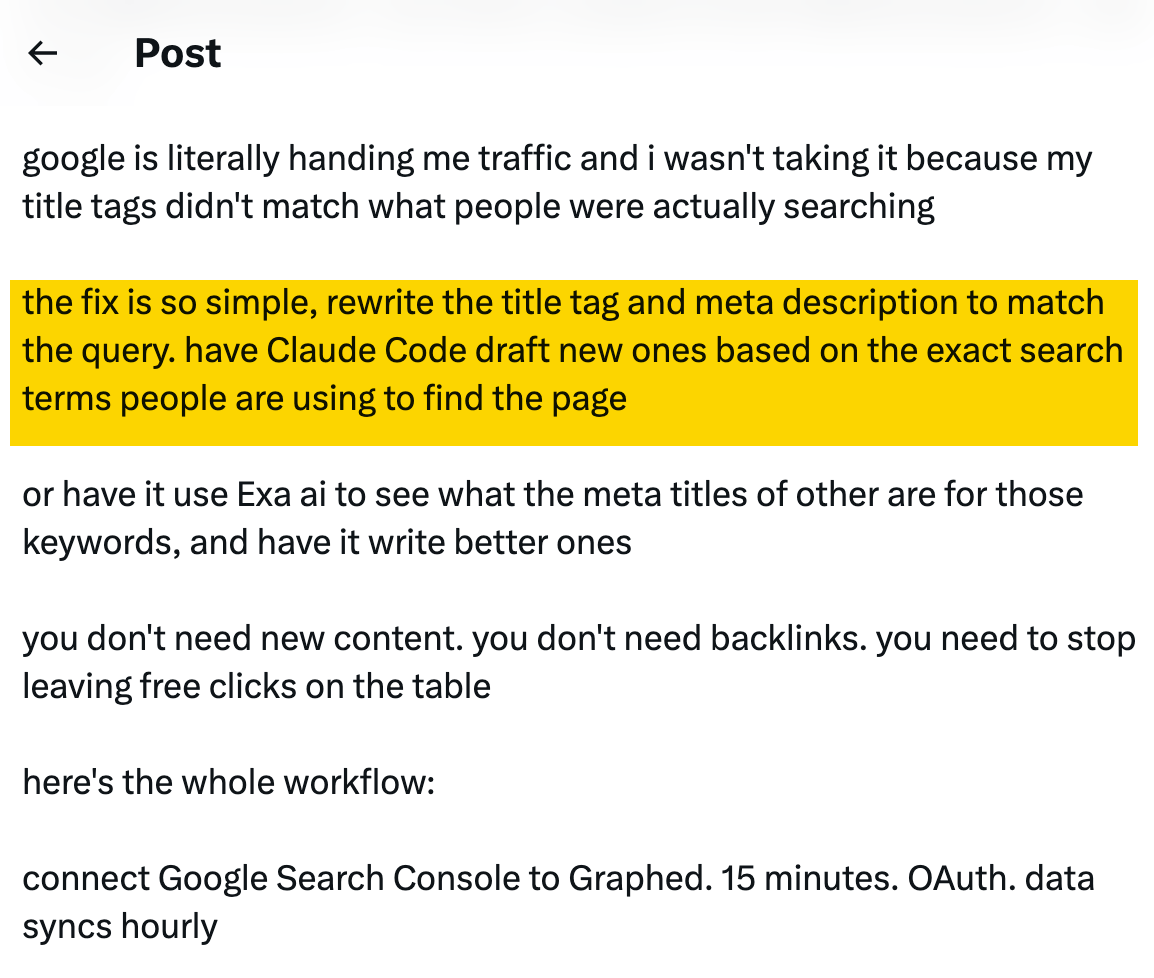
Schneider asked Claude Code to find every search query where his pages ranked in the top 10, had at least 100 impressions, and had a click-through rate below 3%. Claude wrote and ran the database query, then returned a list of matching queries. One example was a page ranking in position 5 that had received more than 700 impressions but no clicks.
An impression means your page appeared in the search results. A click means someone chose your result, and click-through rate (CTR) is the percentage of impressions that turn into clicks.
Pages with plenty of impressions but very few clicks are worth a closer look. The title or description may not be clear or appealing enough, or competing results may do a better job of answering what people are searching for.
15. Find pages ranking just outside the first page
If you want more search traffic, pages that already rank but sit just outside the most visible results are a useful place to look. You already have a page to improve, plus evidence of the searches it appears for.
Ask Claude to list those queries along with the pages that rank for them, then compare your content with the results ranking above it. For example, a competing guide might answer an important practical question that your article doesn't cover.
The result is a shortlist of pages to review, along with specific differences worth investigating. It doesn't mean every page sitting just outside the top results will be easy to improve, but it turns a large search report into a much more manageable list of tasks.
16. Find pages losing organic search traffic
Riccardo Montis connected Claude Code to Google Search Console and set it to run every week, flagging first-page results that are losing clicks and prioritizing which pages to refresh. He says the setup helps him spot declining content within the first week and saves him 5 to 10 hours of research each week. He shares his setup with people who comment on the post.
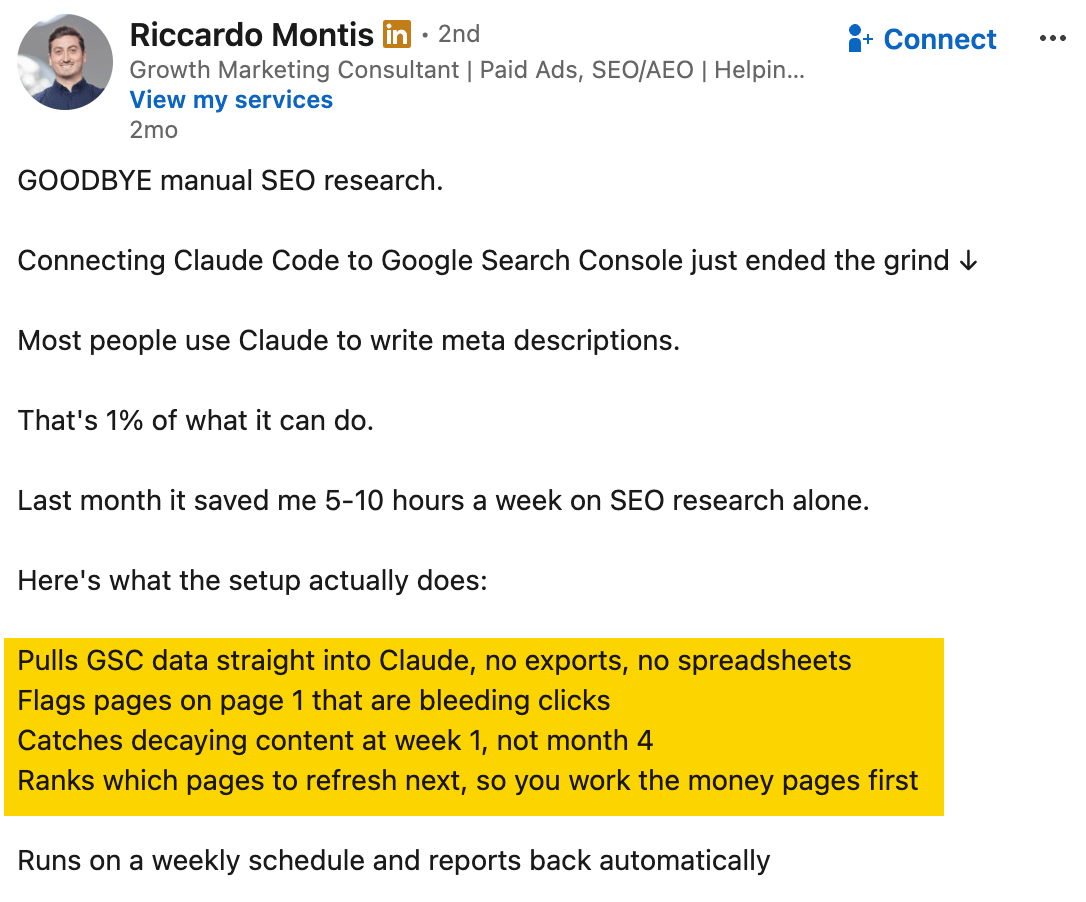
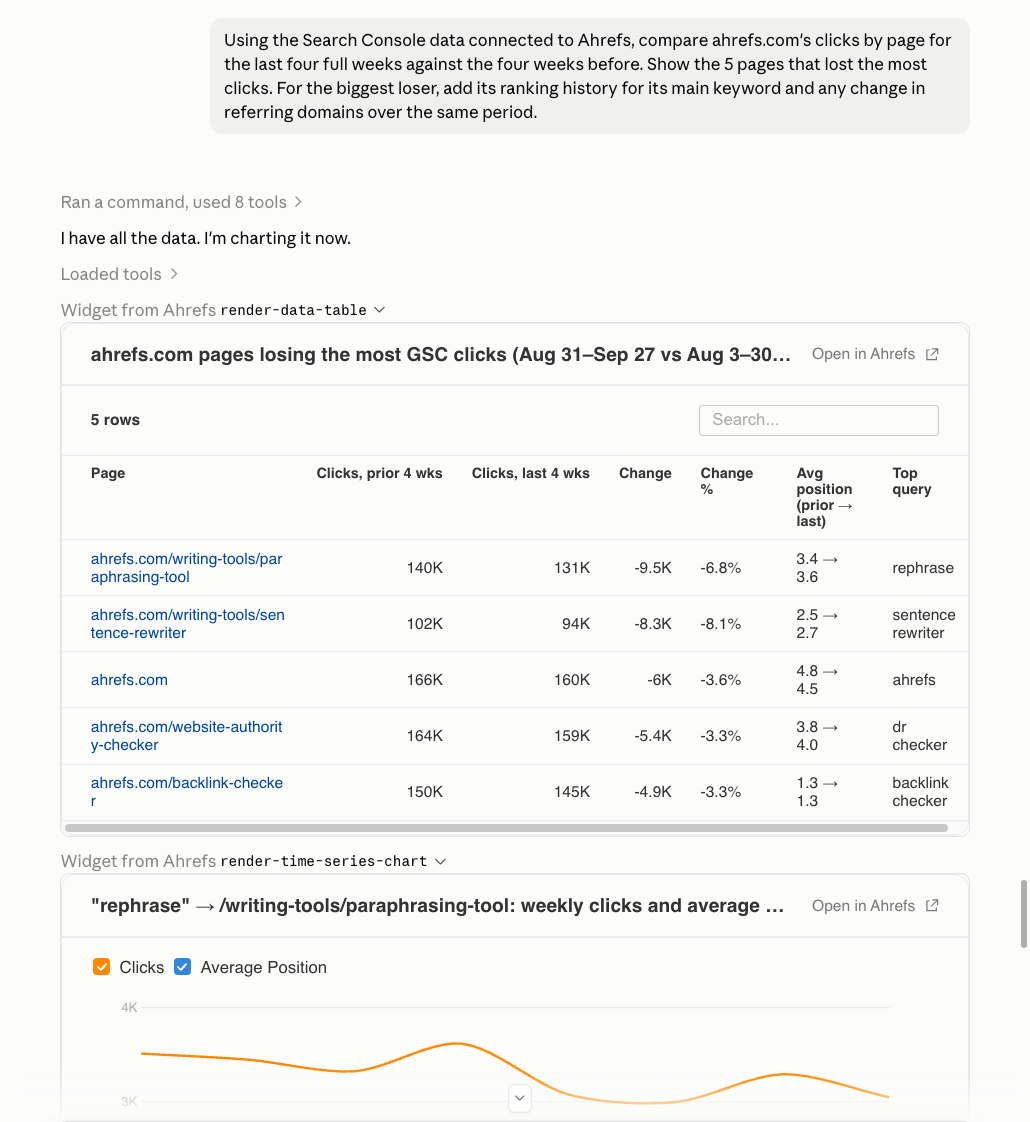
A slow decline on a single article can be easy to miss when overall site traffic still looks healthy. To find these pages, give Claude two complete periods of equal length—for example, the last four full weeks and the four weeks before that. Ask it to identify the pages losing traffic, show the size of the change, and list the search queries involved.
This gives you a focused list of pages to investigate instead of making you dig through the entire Search Console report. Ahrefs MCP can add more context, including ranking history, competitor performance, changes in backlinks, and site audit findings.
A drop in clicks doesn't always mean the content needs updating. Before rewriting a page, check whether search demand has changed or whether either reporting period contains incomplete data.
17. Analyze what visitors do after arriving from search
Another question Will Scott asks of his combined data is which pages rank well in Search Console but have high bounce rates in website analytics. He uses these pages as a starting point for finding content that may need improvement.
Getting someone to visit a page doesn't tell you whether the page actually helped them. A visitor might find the answer immediately, struggle to find what they need, or leave because the content wasn't what they expected.
Claude can match page addresses across Search Console and analytics reports, so you can compare search performance with what visitors do after they arrive. For example, you could find pages that rank well but have a high percentage of visits that end without further interaction. Ahrefs MCP can add page-level engagement and referral data from Web Analytics when tracking is set up.
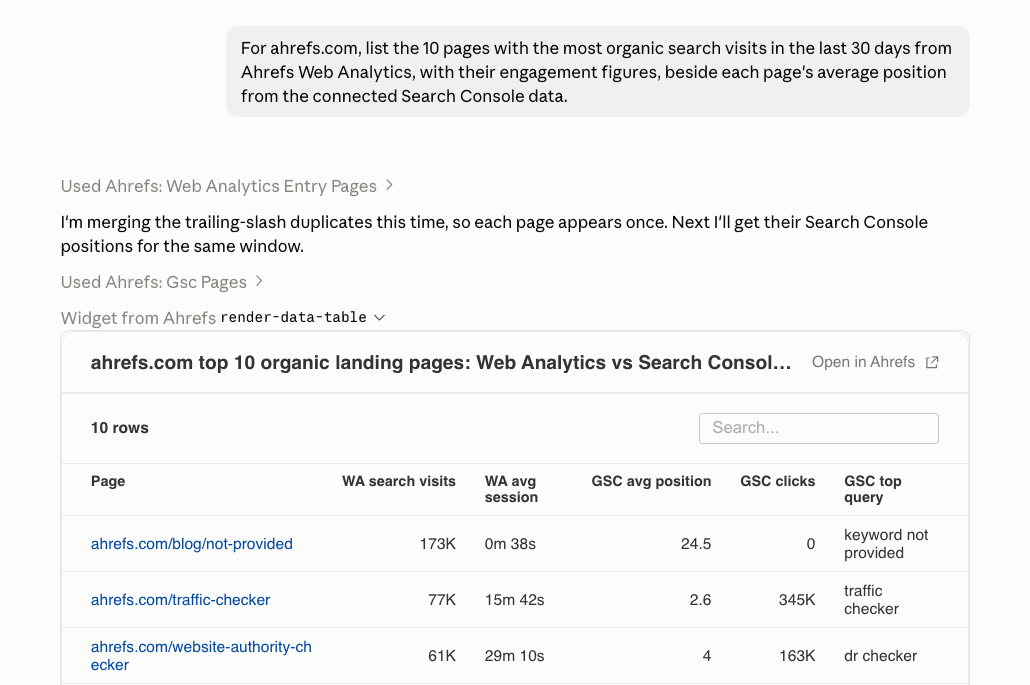
Be careful when interpreting bounce rate, though. Analytics platforms define engagement differently, so check how your system measures it before drawing conclusions. A short visit isn't necessarily a bad one—a visitor who quickly finds the answer they need may leave without taking another action.
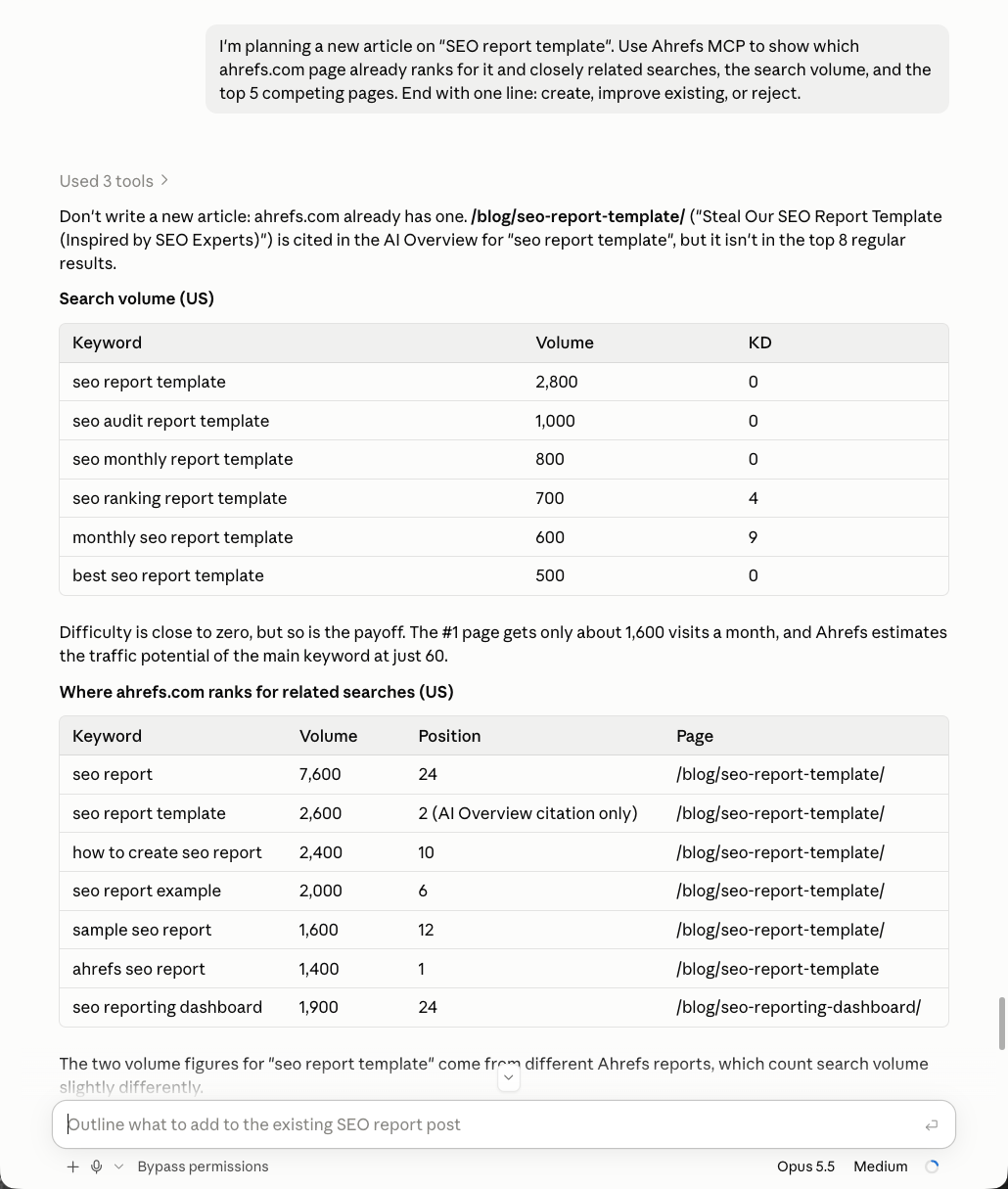
18. Decide whether to create a new page or update an existing one
A Redditor posting as u/iammofidul has Claude check Search Console before creating a new page, then classify the idea as "create," "improve existing," or "reject". Claude checks whether an existing page already ranks for the search, which queries bring that page clicks, and whether the proposed keyword represents a genuinely different search intent.
Sidenote: For some undisclosed reason, the post was taken down a few days after I discovered it. Still, I think the idea itself is good enough to include in this article—and worth trying for yourself.
Finding a new keyword doesn't always mean you need a new page. An article you already have might answer most of the questions and only need a clearer explanation, a new section, or a small update.
Ahrefs MCP can add search demand and information about competing pages to the review. The result is a recommendation you can check before writing begins, helping you avoid creating several pages that answer slightly different versions of the same question.
19. Find keyword cannibalization between similar pages
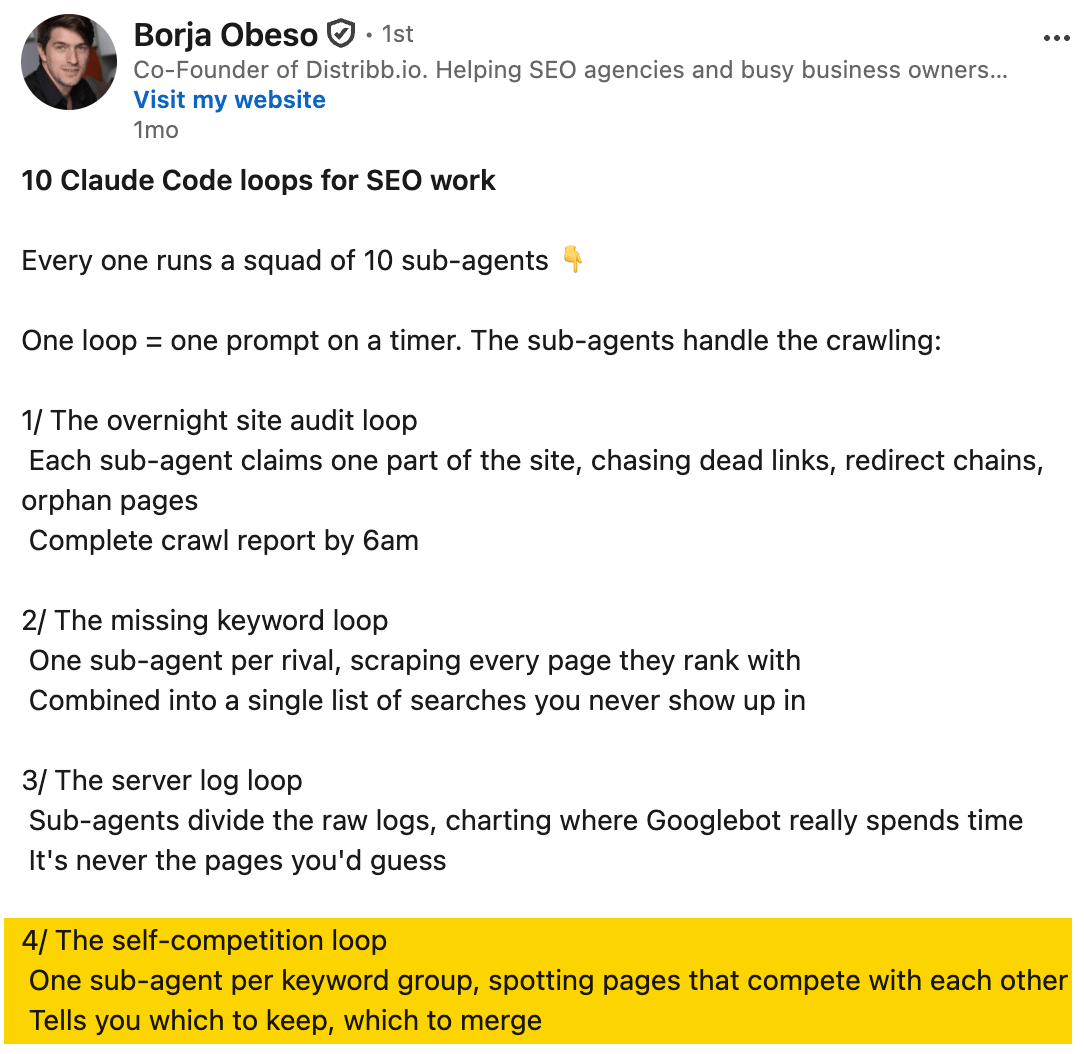
Over time, a website can build up several articles covering very similar topics. Readers may come across multiple guides that answer much the same question, while the team may struggle to decide which page to update, promote, or link to.
Give Claude your list of pages, their content, and ranking data. It can identify pairs of pages that appear for the same or similar searches, giving you a focused list to review.
From there, read the pages and decide whether they actually serve the same purpose. You might combine them into one stronger page, give each page a clearer role, or leave both as they are.
Two pages ranking for the same query don't automatically mean one should be removed. Treat it as a reason to investigate whether the pages are genuinely competing or simply meeting different needs.
20. Find SEO topics your website needs to cover better
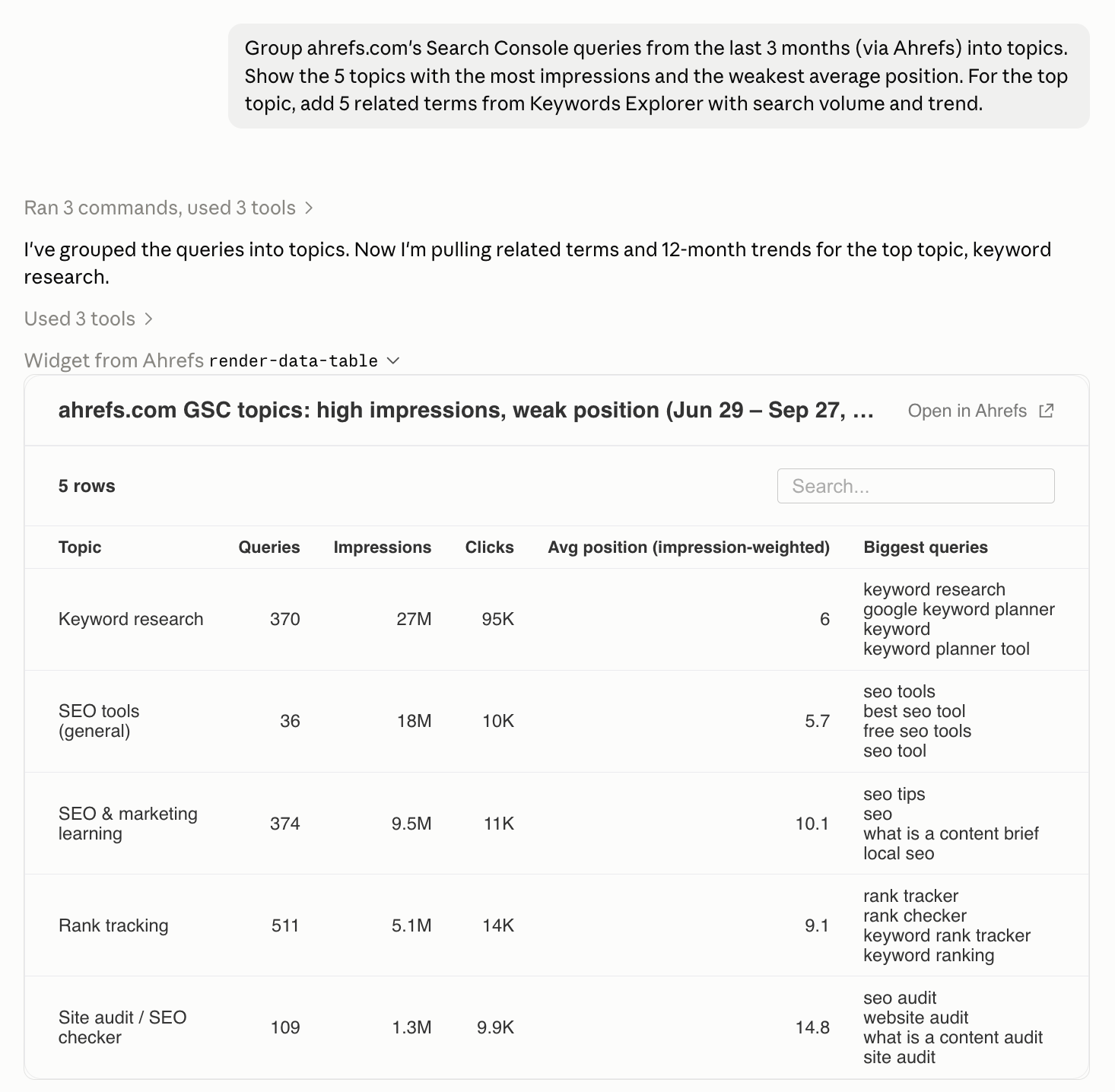
Search Console often contains many different searches about the same subject. Looking at each query separately can make it difficult to see the bigger picture. For example, several variations of searches about cleaning a coffee machine might all point to the same weak area in your content.
Claude can group these related queries and show which pages appear for them, letting you review an entire topic rather than dozens of individual search terms. Groups with high impressions but poor rankings can highlight subjects where your site already has some visibility but may need stronger or more complete content.
Review the groups before acting, as similar-looking phrases can sometimes have different meanings or needs. Ahrefs MCP can add related keywords and search-volume trends, helping you find relevant questions beyond the searches your site already appears for.
SEO content research, keyword gaps, and promotion opportunities with Claude Code
Research can involve reading a large number of pages before you know which ones matter. Claude can help collect and organize that material. Ask it to keep the sources with its findings so you can see what each recommendation is based on.
21. Find content gaps your competitors already cover
Alex Nederlof used Claude Code to audit his company's online tool. He first asked it to research the business, competitors, and market, and save the findings. Then he had it pull Search Console data and review the site in a browser. He suggests taking this a step further by crawling competitors' websites to look for keywords and content gaps.
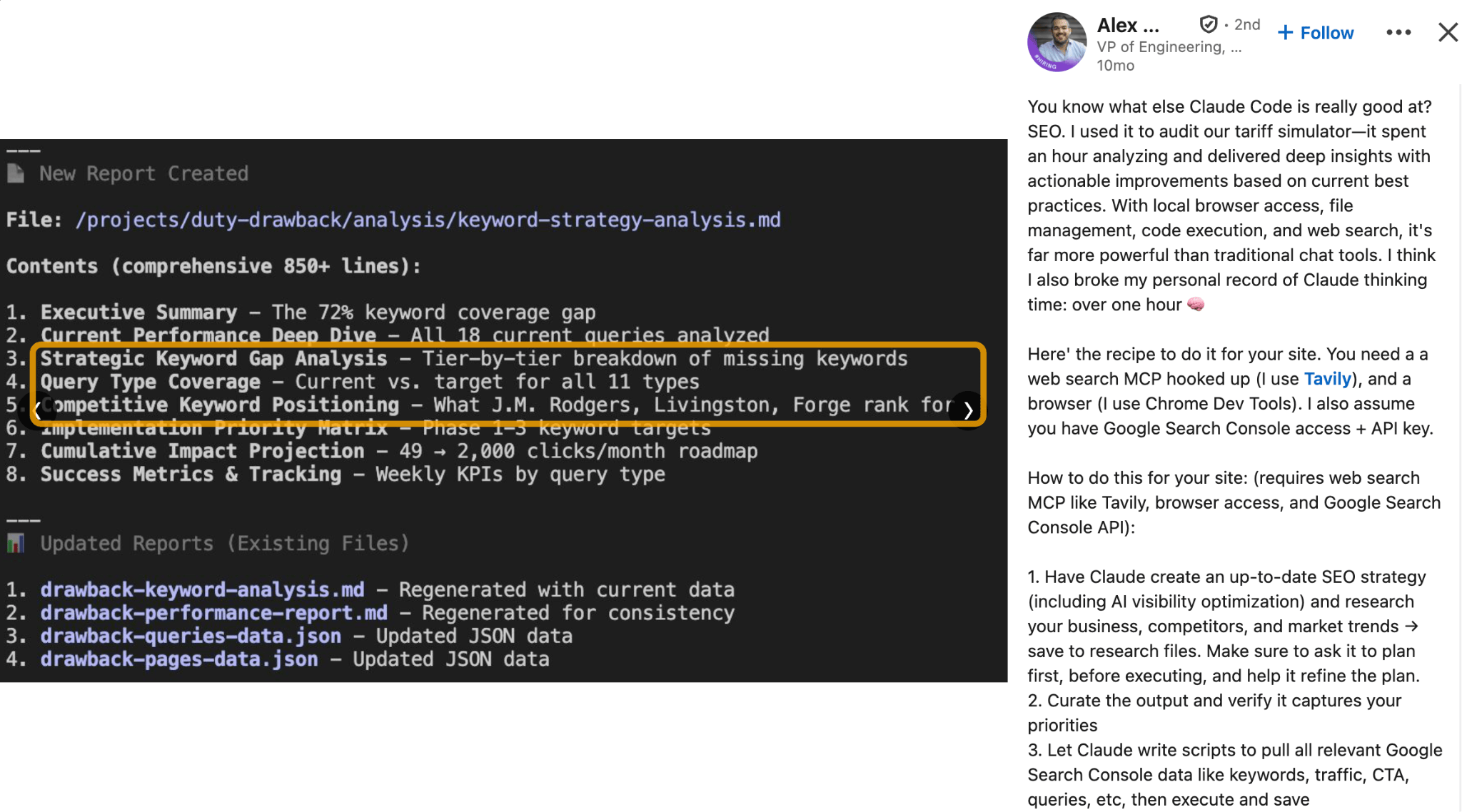
Competitor sites can help you spot useful questions your own site hasn't answered yet. They might explain how to choose a product, compare different options, or solve a common problem that your content doesn't cover.
Give Claude your website, a list of relevant competitors, and some context about what your business offers. The result should be a list of missing topics, along with reasons each one may be worth investigating. Use that list as a starting point rather than a copy plan. Focus on topics that matter to your customers instead of trying to reproduce everything a competitor publishes.
Ahrefs MCP can add their ranking keywords, top pages, estimated traffic, and backlinks.
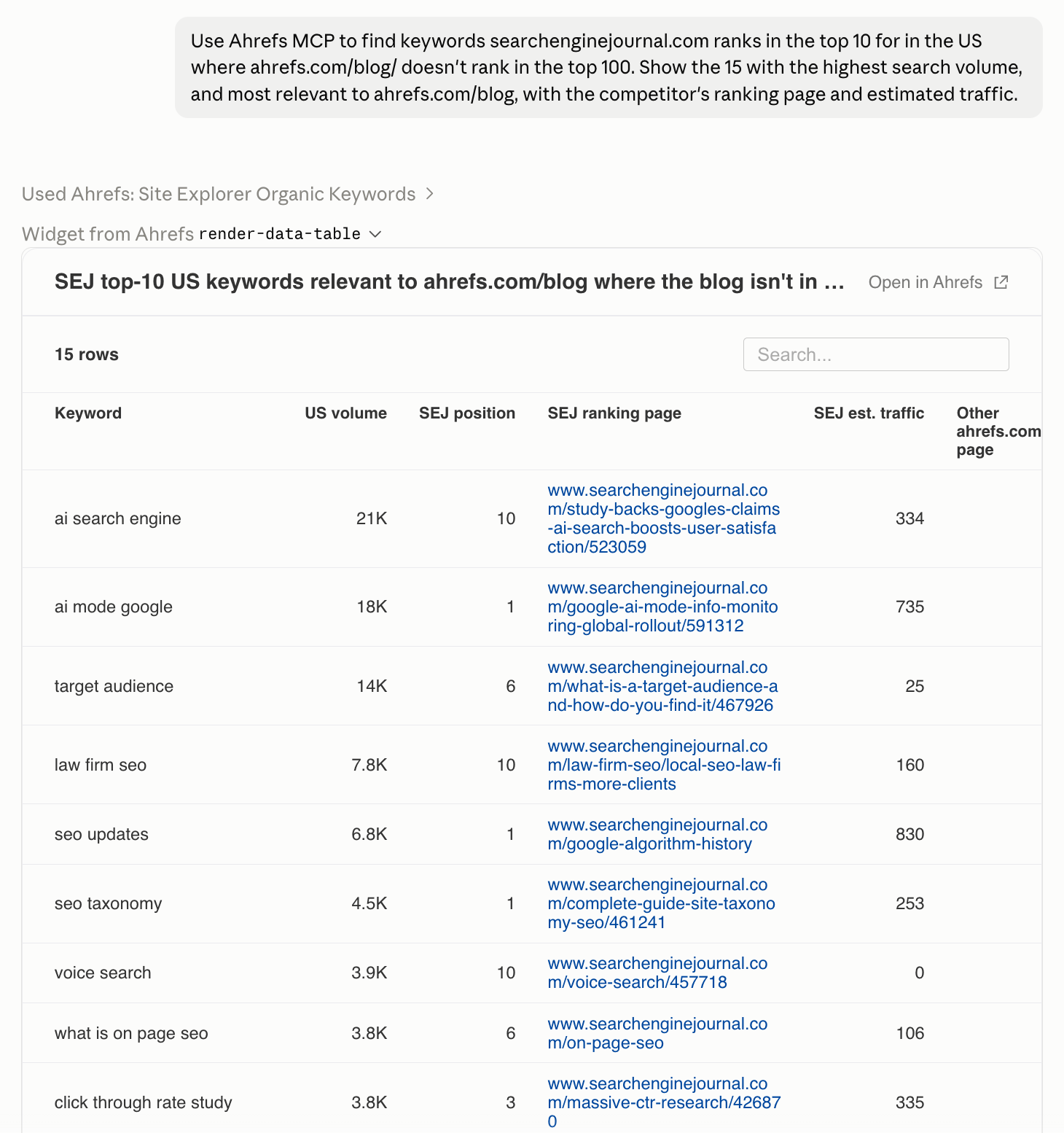
22. Create SEO content briefs from current search results
Schneider built a Claude Code skill that finds the pages currently ranking for a target keyword, extracts their content, and uses that research to write a post. You can use just the research part of that process to create a stronger content brief.
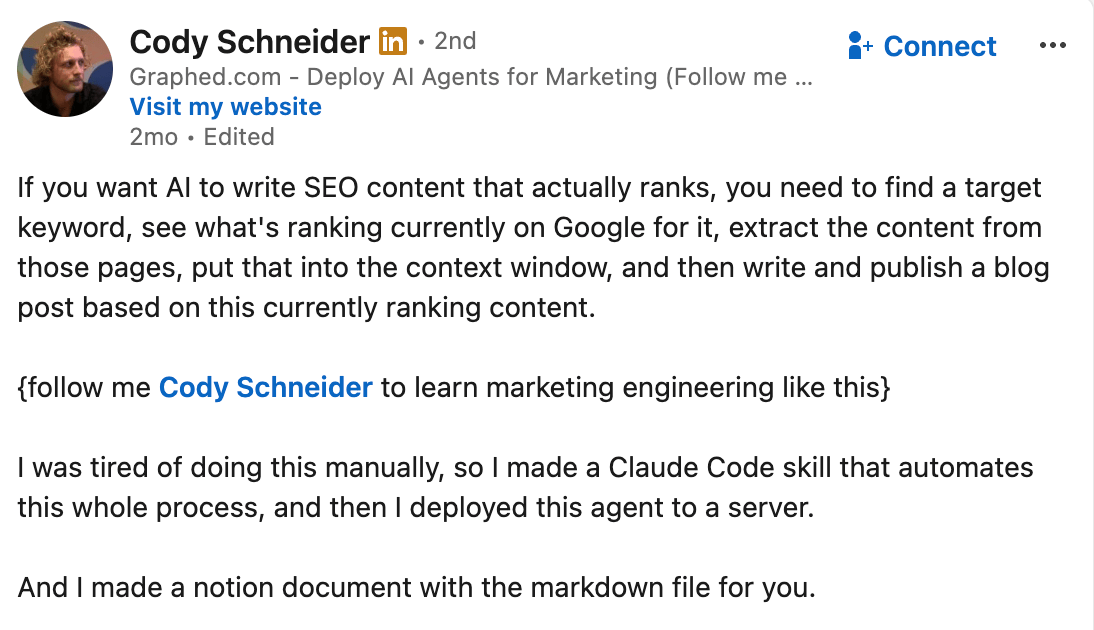
A useful brief explains who the article is for, what questions it should answer, and which points it needs to cover. Putting one together often means opening several search results and comparing what each page includes.
Give Claude your target query and ask it to summarize the common questions, examples, topics, and page formats in the results. You may find, for example, that most top-ranking pages are comparisons rather than general guides. That gives you a clearer idea of what people searching for that term are likely expecting.
Claude can use those patterns to help shape the brief, but the existing results shouldn't dictate the whole article. You still need to decide what original expertise, examples, experience, or evidence your own content can contribute.
23. Plan local SEO pages for services and locations
Nicholas Dulait plans service pages by pairing each service with each location, such as "emergency plumber in Toronto" or "drain cleaning in Montreal". He uses keyword data sorted by cost per click to help prioritize them, since higher CPCs can signal searches with stronger commercial intent. He also warns against creating hundreds of almost identical pages.
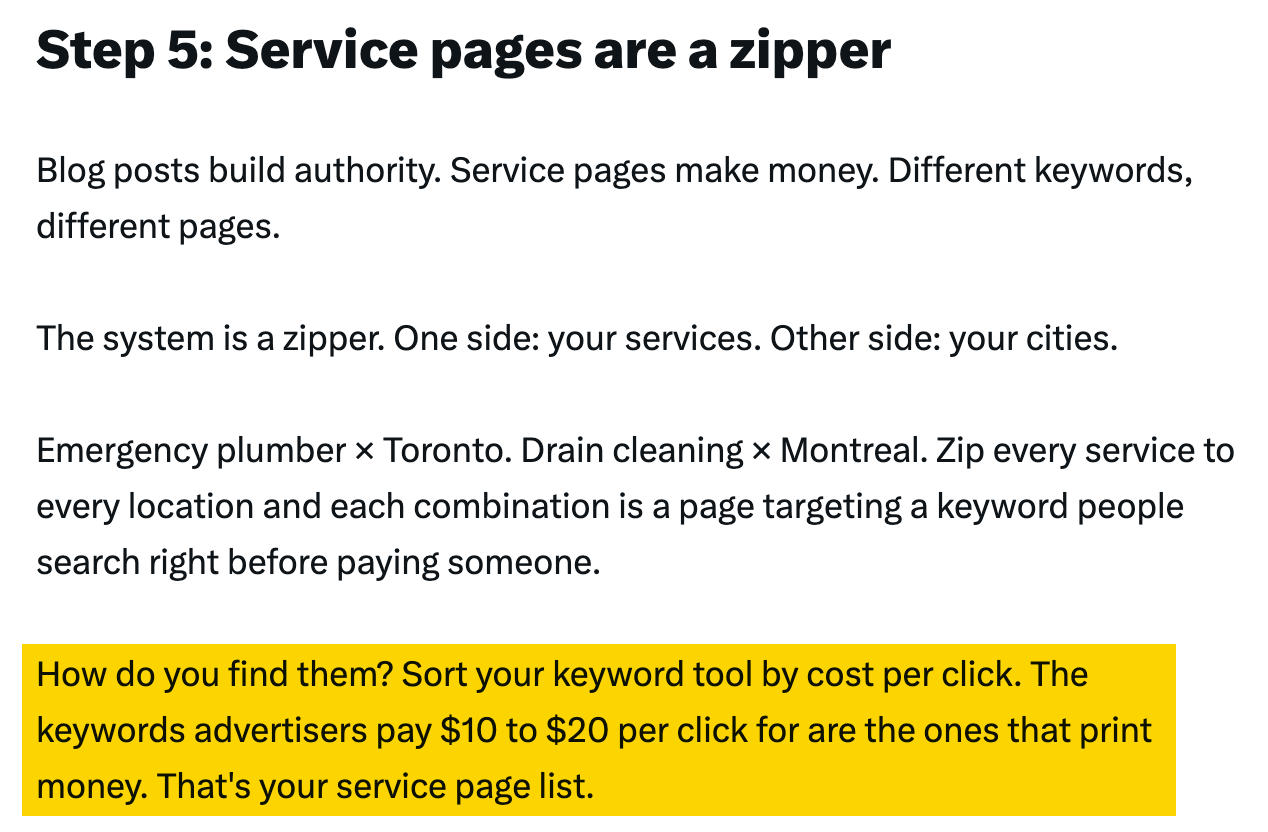
If your business serves several areas, it helps to decide which service-and-location combinations actually deserve their own pages. Give Claude your list of services, the locations you cover, and the pages you already have. It can organize the combinations and flag gaps or duplicates for you to review.
Before creating a new page, make sure you really offer that service in the location and have useful local information to add. Simply changing the city name on an existing page is unlikely to create something valuable for visitors.
The goal is to build pages where the combination makes sense, not to create every possible service-and-location variation.
24. Create competitor comparison and alternative pages
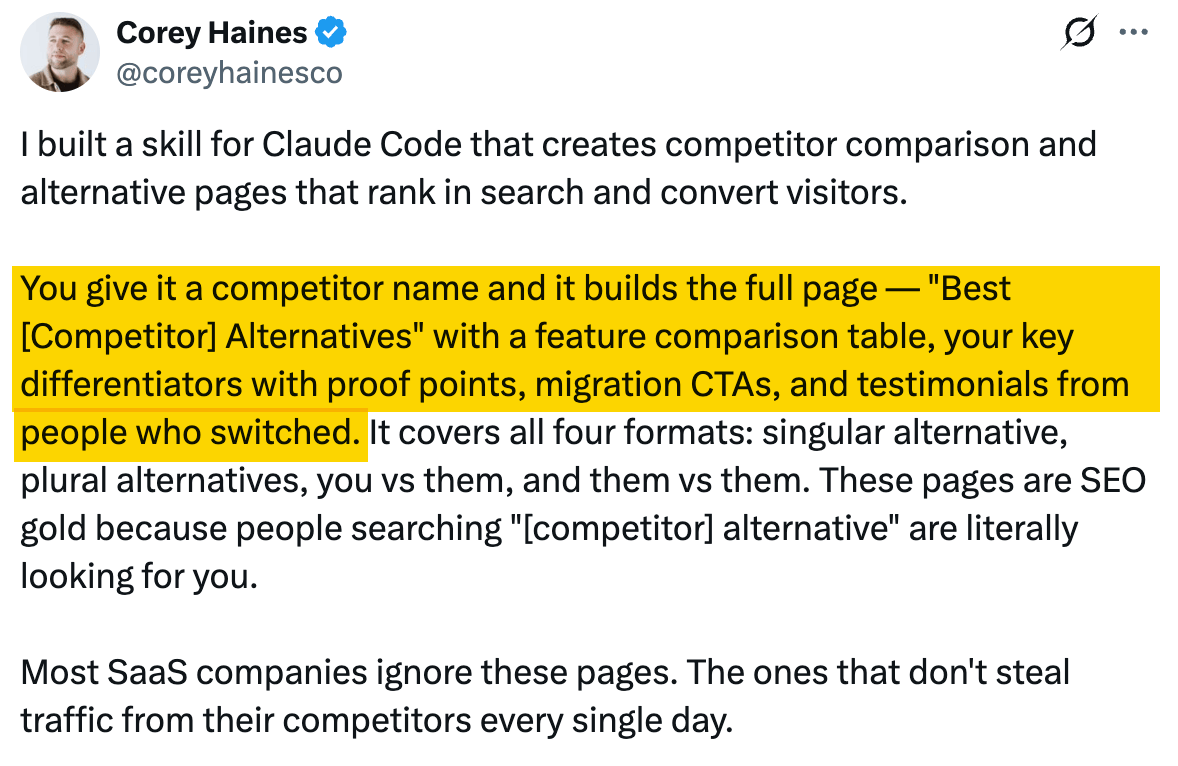
People visiting comparison pages are usually trying to make a decision. They may want to know about price, specific features, who each product is best suited for, or how difficult it would be to switch.
Give Claude accurate information about both products, supporting evidence, and any real customer examples you're allowed to use. It can turn that material into a structured draft with clear sections and comparison tables, while also making gaps in your information easier to spot.
25. Find link-building, PR, and digital PR opportunities
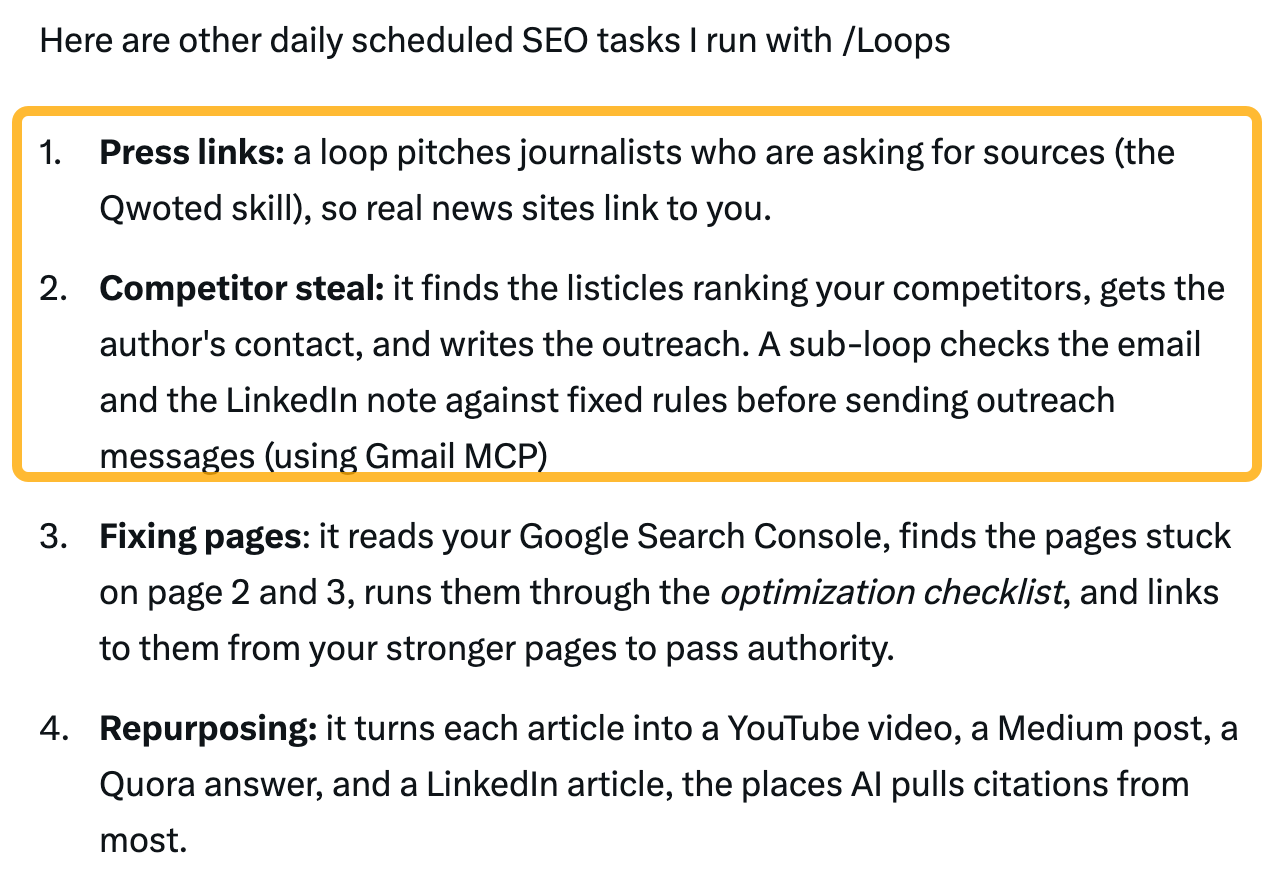
One finds comparison articles that already feature competitors, another looks for journalists seeking expert sources, and he has also used Claude Code to collect data for original research.
The common idea is to use Claude for the time-consuming discovery work.
For comparison articles, give Claude a description of your product and a list of competitors. Ask it to find relevant articles, summarize what each one recommends, and identify cases where your product might genuinely fit. If you decide to contact the writer, the pitch should explain what your product adds for readers rather than simply pointing out that competitors are already included.
You can use a similar process for journalist requests. Give Claude the opportunities you have access to and an accurate description of your team's expertise. It can filter out irrelevant requests and prepare a draft response for the right person to review. Before sending it, check the deadline and make sure the response directly answers the journalist's question. Any claims, opinions, or personal experience should come from someone who can genuinely stand behind them.
Claude can also help you create something worth citing in the first place. For one article, Fatás used Claude Code to collect data from 1,000 ranking pages and analyze patterns across the results. You could use the same approach to investigate a question in your own industry, organize the findings in a spreadsheet, and turn them into original research.
Whichever route you take, review the opportunities and data yourself. An article mentioning competitors does not automatically make your product relevant, and a pattern in a dataset does not prove that one factor caused another.
Check and improve SEO content before publishing with Claude Code
A good-sounding draft can contain mistakes. These examples compare the writing with something specific: approved business facts, a style checklist, source research, or the page's own promises.
26. Build repeatable SEO content checks before publishing
Borja Fatás also uses Claude as part of a publishing workflow that checks drafts against fixed rules before they go live. These checks cover three useful areas: business facts, writing standards, and source accuracy.
First, you can compare a draft against an up-to-date reference document containing approved information about your company. Claude can flag incorrect prices, outdated product details, wrong company names, or claims about features that do not exist. This is especially useful because these mistakes can sound perfectly plausible in a polished draft.
Second, turn recurring editorial fixes into simple checks. Fatás's workflow, for example, rejects a list of filler words and flags repeated closing phrases. You can do the same for missing sections, banned phrases, formatting rules, or wording your publication tries to avoid. The most reliable checks are objective ones with a clear pass-or-fail answer.
Finally, use Claude to check whether the evidence actually supports the claims in the article. Give it the draft and the underlying research, then ask it to connect factual statements with the passages that support them. It can flag unsupported claims or mismatches involving geography, audience, dates, or what a study actually measured.
These checks can remove a lot of repetitive editorial work, but they should not replace judgment. Keep your reference material current, verify important claims against the original sources, and review subjective questions—such as whether an argument is convincing or an example is genuinely useful—yourself.
27. Check that page titles match what the content delivers
On those pages, the search title, the main page heading, and the title used when the page was shared did not match well. In one case, the title promised ten specific, tested skills, while the article itself contained only five broad categories. He says that after fixing one page, its click-through rate increased from 0.16% to 1.04%.
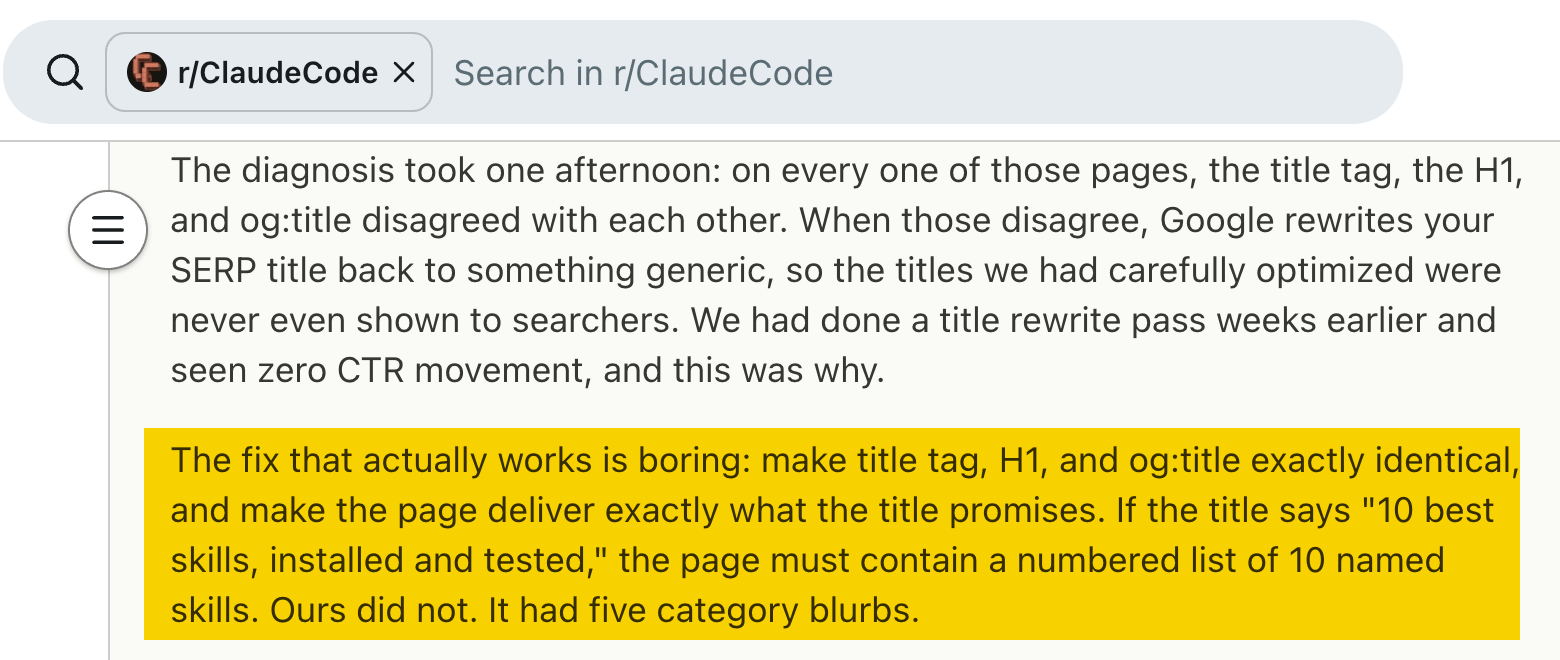
When a search result promises something the page does not deliver, visitors may feel misled. Give Claude the different titles and the article itself, then ask it to identify any promises the content does not actually fulfill.
You can then decide whether to rewrite the title, improve the article, or both. The titles do not need to use exactly the same wording, but they should describe the same content accurately.
After making changes, check the live page yourself. The same operator also describes a case where Claude replaced three strong articles with short placeholder pages while reporting that the task had succeeded.
Find and fix on-page and technical SEO issues with Claude Code
The work here starts with information about the website, such as its pages, links, or code. Claude can help turn that information into a list of specific problems or proposed edits for someone to review.
28. Write SEO titles based on real search queries
After finding pages with lots of impressions but few clicks, Schneider had Claude Code draft new titles and descriptions based on the exact searches people used to find each page. He also had it review the titles used by competing pages for the same searches. His conclusion was that some of his titles did not match what people were actually looking for.
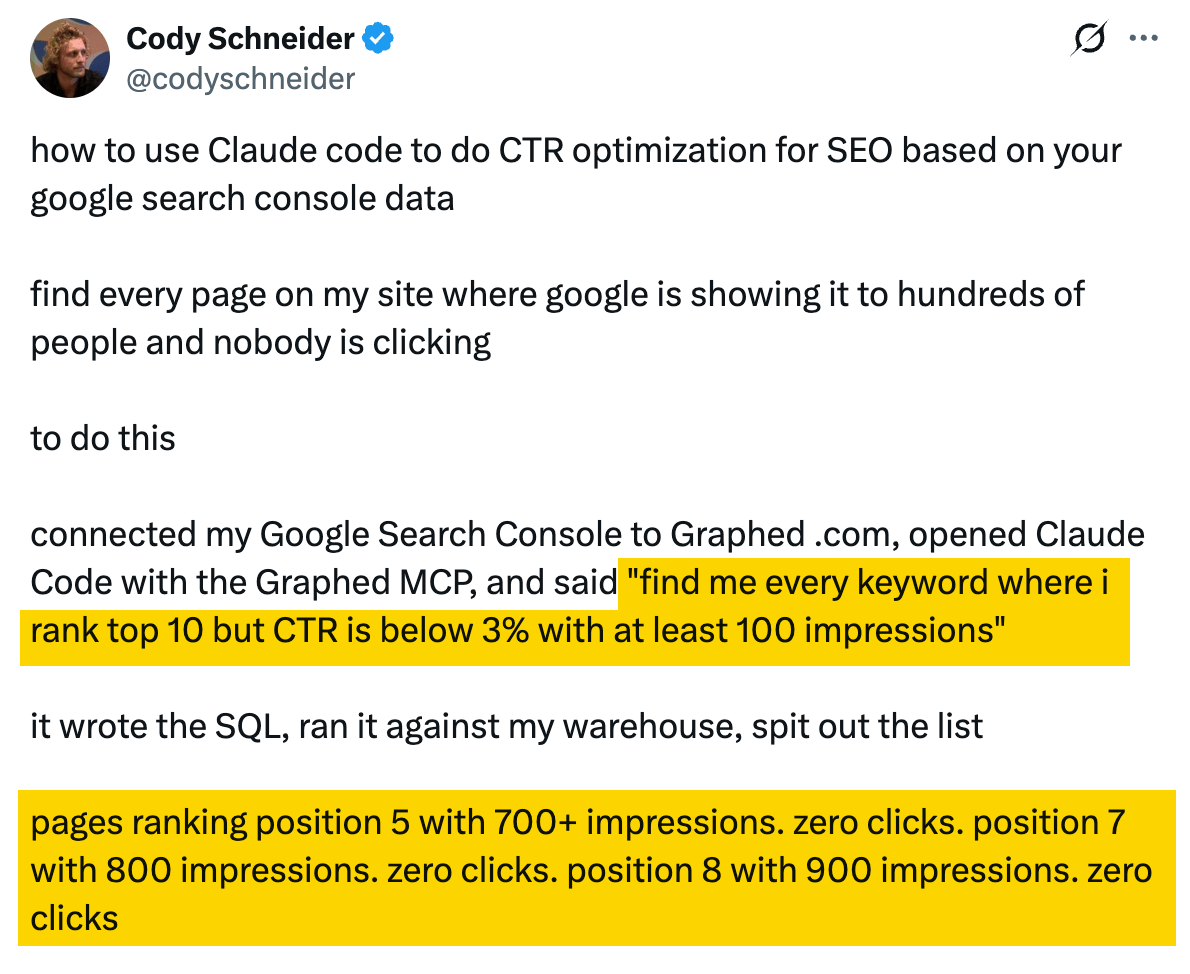
The title shown in search results helps people decide whether a page is worth opening. If your title focuses on something different from the question behind the search, even a relevant page may get overlooked.
Give Claude the search queries, the competing titles, and the content of your page. It can suggest alternatives that better match both what people are searching for and what the page actually delivers.
That gives you title options with a clear reason behind each one, rather than a list of catchy headlines. Check that every promise is supported by the page, then monitor the results after making a change instead of assuming the new title will automatically bring more clicks.
29. Improve your website's internal linking structure
Borja Obeso turned his internal-linking process into a Claude skill that looks at how pages across a site connect, which ones matter most, and where useful links may be missing.
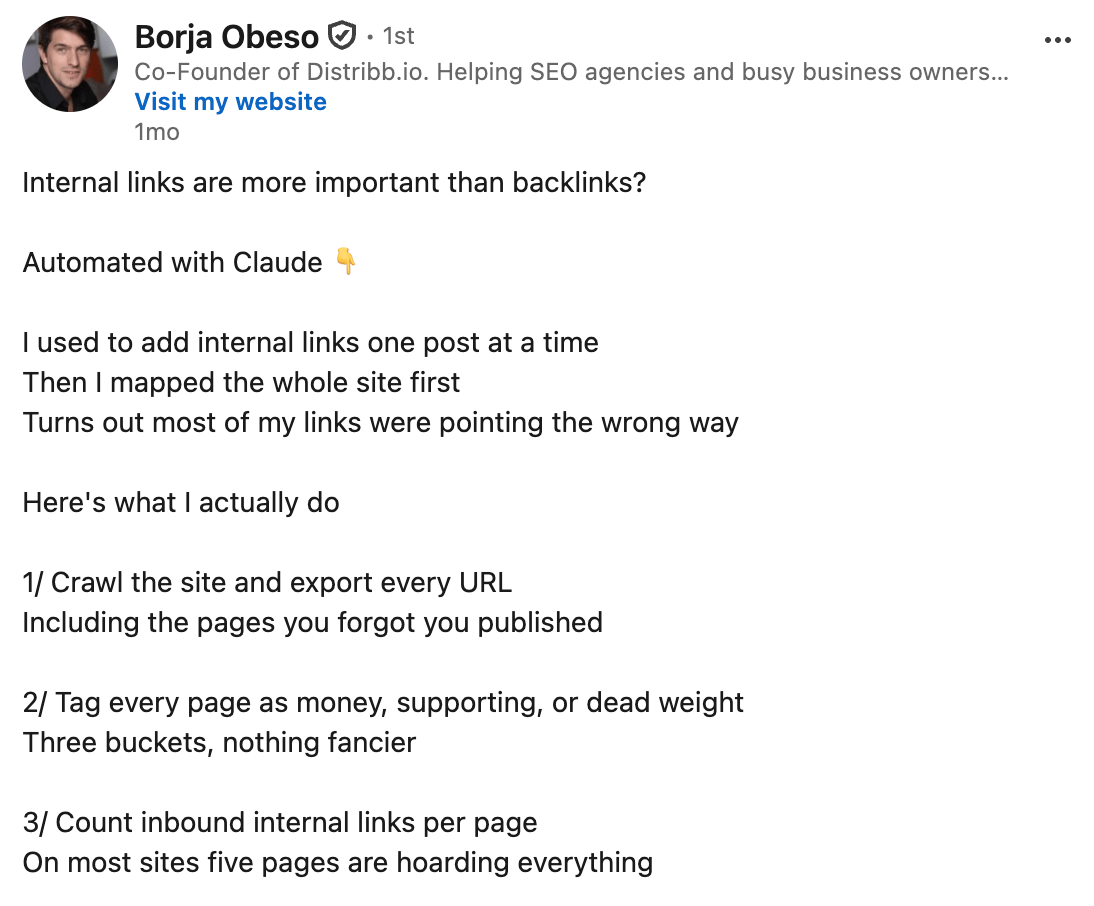
His system classifies pages as money pages, supporting pages, or dead weight, then groups related content around a main guide. Supporting articles link to that guide, while the guide can point readers toward a relevant product or service page. The idea is to create a clear path through the site instead of treating every page as a standalone piece of content.
Claude can also spot pages that receive few or no internal links, including important pages that are difficult to discover from the rest of the site. It can then suggest related pages that could link to them. Pages with no internal links are often called orphan pages.
Rather than stopping at a list of page pairs, Obeso's process can help with the actual edit, too. Give Claude the relevant content and ask it to suggest where the link should appear and what words should be linked. The wording can vary naturally across pages instead of repeating the same anchor text everywhere.
Another useful step is to look at pages that already attract a lot of backlinks from other websites. Since these pages may be common entry points to your site, they can be good places to connect readers with related guides, articles, products, or services they might otherwise miss.
To do this, give Claude your page inventory, enough content to understand what each page is about, and data about internal links and backlinks. With Ahrefs MCP, for example, it can combine Ahrefs' Site Audit data with backlink information from Ahrefs' Site Explorer to identify gaps and suggest possible improvements.
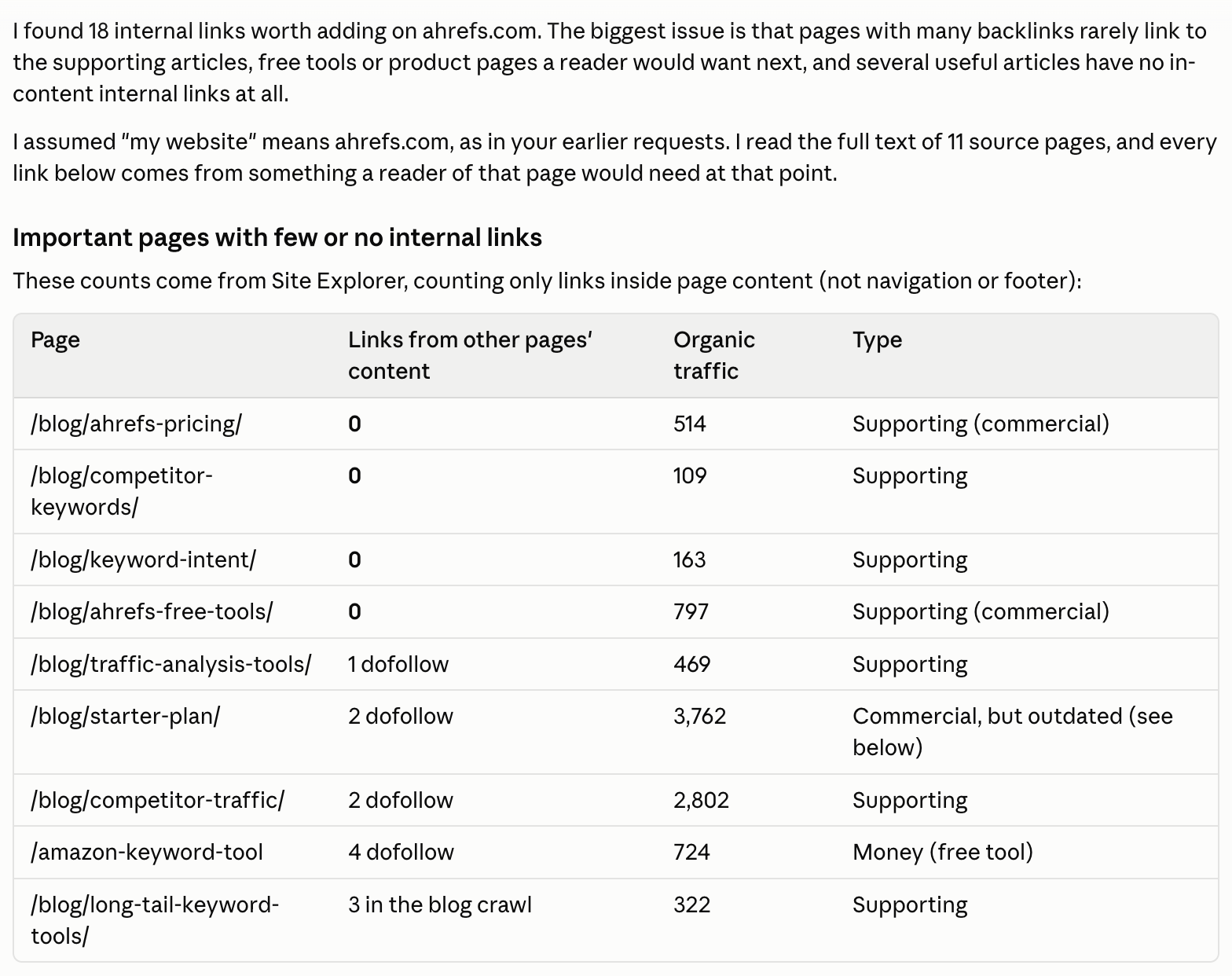
Treat the results as recommendations rather than automatic edits. Make sure the crawl covered enough of the site, check that every suggested link is useful in context, and choose the reader's natural next step rather than forcing a path toward a commercial page.
30. Find indexing, canonical, redirect, and sitemap issues
Daniel Foley Carter tested a popular Claude Code SEO audit skill (link to the skill) on his own agency site and documented several checks it missed. Many of them came down to the same problem: a site can accidentally send search engines conflicting or outdated instructions about which pages should appear in search.
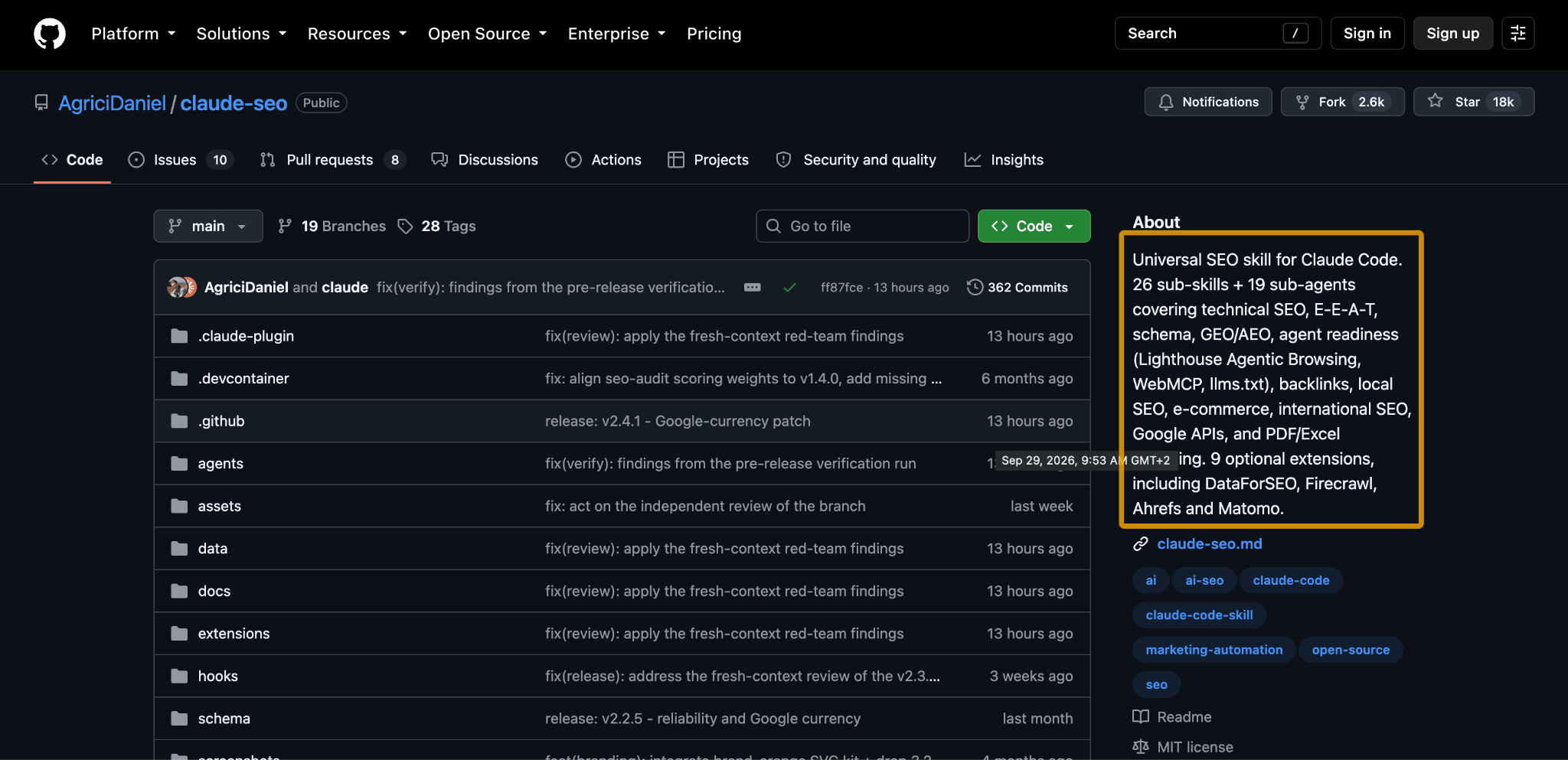
Start with pages that have a noindex instruction, which tells search engines not to show them in search results. Ask Claude to check both the page code and server response headers, then list any affected URLs and where the noindex instruction appears. This can help catch important pages that were excluded by mistake.
Next, check canonical tags and redirects. Make sure canonicals point to valid, indexable pages, and trace redirects to find chains, loops, broken destinations, or pages that look like errors despite returning a successful status code.
Finally, compare your XML sitemap with the current site. Look for URLs that redirect, no longer exist, or are excluded from search.
Give Claude your crawl data, sitemap, status codes, canonical destinations, and indexing directives. Ask it to list URLs where these signals conflict and explain the issue.
Treat the results as a review list rather than automatic fixes. Some exclusions, redirects, and canonical choices may be intentional, so confirm the intended behavior before making changes.
31. Find hreflang errors on multilingual websites
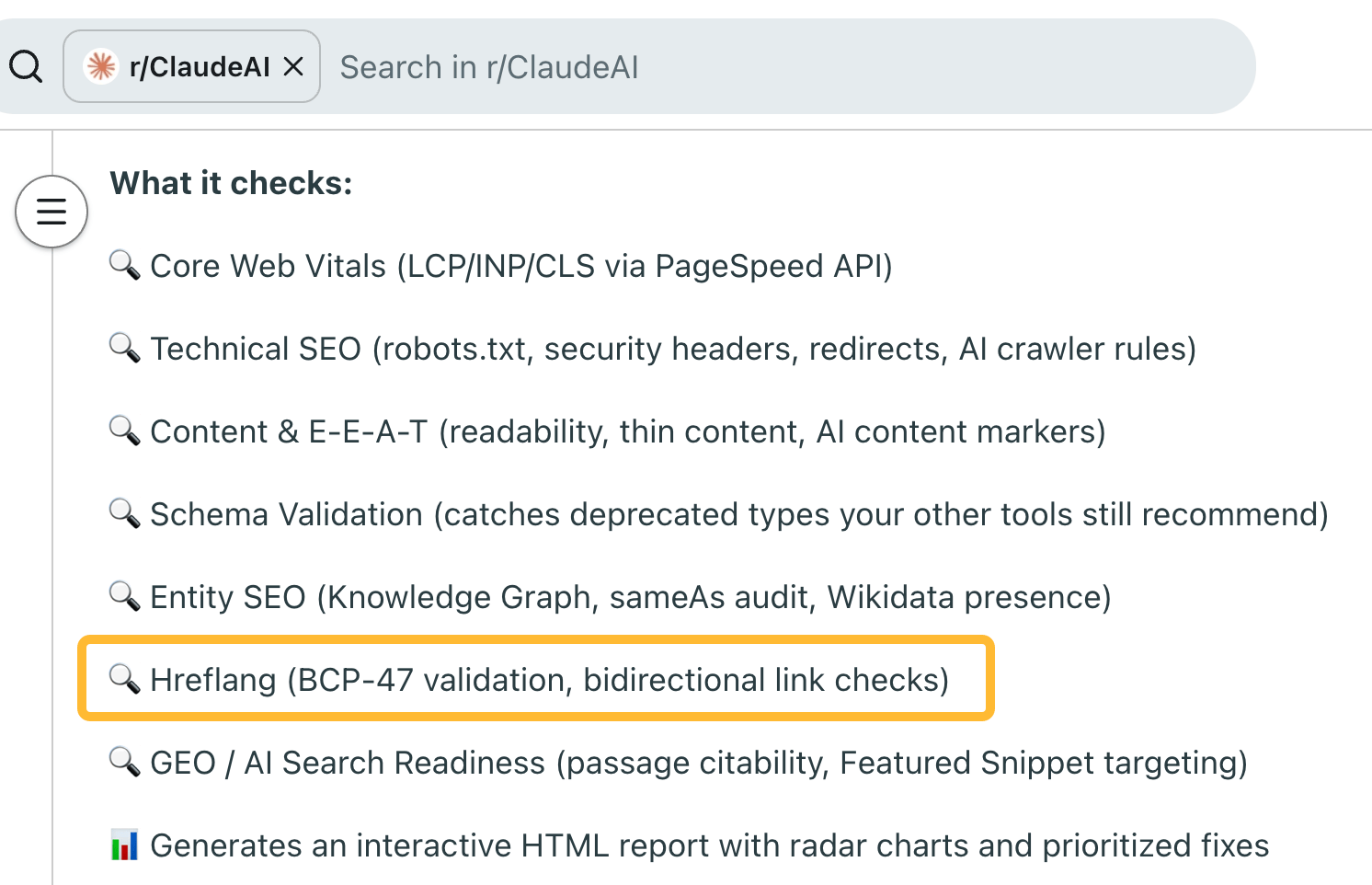
On a multilingual website, matching pages need to point to the correct versions of the same content. For example, an English guide should point to the equivalent French guide, not just any page written in French.
Give Claude the relevant crawl data and ask it to check the destination URLs, language labels, and whether the different versions point back to each other correctly. This can help uncover missing or broken connections after part of the site has been updated or moved.
The result is a list of page pairs to review. Check those pairs yourself before making changes, especially on large sites where similar pages may serve different audiences or regions.
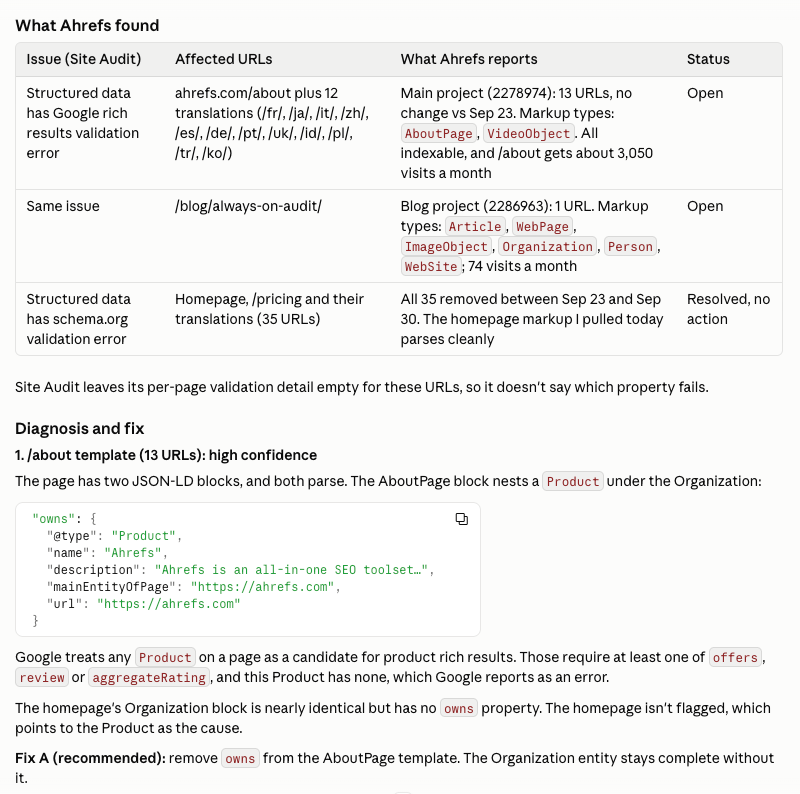
32. Check and improve structured data
Two Claude Code SEO workflows point to the same broader use case: using Claude to audit structured data and improve how it is generated across a site.
In one example, Redditor Illustrious-triffle says Claude validates structured data and flags outdated types that other tools may still recommend. They say they found three outdated types on their own blog.
In another workflow, Borja Obeso uses Claude Code to create structured data for page templates and check that it passes validation, without relying on a plugin or separate engineering request.
Together, these examples show two sides of the same task. You can give Claude a page and its structured data and ask it to compare the markup with the visible content, flagging missing fields, outdated types, or factual mismatches. If the same issue affects many similar pages, you can then have it inspect the shared template and suggest code that pulls in the correct details automatically.
Review both the code and the underlying facts, and test any template-level changes on several pages before rolling them out sitewide. A technically valid implementation can still contain incorrect information, while a mistake in a shared template can affect every page that uses it.
You can also let a specialized SEO tool like Ahrefs Site Explorer flag the SEO issues to Claude through MCP and let the AI fix them.
33. Use PageSpeed reports to find website performance issues
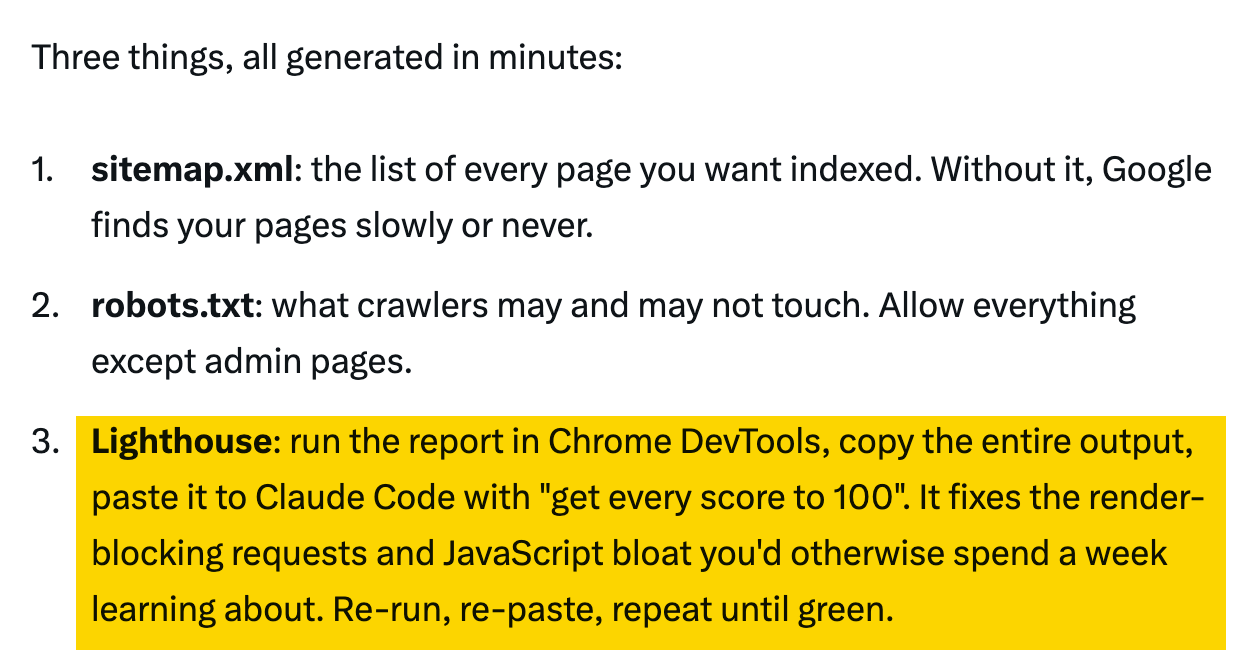
A performance report can show that a page is slow without making it obvious which file or piece of code is causing the problem. Claude Code can help connect the warning in the report with the code behind the page.
Give Claude the report and access to the relevant files, then ask it to explain the likely cause and suggest a change. For example, it might find scripts that load unnecessarily and delay the page.
Have a developer review the proposed edit and make sure the page still works as expected. Then run the same performance test again under similar conditions to check whether the change actually improved the result.
Monitor SEO changes and search performance over time with Claude Code
Once you know which checks are useful, keeping the inputs and previous results makes them easier to repeat. These examples help a team remember what changed and decide what deserves attention next.
34. Keep a page change log to explain SEO traffic changes
A Redditor posting as u/kotrfa describes a weekly Claude Code workflow that pulls Search Console data, keeps a history of changes made to each page, and suggests fixes for a person to review.
That history can be especially useful when a page suddenly loses traffic. In one case, Claude noticed that removing a single word from a page title two months earlier had coincided with a 97% drop in impressions for related searches.
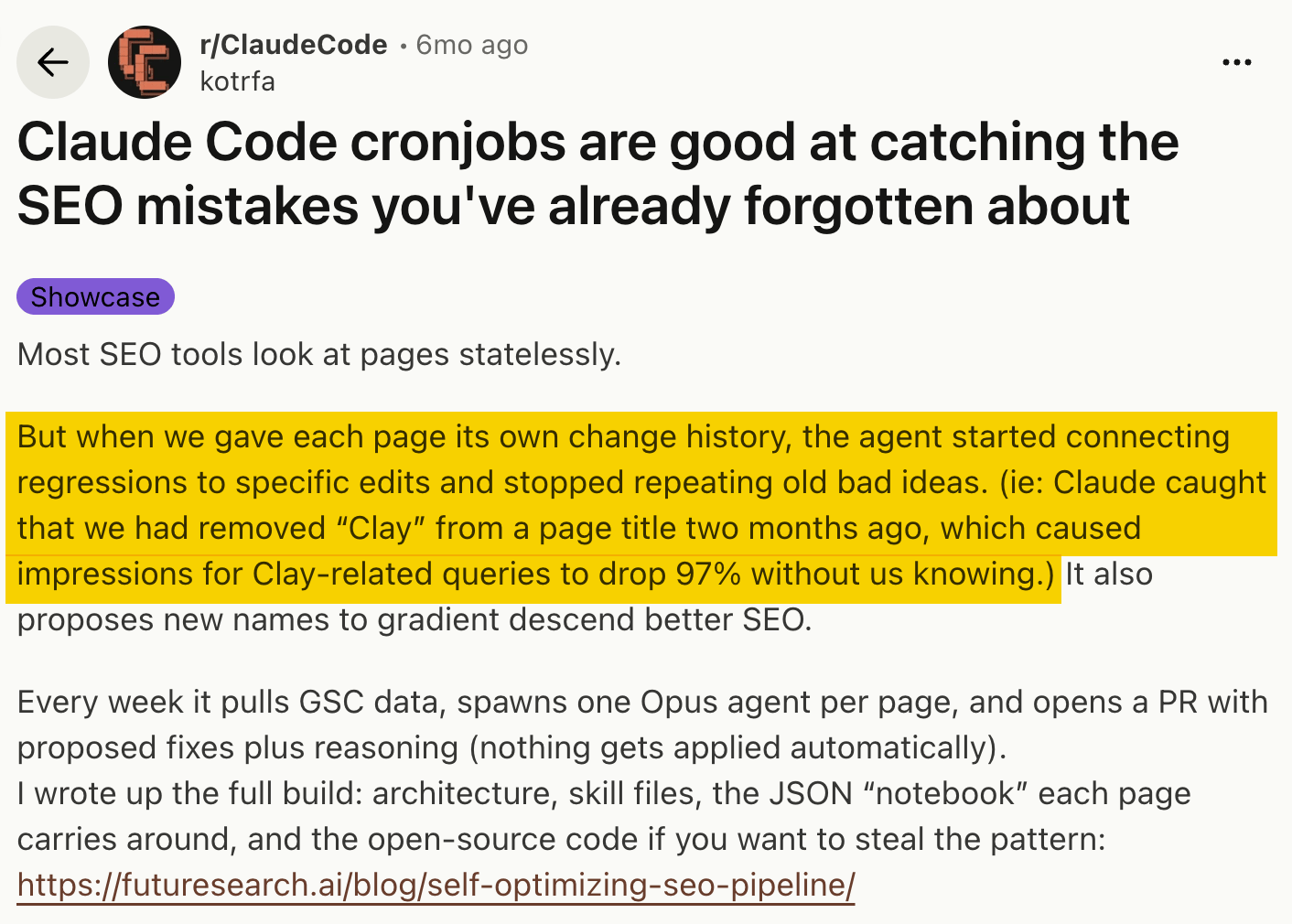
Without a record of past edits, it can be hard to remember what changed before a decline. Someone may have rewritten the title, removed a section, changed internal links, or updated the page in some other way.
Keep a simple log of what changed, when, and why. Claude can compare that history with performance data and highlight changes worth investigating. Ahrefs MCP can add more context, such as ranking trends, changes in backlinks, and differences between site crawls.
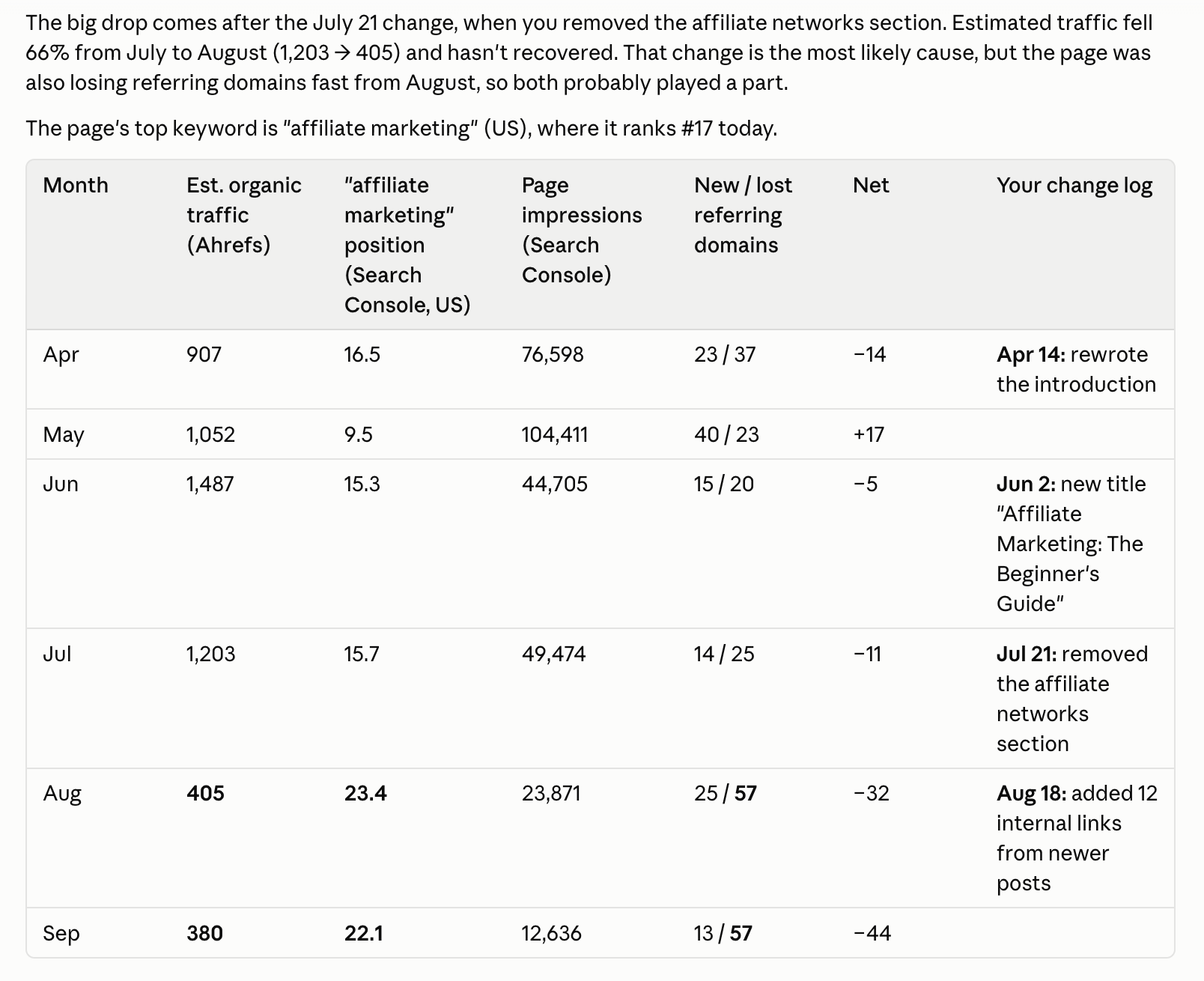
Just remember that timing alone does not prove cause and effect. A change that happened before a drop is a useful clue, not proof that it caused the decline.
35. Create a weekly SEO performance and change report
Nalini Robbins set up a Monday routine in which Claude checks rankings for 20 target searches, looks at whether AI assistants cite her company, and pulls Search Console data. It then sends a summary of what changed and what deserves attention next.
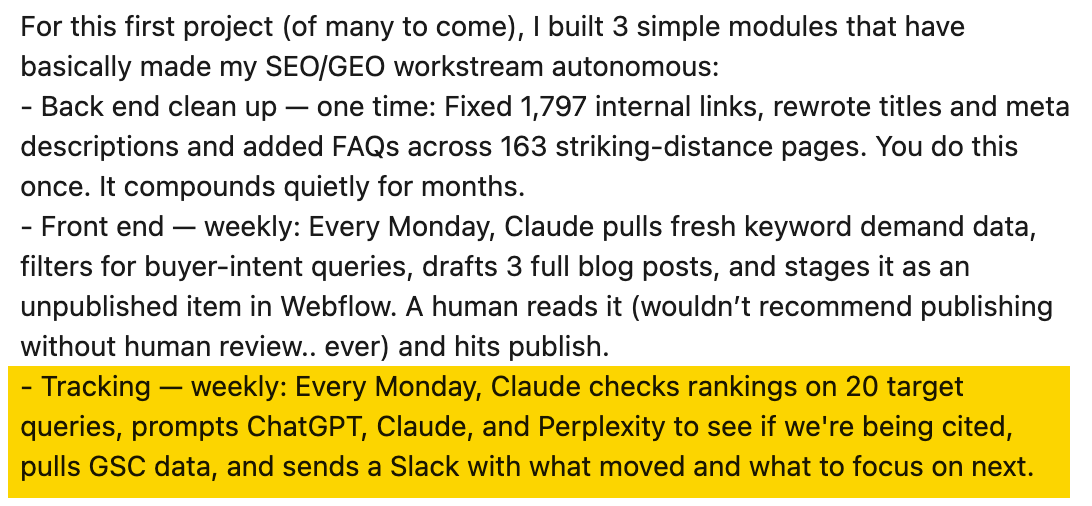
That kind of workflow can save time because a weekly SEO review often involves opening the same reports, comparing them with the previous week, and deciding what needs investigation.
Once you know which checks matter, Claude can repeat the data collection and prepare a concise review. Ask it to show what changed, which page or answer was affected, the supporting numbers, and what you should look at next.
Ahrefs MCP can add more context, including ranking changes, Brand Radar data, new Site Audit issues, and changes in the websites linking to you.
The scheduling and delivery still need their own setup, and the report should remain a review tool rather than an automatic action system. The goal is to give someone a clear list of changes worth checking, not to let Claude edit the site on its own.
Final thoughts
Start with something you already do in your SEO workflow. Give Claude the files or data it needs, tell it what you want back, and see how well it handles the job. Once the output is useful and predictable, you can build on it with more steps or automation.
It includes example prompts and advice on setting the scope and date range, so you can give Claude a more specific research job.