How to Grow on Instagram Without Reels
Want to grow on Instagram but dread the idea of filming yourself on camera every day? Wondering if there's a content format that drives real followers and revenue without requiring you to become a full-time video creator? In this...
 Fransebas
Want to grow on Instagram but dread the idea of filming yourself on camera every day? Wondering if there's a content format that drives real followers and revenue without requiring you to become a full-time video creator?
In this article, you'll discover how to use Instagram carousels to build a loyal following, generate leads, and drive sales without ever hitting record on a Reel.
This article was co-created by Katelyn Rhoades and Michael Stelzner. For more about Katelyn, scroll to the end of this article.
Why Instagram Carousels Work for Marketing
The biggest misconception about Instagram growth is that Reels are the only path forward. Katelyn Rhoades built a following of more than 217,000 and a six-figure revenue stream by leaning heavily into educational carousels, and her agency has replicated the approach across multiple niches with consistent results.
The advantage comes down to how Instagram's algorithm measures engagement. When someone watches a Reel, they keep scrolling. Carousels demand a different kind of interaction: people stop, read, swipe through slides, go back to earlier slides, save the post, and send it to friends.
Instagram measures all of that activity, including how long someone stays on a post, how many slides they swipe through, which slide they leave on, and whether they share it. The algorithm rewards attention. Carousels naturally generate more of it.
The benefits extend beyond follower counts. Katelyn's carousel-first strategy has attracted clients, earned features in Forbes, and led to a partnership with Meta. But carousels also solve a practical problem: they eliminate the need to appear on camera. Creators who are stronger at writing or graphic design can lean into those strengths and stay consistent, rather than skipping posts because they don't feel like filming a Reel.
Before building a single carousel, though, one foundational question needs an answer: What's the goal? Growing a following, making sales, and inspiring an audience each require different approaches. That single objective shapes everything from the hook to the call to action.
#1: Plan the Story Before Designing Anything
The most common mistake creators make with carousels is starting with visuals and trying to force a story around them. Katelyn recommends the opposite order: start with the narrative, then find or create images to support it.
Identify one specific person to write for, not a general audience. Katelyn suggests picturing a single dream client and asking: What are they struggling with? What question are they asking? What transformation do they need? When content speaks to one person's situation, everyone who relates feels like it was written directly for them.
From there, the carousel needs a clear arc. The first slide should hit the viewer's pain point hard enough that they feel personally called out. The middle slides deliver value, and the final slide tells them what to do next.
But a critical balance governs the middle: the content should be useful but incomplete. The reader walks away having learned something real, but not so much that they feel they no longer need the creator's help. This is the same principle behind effective webinars, and it's what separates carousels that build authority from carousels that actually drive business.
Instagram allows up to 20 slides per carousel, but more isn't better. Katelyn's agency typically produces 8 to 10 slides. Every slide should earn the next swipe. If a slide doesn't move the story forward or strengthen the point, it gets cut.
For creators who aren't natural storytellers, AI can help with the storyboarding. Even bullet-pointing the core idea and feeding it into ChatGPT produces a workable narrative framework. Katelyn offers a free plug-and-play ChatGPT prompt designed specifically for organizing carousel stories; find it in her bio, below.
#2: Write a Text Hook for the First Carousel Slide
The text hook is the most important element of a carousel after the visual. If the first slide doesn't stop someone’s scroll, the rest of the content never gets seen.

Which AI Moves Actually Matter?
That's what every marketer is wrestling with now. New AI strategies, new tools, new takes every week — but no clarity. Most marketers and business owners are trying to figure out AI alone.
The AI Business Society is your trusted guide. Get expert-led training you can put to work immediately. Plus a community of marketers sharing what's actually working.
Two questions should come before writing a single word: Who is this for, and what should they feel after reading it?
Negative hooks consistently outperform positive ones. People naturally pay more attention to mistakes they might be making, myths they've believed, or things they're doing wrong. “How to grow on Instagram today” is easy to scroll past. “You are killing your Instagram reach if you don't fix this one thing” creates immediate curiosity because readers wonder whether they're making the mistake. Similarly, “5 ways to get more clients” becomes “This one thing is what's keeping people from buying from you.”
Readability matters as much as the words. Katelyn recommends clean, simple fonts, big text, and plenty of white space. If the text is hard on people's eyes, they'll keep scrolling regardless of how compelling the words are. Black or white text provides the highest contrast, though yellow text has been performing unusually well recently, likely because it breaks the pattern most creators default to.
One critical rule: the hook must create a curiosity gap without resolving it. If the first slide answers the promise, there's no reason for the viewer to keep swiping. Katelyn sees this mistake constantly. The hook's only job is to stop the scroll. Everything after that delivers on the promise.
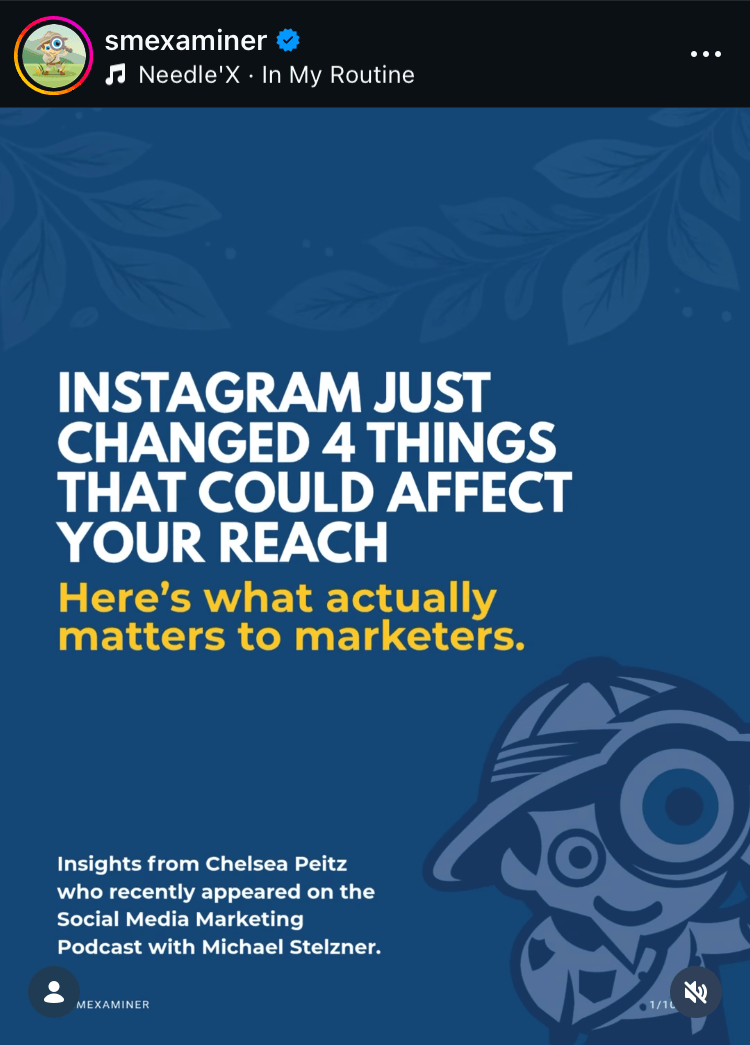
Katelyn uses ChatGPT to refine hooks through multiple iterations, asking it to “make it spicier,” “make the call-out stronger,” or “make it more Gen Z coded.” That last prompt tends to produce attention-grabbing language like “diabolical” or “completely unhinged” that resonates on the platform.
Pro Tip: Instagram recently introduced a native text overlay feature that lets creators add text directly on top of photo dumps within the app, without needing an external design tool.
#3: Write a Call to Action for the Final Carousel Slide
The final slide is where most creators miss opportunities. After working to stop the scroll, hook the reader, and deliver valuable content, many carousels end without telling the viewer what to do next.
3 Days of World-Class Training—Zero Travel!
Couldn't make it to Social Media Marketing World and AI Business World this year? Get all of the great content at a fraction of the price with a Virtual ticket.
That’s full access to recordings of every keynote, workshop, and session—the ones people travel thousands of miles to see. Don't wait. Get your Virtual ticket and enjoy actionable content that you can watch anytime, anywhere.
These three types of calls to action serve different goals:
General Comments Improve Reach: Ask viewers to comment by answering a question or responding to a prompt. Each resulting comment signals to the algorithm that the content is worth distributing. More comments mean more reach.
Shares Leverage Engagement: Shares have become the most important engagement metric on Instagram, surpassing saves, which dominated the previous year. “Share this with someone who needs to hear it” or “Tag your best friend in the comments” delivers more algorithmic value than asking for a save.
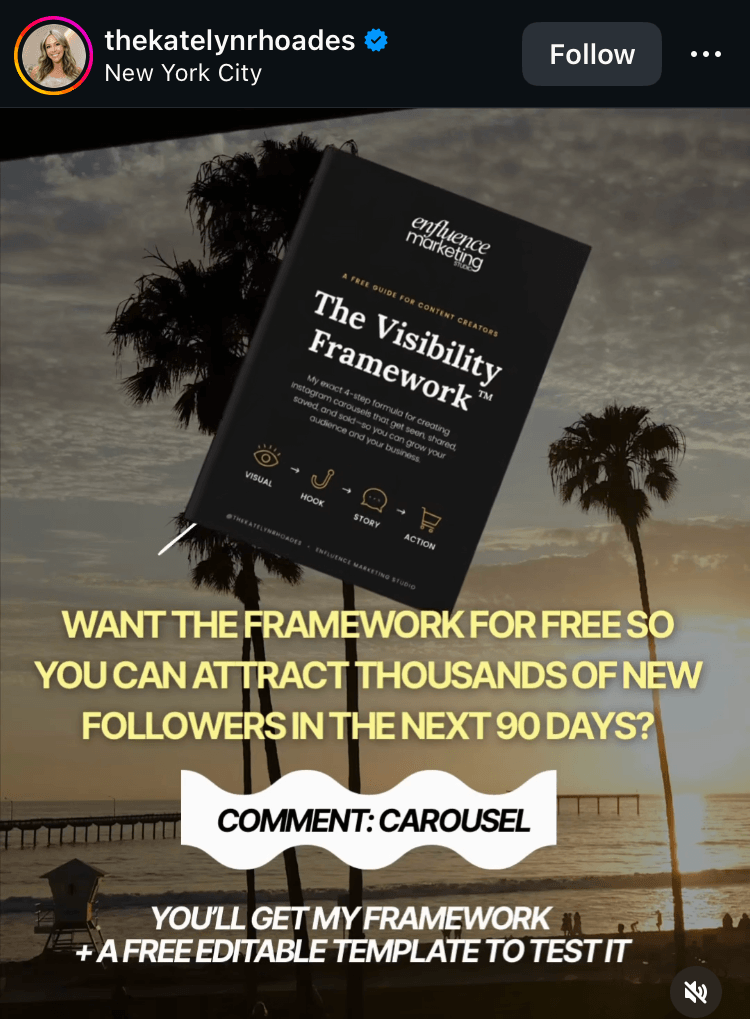
Sales CTAs and DM Automation Drive Revenue: This is the approach that turned Katelyn's carousels into a direct revenue channel. Tell viewers to comment with a specific keyword, such as “starter kit,” and use a DM automation tool like ManyChat or Stan Store to automatically send anyone who comments that keyword a message with a link to your offer, freebie, or sales page.
For creators with smaller followings or those not ready to invest in automation tools, the same keyword approach works with manual replies. Ask viewers to comment with a keyword, then personally DM each commenter with the relevant link. The engagement benefits are the same; only the delivery method changes.
#4: Design and Assemble the Carousel Visuals
With the story planned and the hook written, the next step is building the visual presentation. The choices here break into three decisions: which format to use, what imagery to use, and whether to animate.
Choose the Carousel Format
Instagram offers two carousel dimensions: square and rectangle. The rectangle format takes up more real estate in the feed, which increases the chances of stopping the scroll.
Choose and Prep the Carousel Imagery
Authenticity outperforms polish. After posting thousands of pieces of content across client accounts across multiple niches, Katelyn's agency has consistently seen camera-roll photos outperform professional brand photography. Mirror selfies, behind-the-scenes moments, casual snapshots at restaurants, and candid daily-life images all work well.
The key is to lead with a face on the first slide. A human face creates an immediate connection that stops the scroll. The remaining slides can include anything that supports the story, such as event photos, food shots, candid moments, or even template-based designs.
Creators who don't want to use personal photos can work entirely with templates. Canva and Adobe Express both offer pre-built carousel templates that can be customized with brand colors and text. Katelyn notes that Canva's default templates may produce middling results, but they're a solid starting point. AI-generated images can also work when paired with a strong story, though the critical factor is that visuals feel intentional and on-brand rather than generic.
Building a library of casual photos makes carousel creation faster over time. Katelyn recommends documenting daily life with photos constantly, even when there's no immediate plan for them. The iPhone's photo search feature then makes retrieval fast: searching keywords like “house,” “drink,” or “restaurant” pulls up matching photos without scrolling through thousands of images.
Pro Tip: Instagram recently introduced a native text overlay feature that lets creators add text directly on top of photo dumps within the app, without needing an external design tool.
Two Ways to Animate Carousel Slides
Animated carousels consistently outperform static ones in Katelyn's experience, but the animation only needs to appear on the first slide. That single animated slide creates a pattern interrupt, where the extra second of attention can be the difference between a scroll past and a new follower. Animating every slide hasn't shown a meaningful performance benefit, and each animated slide is downloaded as a separate MP4 file, slowing production.
There are two simple approaches to animation in Canva. The first is dropping a stock video clip onto the slide as a background: click “Elements,” then “Video,” search for a keyword like “train” or “clouds,” and layer the hook text on top. The second is animating the text itself using Canva's built-in options like “wiggle” or “typewriter,” which add motion without requiring any video.
Google's Gemini can animate static images with a simple “animate this” prompt, adding subtle zooms or environmental motion like steam rising from a coffee cup. And if a photo doesn't leave enough headroom for the hook text, Photoshop's generative fill can extend the canvas by analyzing the image and generating photorealistic filler content above the subject's head.
Other Notes From This Episode
Connect with Michael Stelzner @Stelzner on Instagram and @Mike_Stelzner on X. Watch this interview and other exclusive content from Social Media Examiner on YouTube.Where to subscribe: Apple Podcasts | Spotify | YouTube Music | YouTube | Amazon Music | RSS
✋🏽 If you enjoyed this episode of the Social Media Marketing podcast, please head over to Apple Podcasts, leave a rating, write a review, and subscribe.
Stay Up-to-Date: Get New Marketing Articles Delivered to You!
Don't miss out on upcoming social media marketing insights and strategies! Sign up to receive notifications when we publish new articles on Social Media Examiner. Our expertly crafted content will help you stay ahead of the curve and drive results for your business. Click the link below to sign up now and receive our annual report!
Curious About How to Use AI?
Our newest show, AI Explored, might be just what you're looking for. It's for marketers, creators, and entrepreneurs who want to understand how to use AI in their business.
It's hosted by Michael Stelzner and explores this exciting new frontier in easy-to-understand terms.
Pull up your favorite podcast app and search for AI Explored. Or click the button below for more information.



















.jpg&h=630&w=1200&q=100&v=c0f97a310e&c=1)

.jpg&h=630&w=1200&q=100&v=c0f97a310e&c=1)