I just found a Mac app that puts volume and brightness sliders on your MacBook’s touchpad edges
Tired of hunting for the volume or brightness keys on your Mac? Slidr lets you slide along your trackpad's edges to control volume and brightness instantly, no keyboard required.
 Aliver
Forget the function keys, your trackpad edges do it all now.
 Rachit Agarwal / Digital Trends
Your MacBook has keys to adjust volume and brightness, making it easy to adjust them. But what if you want to adjust the volume at night or you are watching your favorite movie on Netflix and don’t want to hunt for the keys and miss an important moment?
I know these are small annoyances, but small annoyances add up, and I love apps that help me resolve them. Today, I want to share an app that solves this issue by adding volume and brightness sliders to your MacBook’s trackpad.
What does Slidr do?
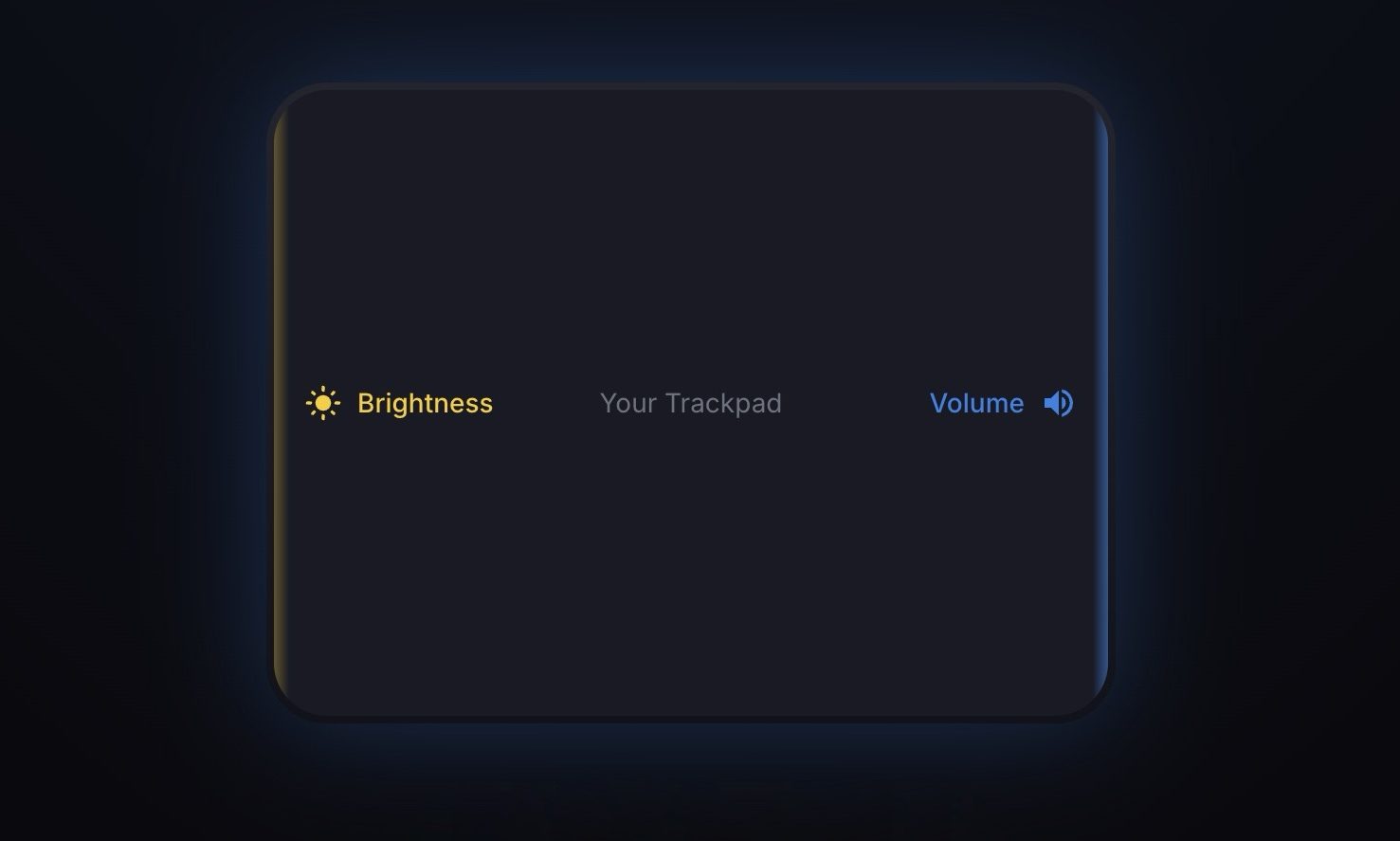
Slidr is a lightweight menu bar app for Mac that turns the edges of your trackpad into gesture zones. Slide along the right edge, and you control volume. Slide along the left edge to control the brightness. It even shows the same native macOS HUD you get with keyboard shortcuts, so it feels like it was always part of the system.
 Slidr
Slidr
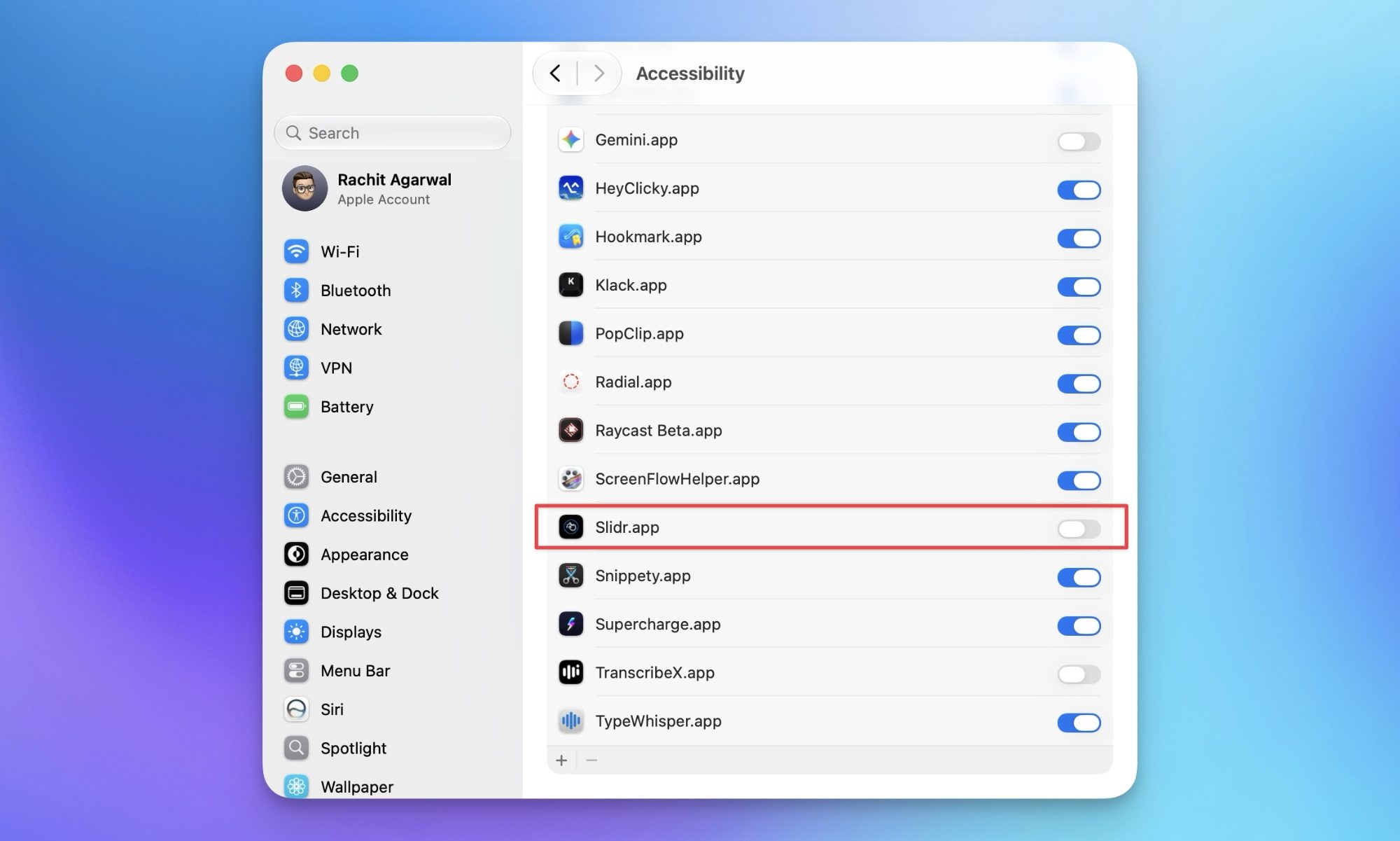
Setup is quick too. Download the app, drag it to Applications, and grant it Accessibility access so it can read your trackpad gestures. That’s it, you’re sliding within a minute. If you want even quicker app installation, check out the Supercharge app that lets you install apps with just a double-click.
 Rachit Agarwal / Digital Trends
What else does it bring to the table?
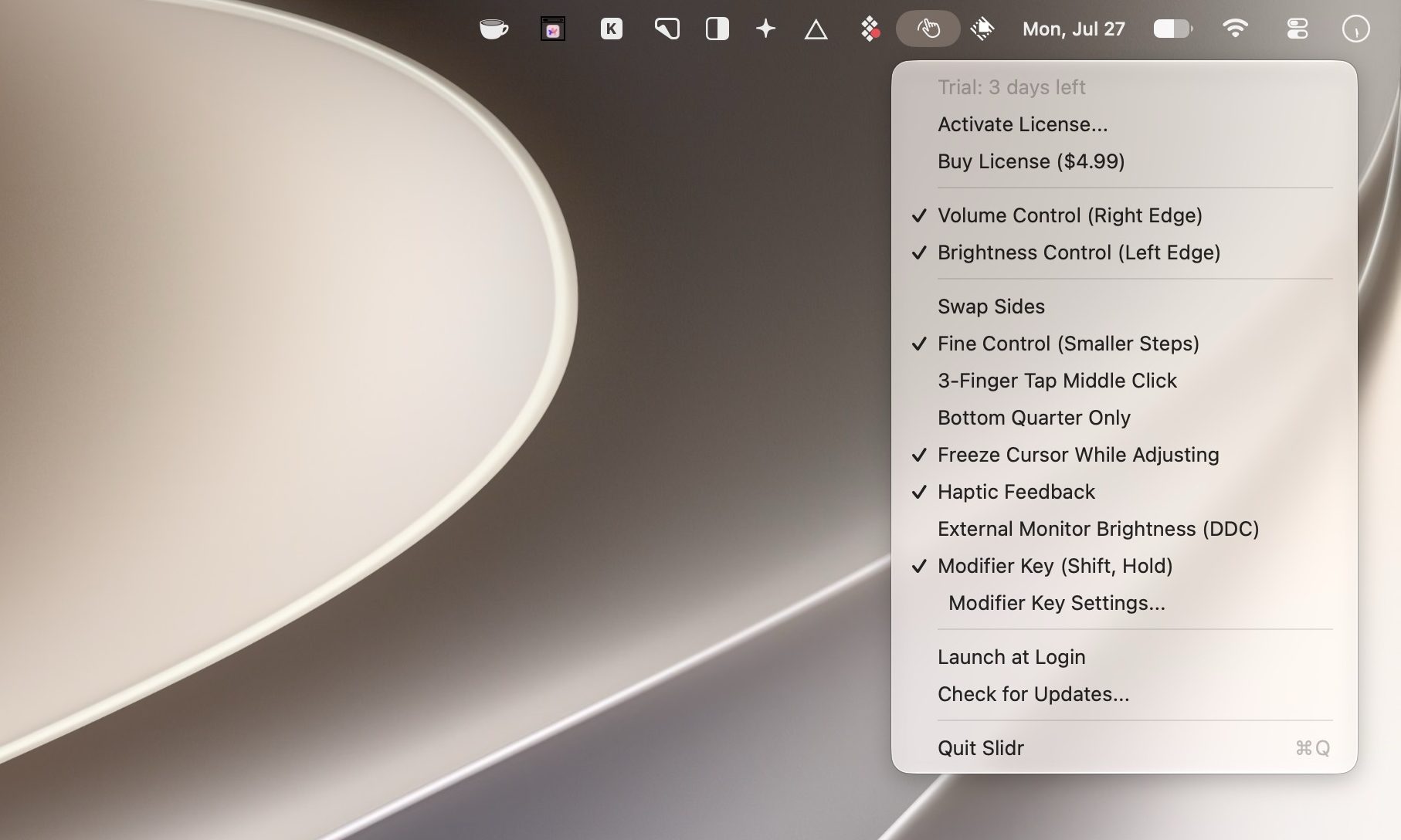
Other than its core feature, Slidr offers a bunch of nifty tricks. You can use a 3-finger tap as a middle-click, which is handy for opening links in new tabs. There’s a Fine Control mode that adjusts volume and brightness in small steps, and you can swap the sides if you’d rather have brightness on the right.
There’s a Bottom Quarter mode to limit gestures and avoid accidental triggers, plus a Cursor Freeze option so your pointer doesn’t wander while you adjust settings. In my testing, the gestures were activating accidentally sometimes, but it was easily solved by adding a modifier key.
 Rachit Agarwal / Digital Trends
While apps like BetterTouchTool and Swish also offer such features, they require a more extensive setup and are more costly, as they are far more powerful apps that offer a myriad of other features. That being said, if you already own them, you don’t need to buy Slidr.
Slidr needs macOS 13 Ventura or later, and you can try it free for three days before deciding. After that, it’s a one-time $4.99 to unlock it forever, no subscriptions involved.

Rachit is a seasoned tech journalist with over ten years of experience covering the consumer technology landscape.
Google Chrome could soon let you translate pages right inside Reading Mode
However, not everyone's seeing it yet, even on Canary.

Chrome's Reading Mode just got a new button tucked inside its settings menu. Google is quietly testing a translate option for the feature on Chrome Canary, the browser's experimental testing channel where new ideas show up long before they're ready for everyday use.
What does this new translate button actually do?
AI dramas need actors, so Chinese platforms are turning human faces into stock assets
People can now earn money by licensing their likenesses to AI creators, although keeping track of where those digital faces end up may prove considerably harder

People in China can now license their face to AI much like a photographer licenses a stock image. AI creators can then make that likeness speak, move, and appear as different characters in short dramas or ads.
Contributors have earned between $15 and $700 through platforms such as ActID and New Claw, according to Rest of World.
Experts find it’s easy to manipulate AI chatbots into coughing up bioweapon recipes
AI’s bioweapon guardrails are easier to crack than you’d hope

AI companies have spent years building safeguards designed to stop their chatbots from helping someone create a biological weapon. The models themselves are becoming so capable that keeping that knowledge behind those barriers is turning into a serious problem.
Researchers at Cisco found they could bypass safeguards on major chatbots including OpenAI’s ChatGPT, Anthropic’s Claude, and Google’s Gemini within five conversational turns, according to a Wall Street Journal investigation. The researchers were able to elicit potentially dangerous answers after gradually steering the conversations around the models’ restrictions. Amy Chang, Cisco’s head of AI threat and security research, told the Journal that no model can be completely protected from a sufficiently persistent user.