What AI Writing Tools Get Wrong (And The Stack I Use Instead)
The hard part in content marketing is the information—ideas, verified facts, and reference material. And that’s exactly where these tools fall short. I learned this after generating 40 articles through Claude. I’d tried the writing tools first, but...
 Astrong
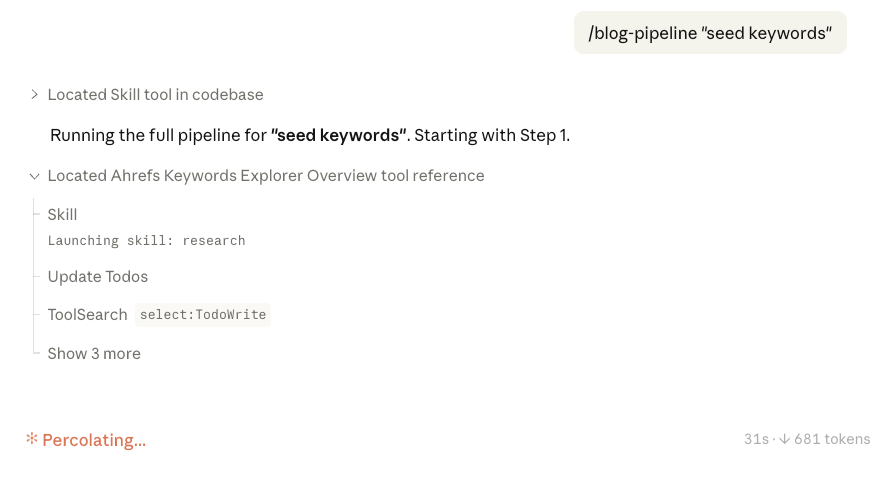
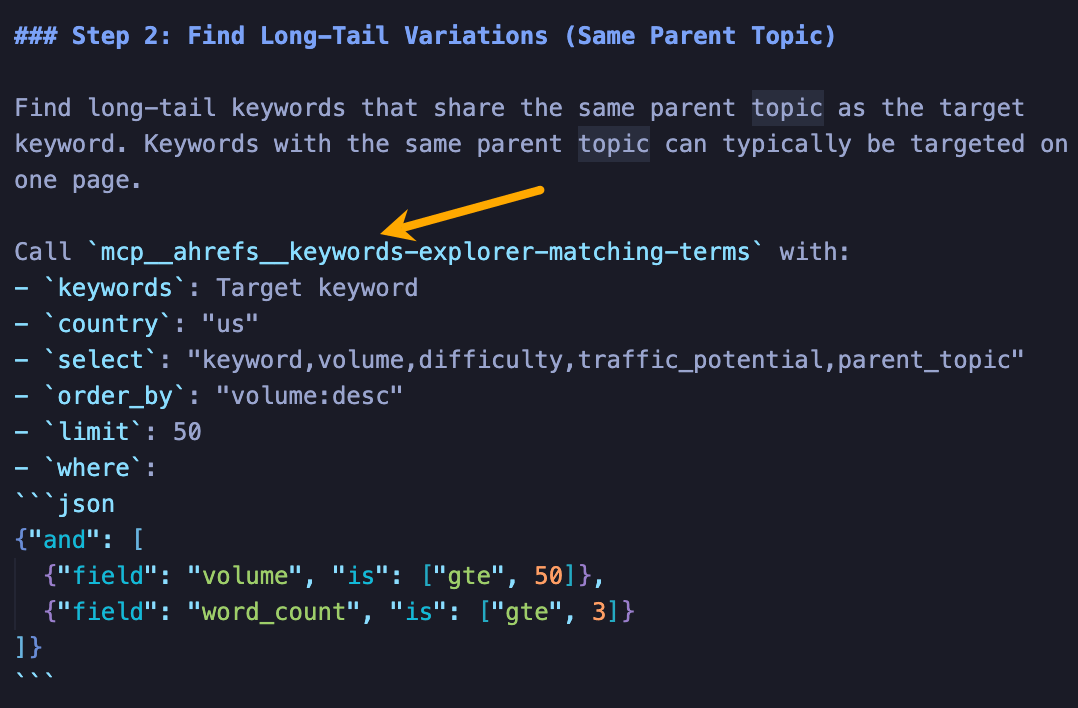
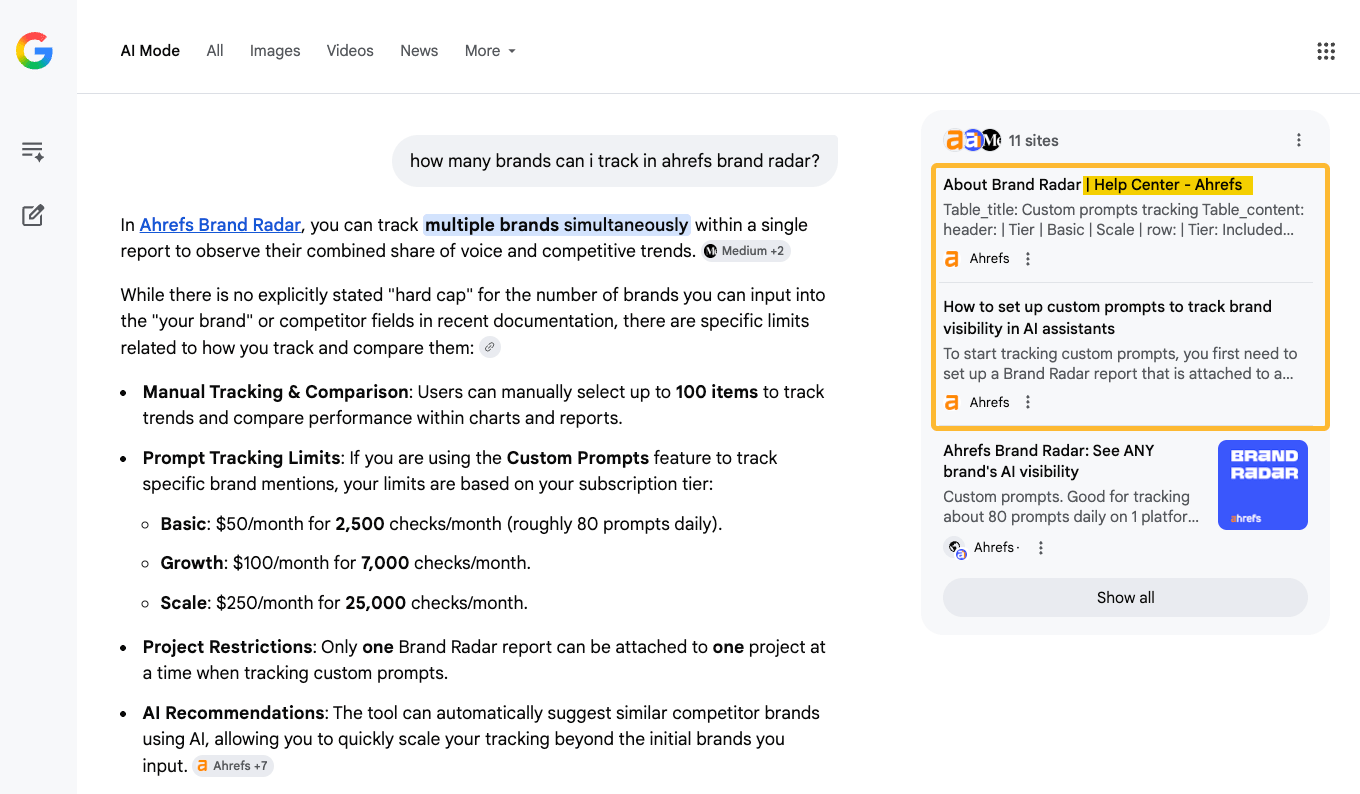
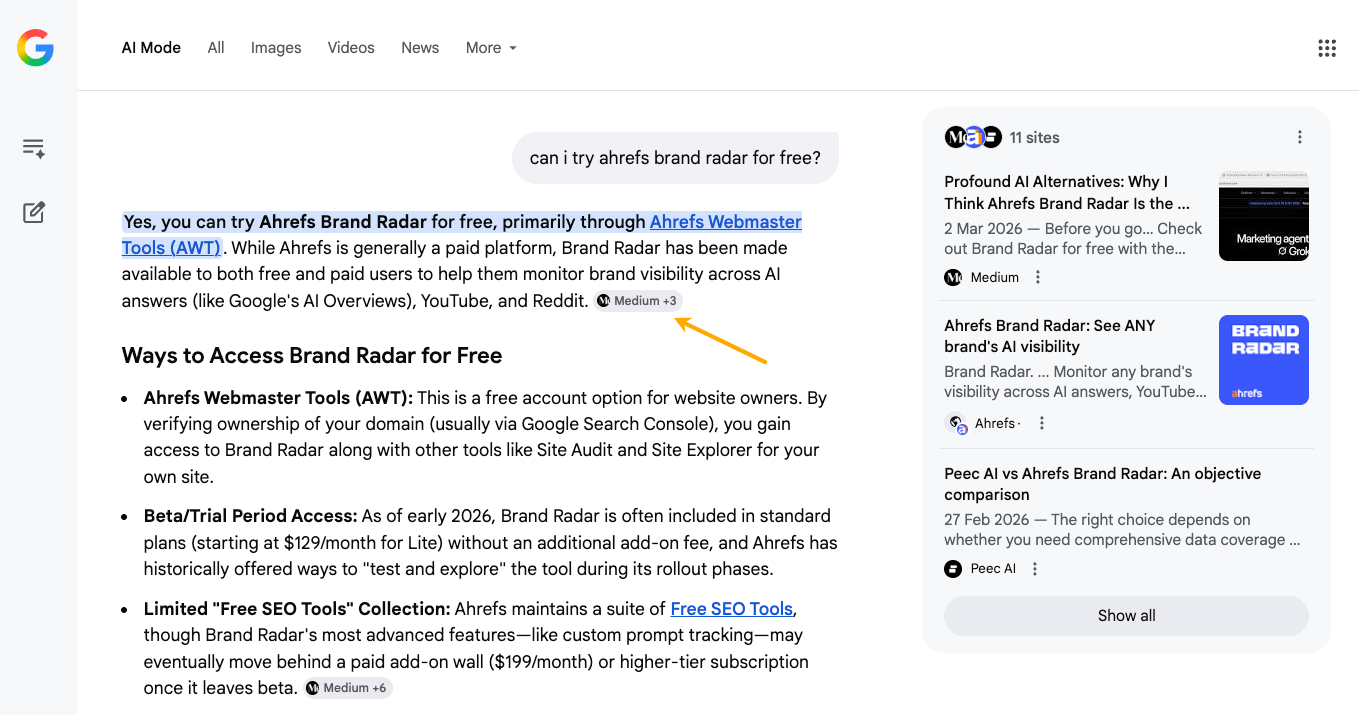
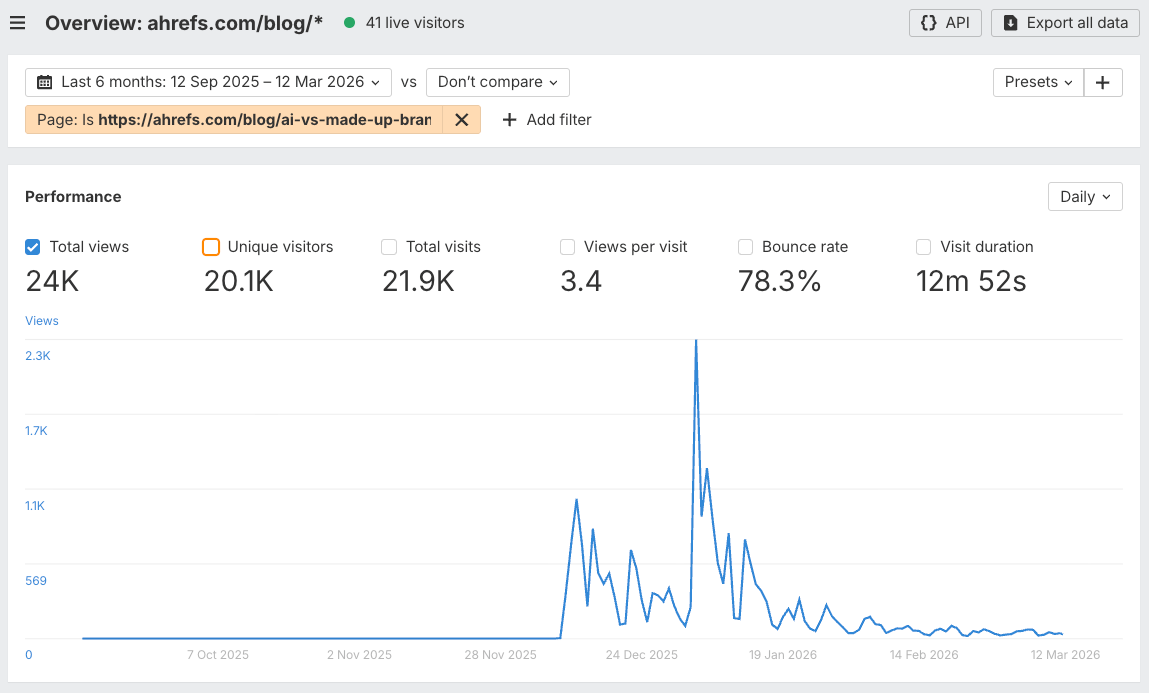
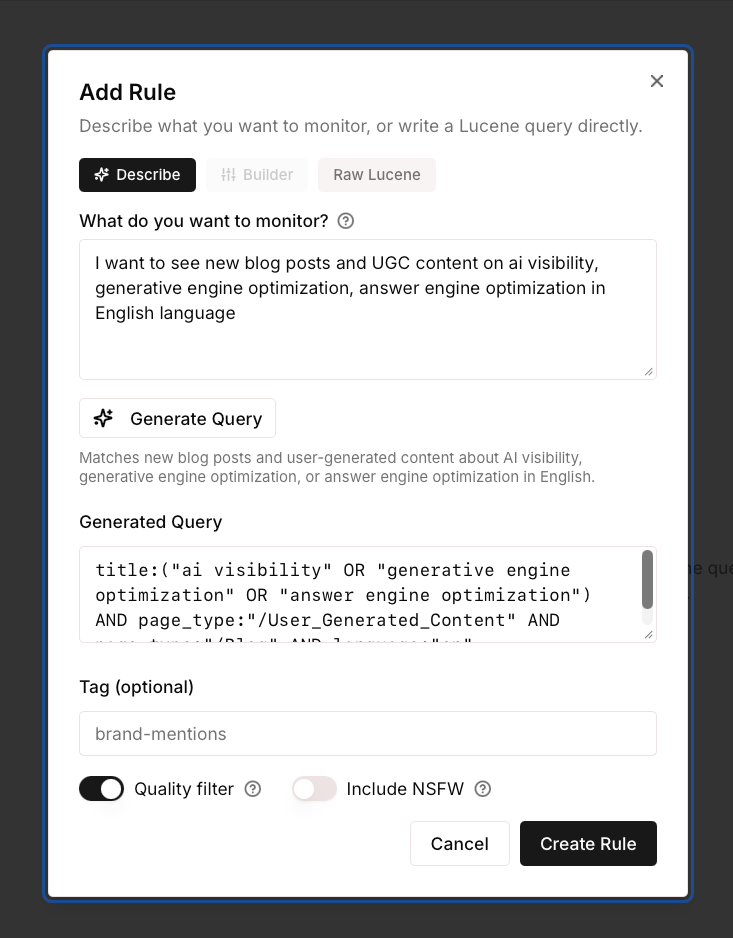
AI writing tools make the writing part faster, but writing was never the hard part. The hard part in content marketing is the information—ideas, verified facts, and reference material. And that’s exactly where these tools fall short. I learned this after generating 40 articles through Claude. I’d tried the writing tools first, but they just couldn’t handle the part that actually matters. And by “AI writing tools” I mean the platforms built on top of LLMs—Jasper, Frase, Writesonic, that category. What I used instead was the LLM directly, with my own files and process around it. In this article, I’m sharing the five problems I ran into and how I handle them now. I’m not naming the specific tools I tested. They’re not bad products. If you don’t have strong writing or SEO skills, or you don’t have time for a more hands-on process, they’re a fine choice. That content is better than no content. But if you have the skills and want to push quality, they become the ceiling, not the floor. Most AI writing tools “fact-check” the content they generate by cross-referencing it against whatever ranks on Google. Competitor marketing pages. Outdated blog posts. Articles that copied their data from other articles. In practice, they’re laundering errors through consensus—if three wrong sources agree, the AI treats it as fact. And that’s a straight path to worldwide meta-spam. I mean, when I let writing tools handle research, I got wrong prices, incorrect features, and database numbers off by millions. Most of the time, it just pulled from biased sources and had no way to know they were bad. One of the tools I tested used Gemini Deep Research as the article basis. But Gemini—and I suspect every other AI assistant—does the same thing. When I wrote a comparison covering eight products, I needed eight separate fact-checked documents, one per product, plus a style guide, an editing checklist, and a prompt with required elements. That’s 15-20 files I needed the AI to reference throughout the process. No writing tool I tested could handle that. Build verified data files for every product and competitor you cover. Start with a knowledge base for your own products, in a form where you can easily generate documents from it: pricing, features, use cases, all the key numbers. I actually vibecoded a tool for that. If you need to feature competitors in your content, prepare documents for the parts you want referenced: their pricing pages, feature lists, limitations, etc. I downloaded competitor landing pages, took screenshots, and vibe-coded a scraper to pull pricing and features from official sources. Never start any AI content project until your knowledge files are done. If your project is meant to take four weeks, use three weeks for those files. Writing tools are assembly lines: configure inputs, press generate, collect output. But writing is closer to cooking—you taste at every stage, add some unplanned ingredients, or maybe turn the thing into something else. It doesn’t matter how a writing tool handles brand voice. Whether it’s a dropdown, a style file, or a set of instructions, the result always needs editing. Getting our voice right took five or six rounds per article. I’d read a draft back and say “that sounds like a press release” or “put the number first, you’re burying the lead.” You need a conversation for that. This is also an interface problem. Editing AI-generated text means working at every level: rewriting a single sentence, restructuring a whole section, fixing a pattern across the entire article. In a chatbot, I just asked for what I wanted in plain English. Writing tools gave me fixed editing options that couldn’t handle that range. Break your workflow into repeatable tasks and develop prompts for each: Trial and error until each prompt nails it. Later on, these prompts can become your Claude skills, if/when you decide to use automated content workflows. Tip: For the most important steps, I ran my prompts twice, or ran the same check through a second AI to catch anything the first one missed. Writing tools encourage you to think about automating content at scale. Some even offer workflow features for it. But I found them frustrating in practice: hard to build, human-in-the-loop functionality is very limited, and the output drifts the more nuanced your requirements get. AI assistant already solved this, and Claude Code took it to the next level. I could type “scan every article for Product X’s pricing and check it against the reference file” and it would do it. When something needed adjusting, I just told it. That’s functionality that writing tools don’t offer, even though the underlying LLM is capable of it. In Claude Code and OpenAI Codex, one instruction kicks off the whole process. Tt fetches SEO data, pulls from my reference files, grabs what it needs from the web, and writes the article in phases. I defined the phases, then let it run while I did something else. This is also where research tools plug in. MCP integrations like Ahrefs’ let you pipe real data directly into these workflows—we’re experimenting with a full Claude Code pipeline where SEO research happens automatically. If your tool doesn’t support MCP yet, pull the data manually. Even screenshots work, as long as you give the AI specific data to work on. A chatbot subscription costs $20 a month and gives you the latest model with no article or word limits. The writing tools I tested cost $50-200 a month, one even $2k a month, and ran older models with caps on how much you could generate. Feels like paying more for less. Here’s an example. To write one of the articles for the experiment, I pulled the top-cited articles for my keyword (using Ahrefs’ Brand Radar), then had Claude go through these pages to extract the structure and use that as an outline template for content generation. Then I asked it to weave in my own ideas. Research, structure, writing—all in one conversation, controlling every stage. But maybe I’m wrong. Maybe a writing tool with everything on board is more your style. I’ll leave it to you to decide what makes more sense economically. I don’t want to tell you what to do with your money, but I know that for my needs, I’m never going back to AI writing tools. There’s also something a bit self-defeating about the AI tool ecosystem. Every time an LLM provider releases a better model, many of the tools built on top of it lose part of their reason to exist. Redirect time and money toward: This setup also makes it easier to adapt when models change or your content needs shift. It’ll click after the next section. Writing tools assume all content works the same way. Feed it a keyword, get an article. But I see content splitting into two tracks in our line of work, and writing tools can’t handle either one properly. The first is searchable content. Product documentation, help articles, comparison pages—the stuff most teams treated as a chore. It’s suddenly critical because if an AI model can’t ground its answer in something you published, it’ll use whatever it finds. Or hallucinate. Your product documentation is your brand’s voice inside every AI conversation now. Here’s what that looks like when it works. I asked AI Mode, “How many brands can you track in Brand Radar?”, and it cited our docs directly. And here’s what happens when there’s a gap: no official source cited. Luckily, the fact that I asked AI mode about got mentioned in another piece, but that was almost by accident. The second, I think, is shareable content. Truly human-first content. Stuff that comes from personal experience and can’t be templated. My AI misinformation experiment is an example: it ranked for nothing, but drove 24k visits and more social traction than I could count. Both content tracks need different approaches, and AI chatbots are the only tools flexible enough to handle both. So what you need is a process for creating documentation that you can easily share with AI. For searchable content, audit your product documentation and help content. If an AI model can’t answer a basic question about your product using your own content, that’s a gap someone else will fill, accidentally or deliberately. You can chat with the most popular AI assistants to spot holes, or set up tracking in a tool like Ahrefs Brand Radar to do it at scale. For shareable content, build an idea pipeline. Start a scrapbook. Store ideas, facts, quotes, social posts, newsletter excerpts, and anything you might want to give AI access to later. You can use Notion, Evernote, whatever suits you. But consider vibecoding a custom tool, like my colleague Louise. That way, you can bake in features like an “example finder” that surfaces relevant support for claims in your writing, or just generates content ideas from your material on the spot. Another idea: set up an AI agent that scours the web for content ideas on a schedule. I built one with Relay that goes through LinkedIn and Reddit conversations (fair use) every 7 days. It helped me stay on top of all the new content coming out faster than ever and stay sane. If you want to keep a constant pulse on new content in your space, try our new tool, Firehose. It streams the web in real time on any topic you define, with advanced filtering. You describe what you’re looking for in natural language, and it’s ready to go. You can also connect it to your AI agents through the API. If you take one thing from this article, it’s: invest in what you feed the AI, not in the tool that generates from it. Build your source-of-truth files before you write a single word. Keep your judgment in the loop—use conversations, not buttons. Spend on inputs, not wrappers. Use coding-capable AI to maintain your content at scale. The people producing the best AI-assisted content in a year’s time will be working from better information and better judgment. I suspect some teams are already there. I think we’ll all be more knowledge curators than writers in the traditional sense. The full breakdown of the 40-article experiment I mentioned in the intro is coming in a separate piece. Thanks for reading! If you have any questions or comments, let me know on LinkedIn.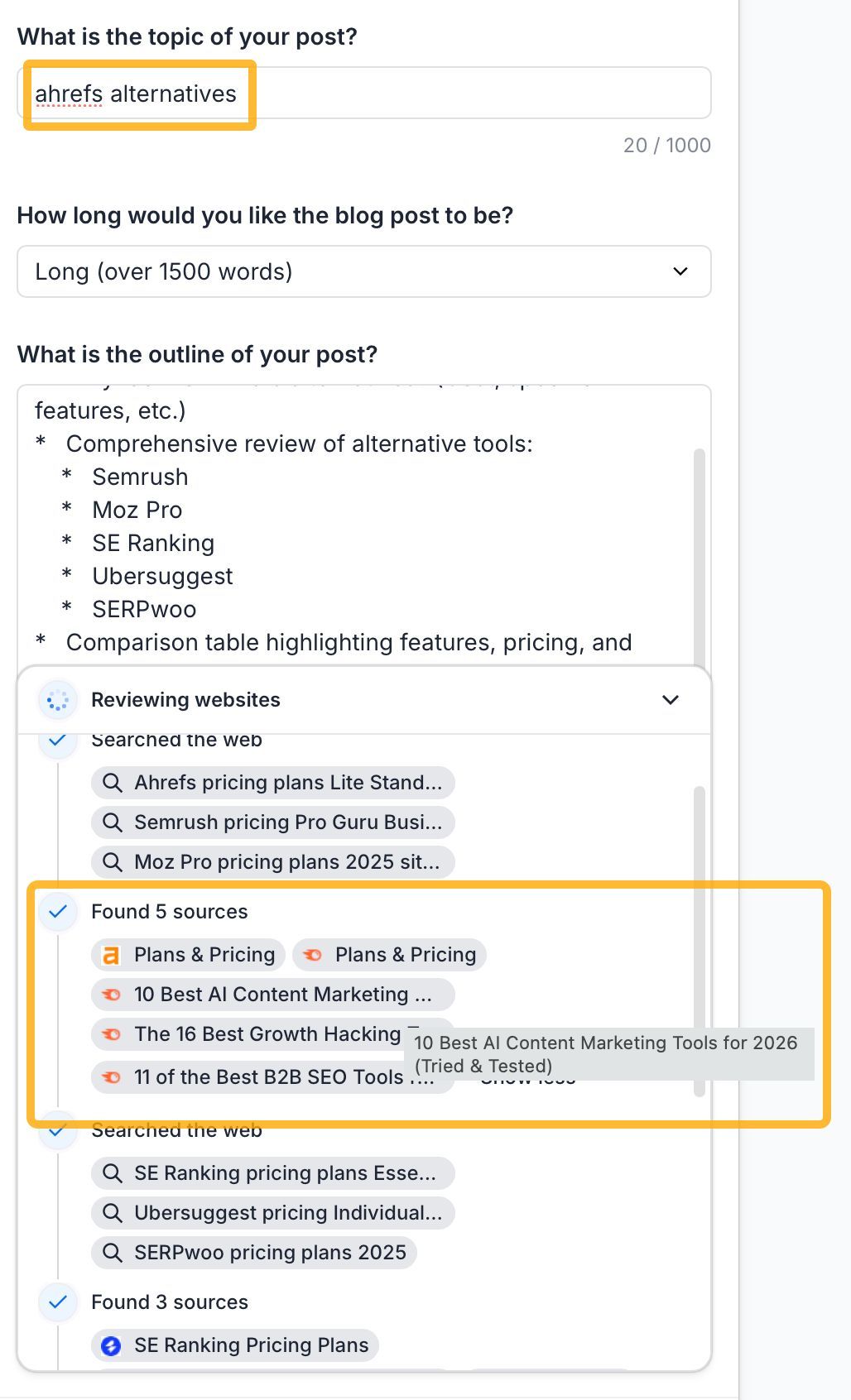 Here’s one writing tool trying to get information on a branded topic from competitor pages.
 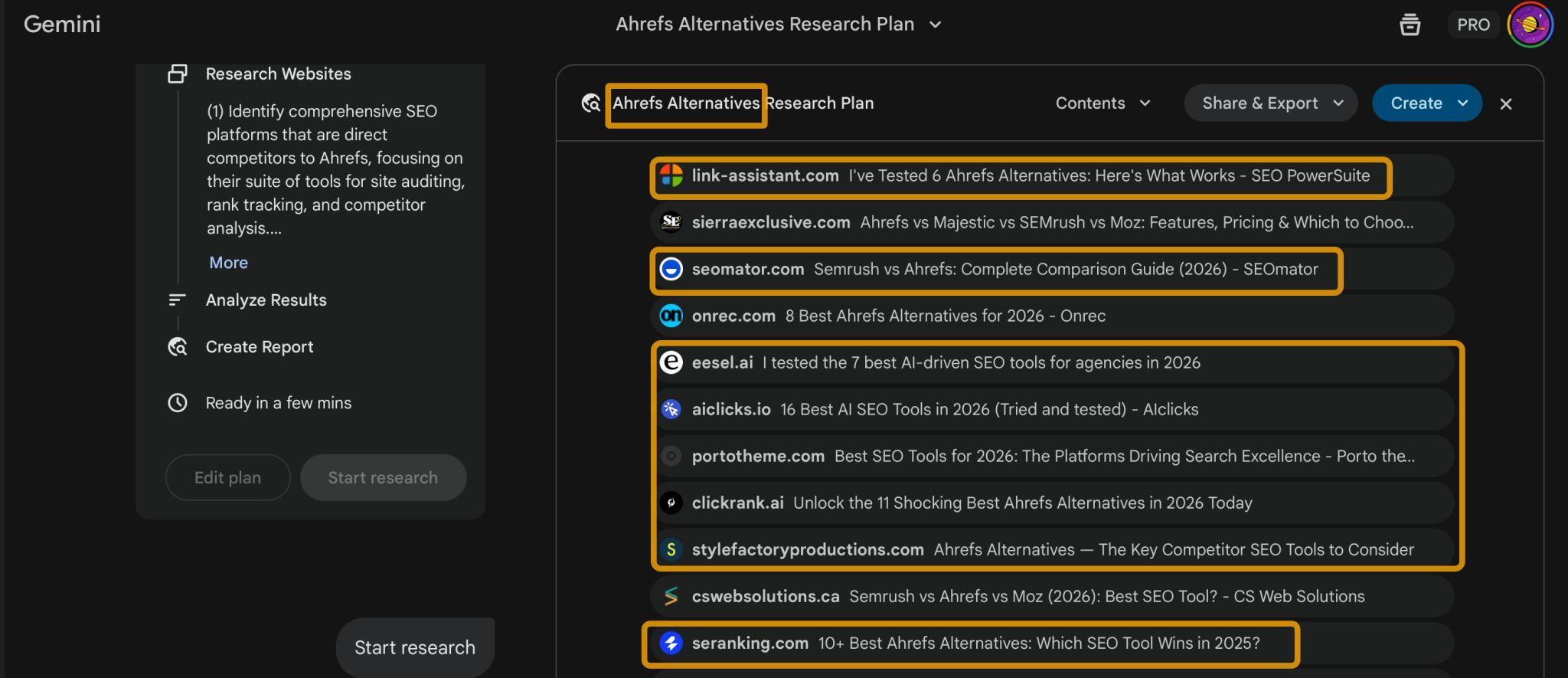 Gemini found relevant content on a branded topic, but it’s also competitor content.
 My solution: always build your own reference files
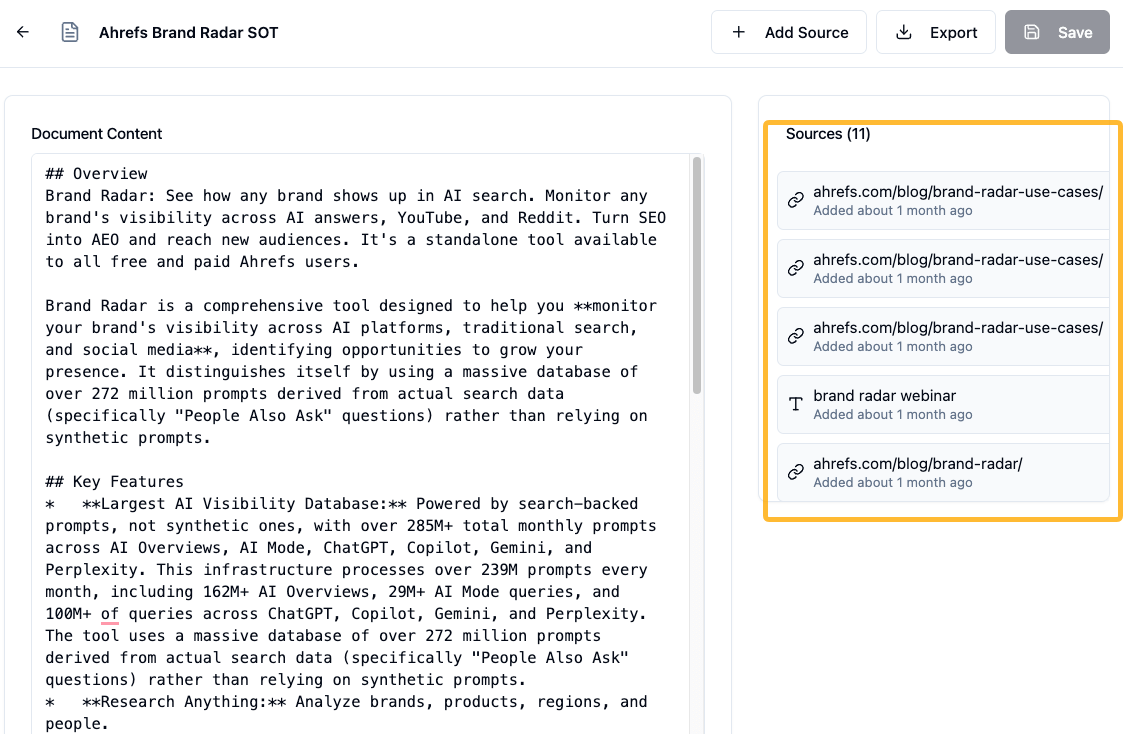 My vibecoded tool for product SOTs.
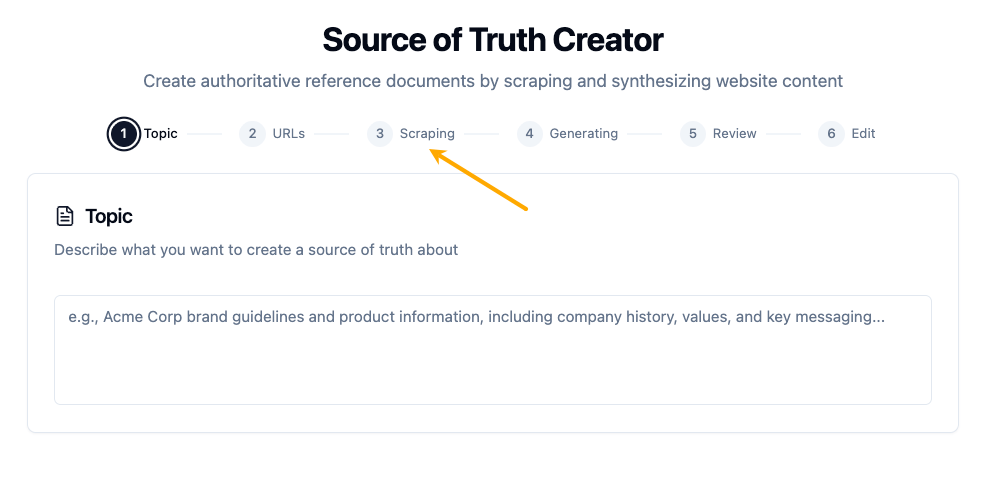 My vibecoded tool for competitor SOTs.
My solution: break your process into repeatable prompts or skills
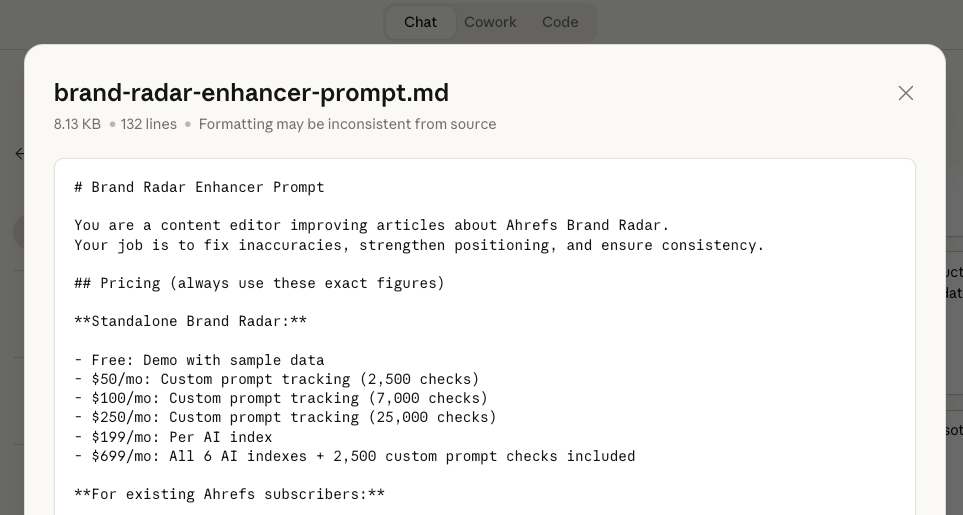 Example of one of the “enforcing” prompts I used. It was included in a file with first-hand product information.
 My solution: get used to working with Claude Code
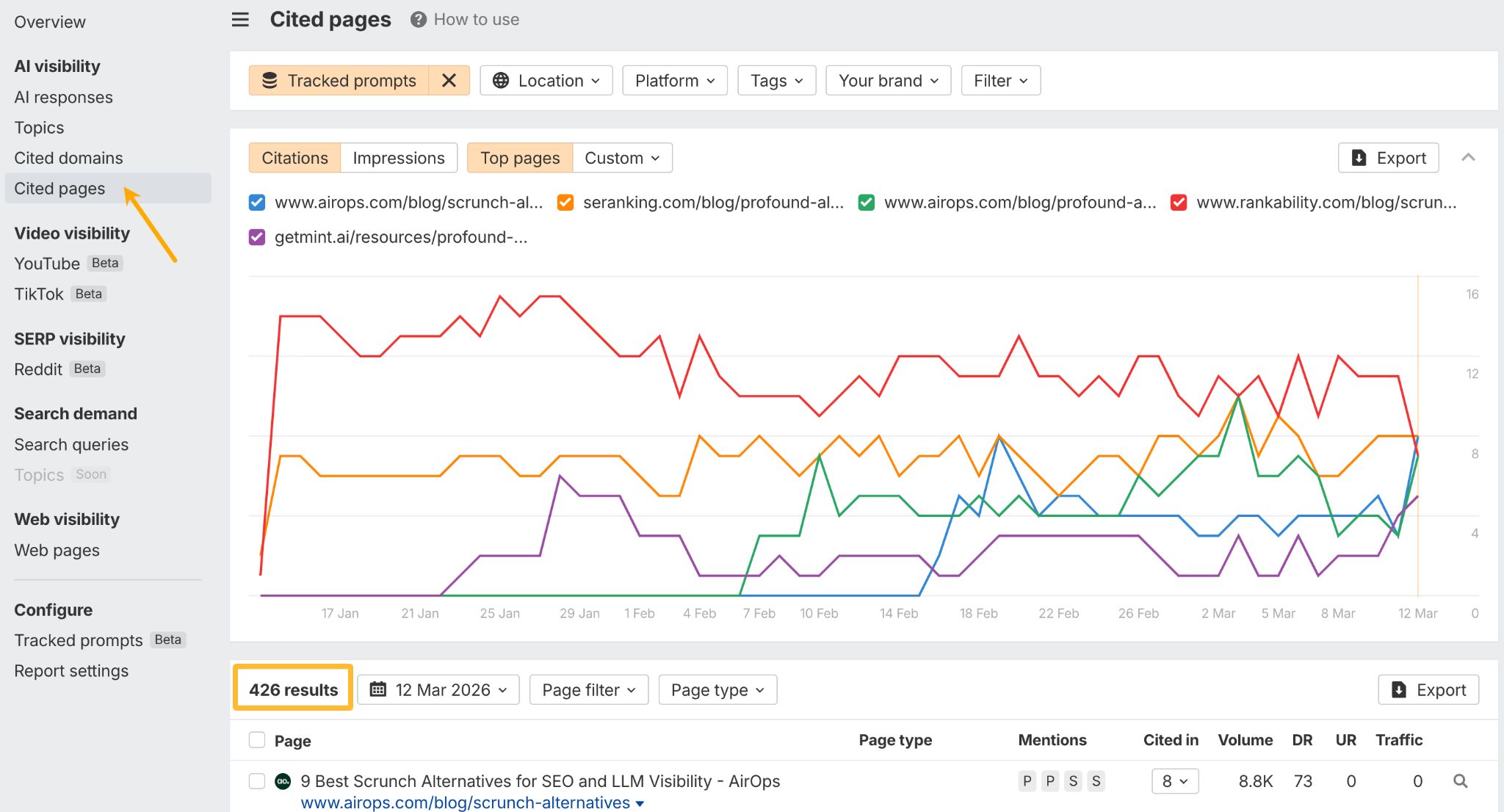
My solution: invest more in what you feed the AI
My solution: choose flexibility over convenience
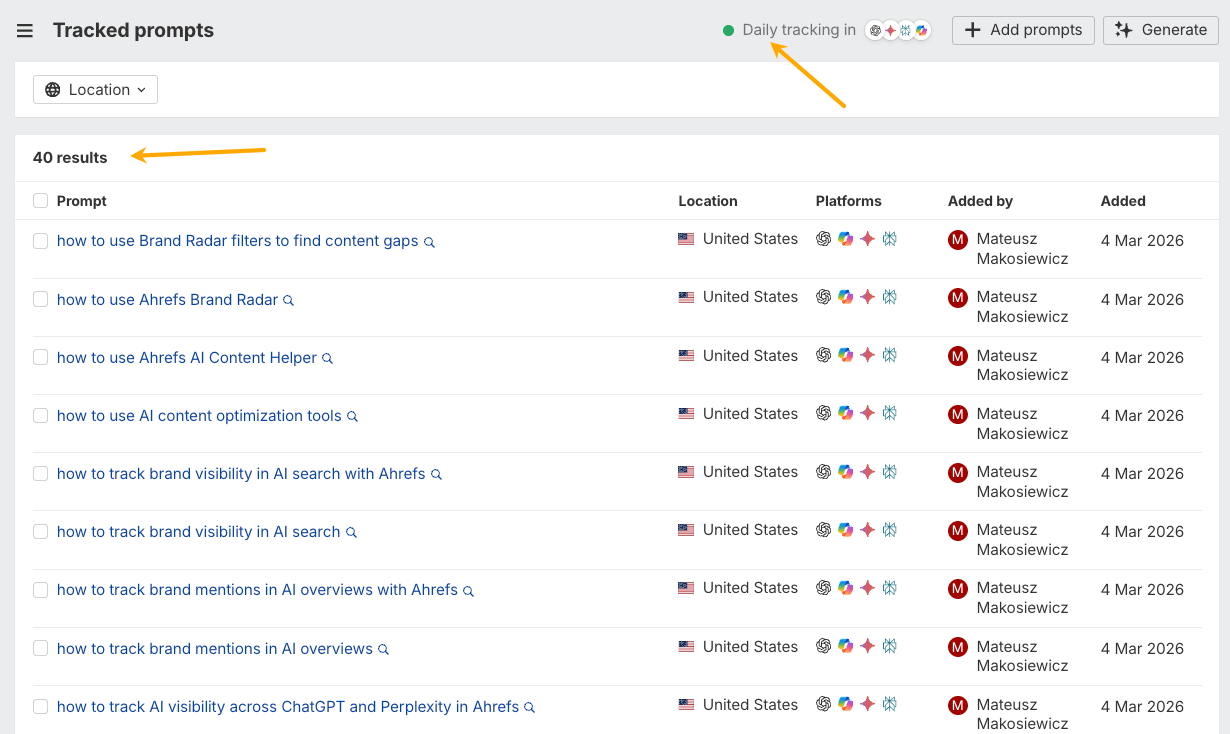 Adding custom prompts in Brand Radar.
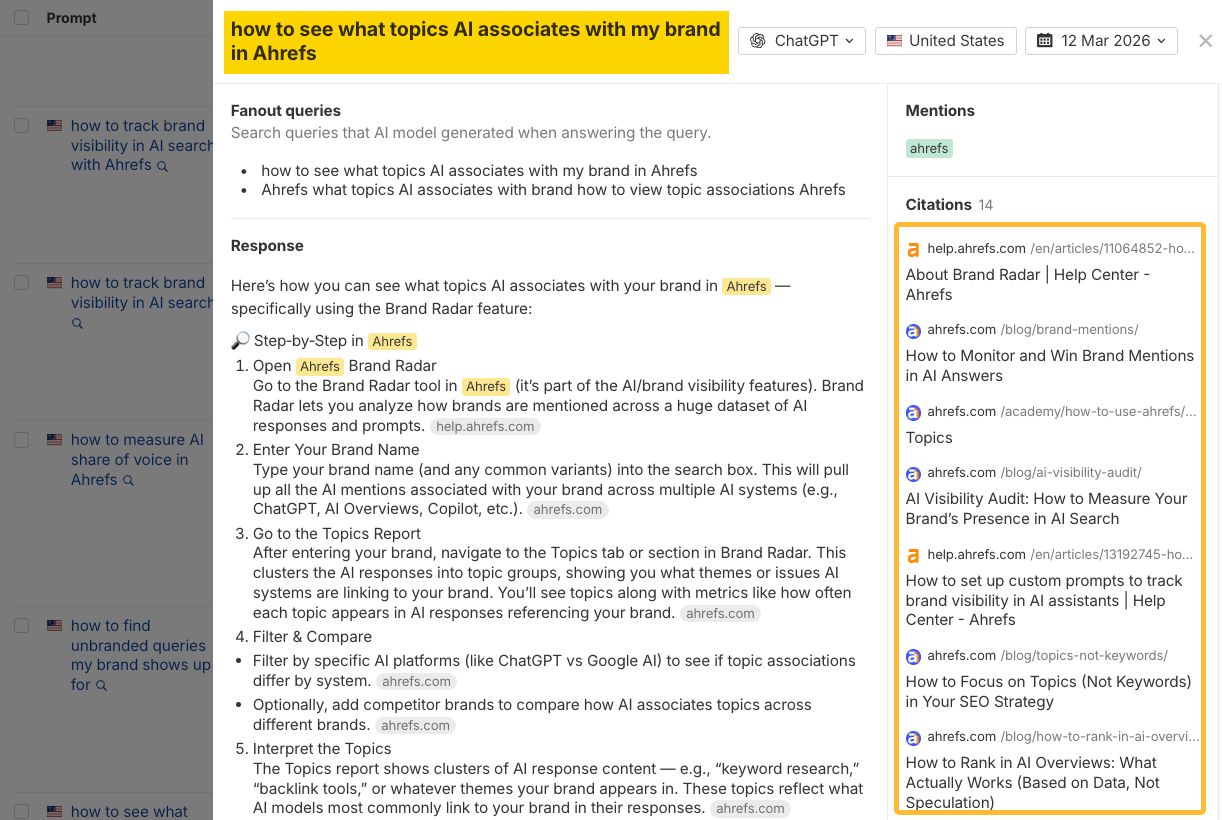 AI’s answer to a custom prompt, including citations.
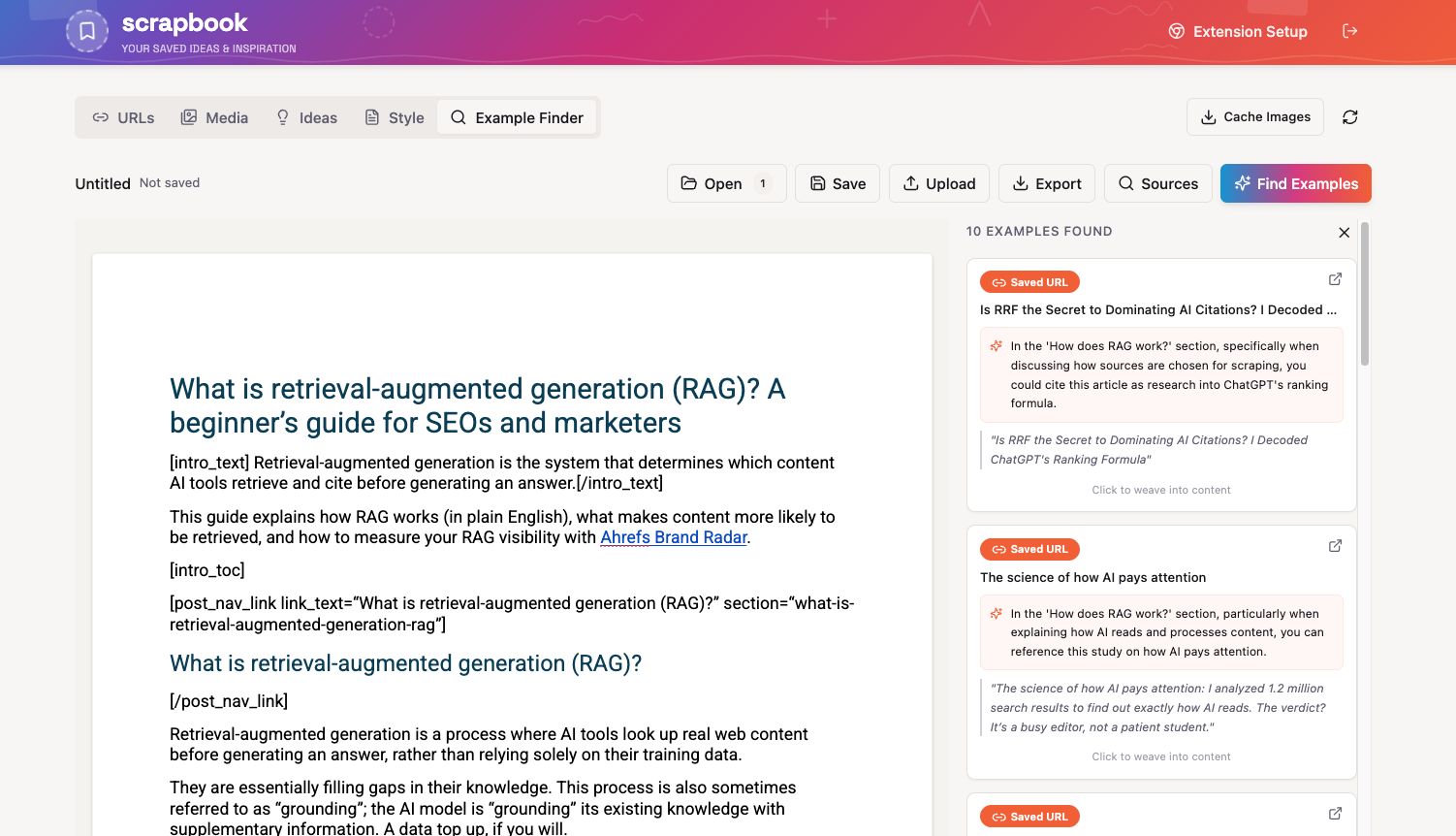 Example-finding feature.
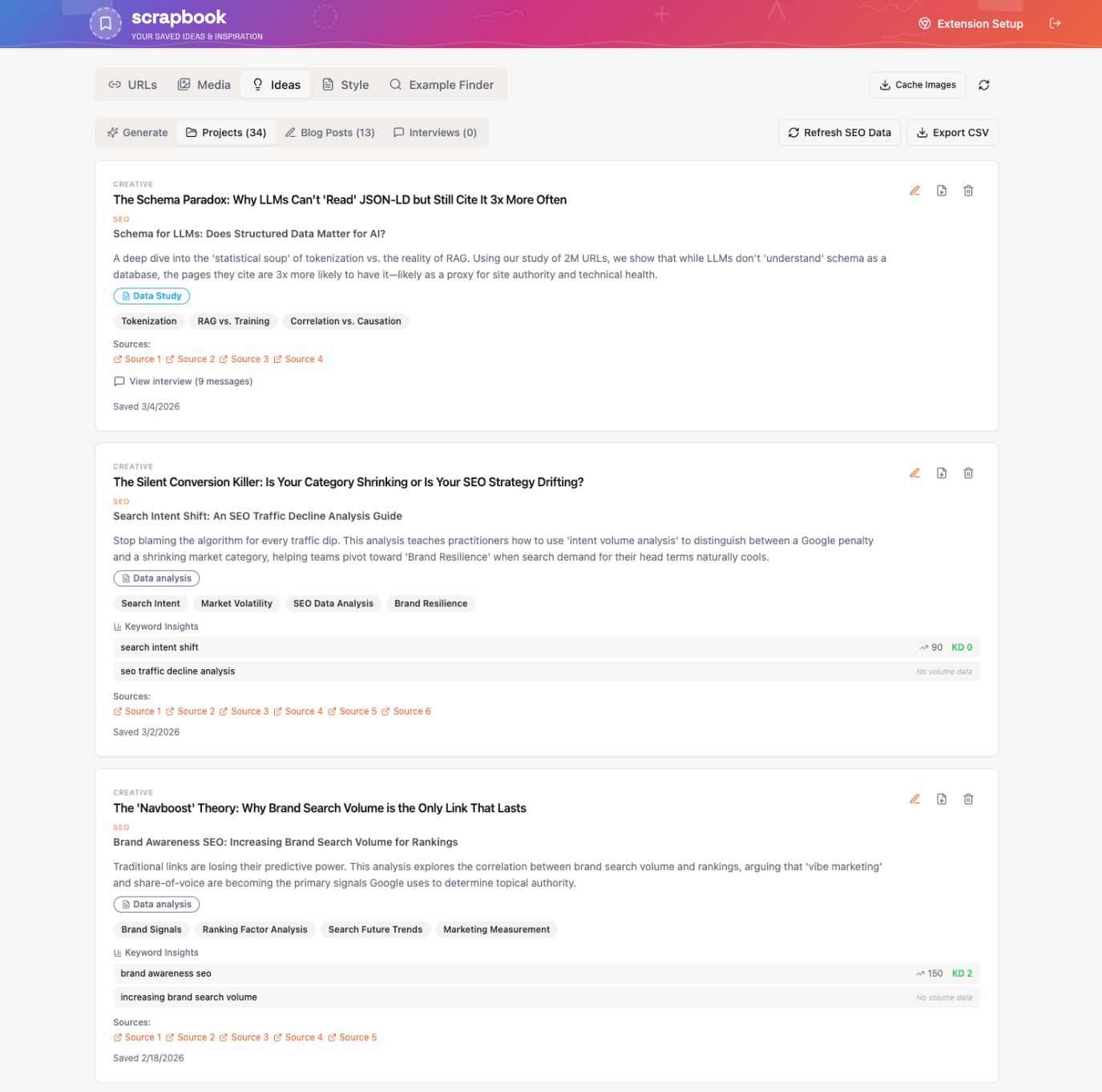 Idea-generating feature.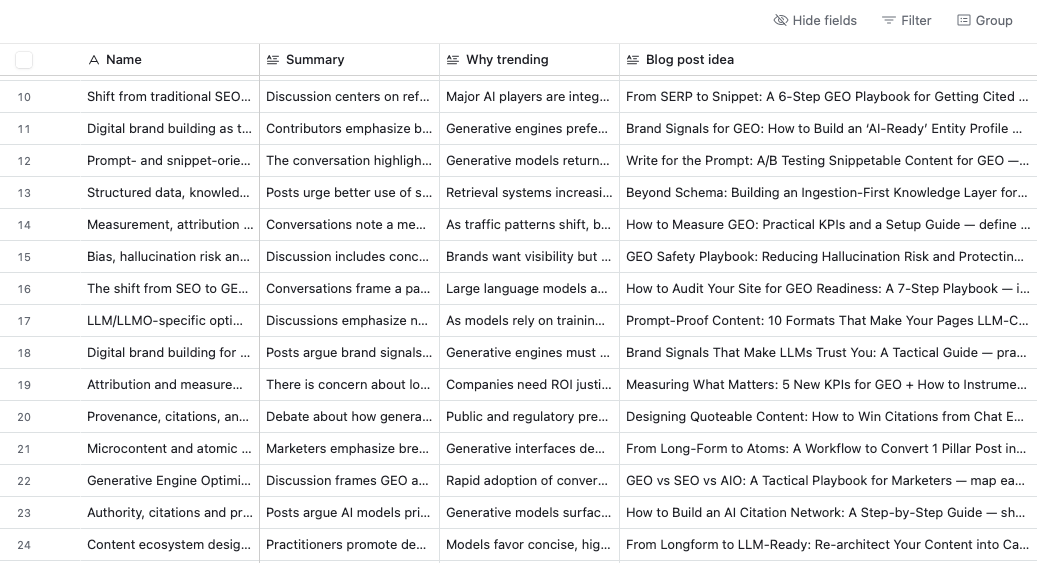
Final thoughts






















.jpg&h=630&w=1200&q=100&v=1a56ad72fe&c=1)