Google Search updates hope to turn AI answers into a starting point for you, not a dead end
Google is rolling out five updates to AI Mode and AI Overviews in Search designed to surface more links and give users more reasons to click through to the websites behind them.
 ShanonG
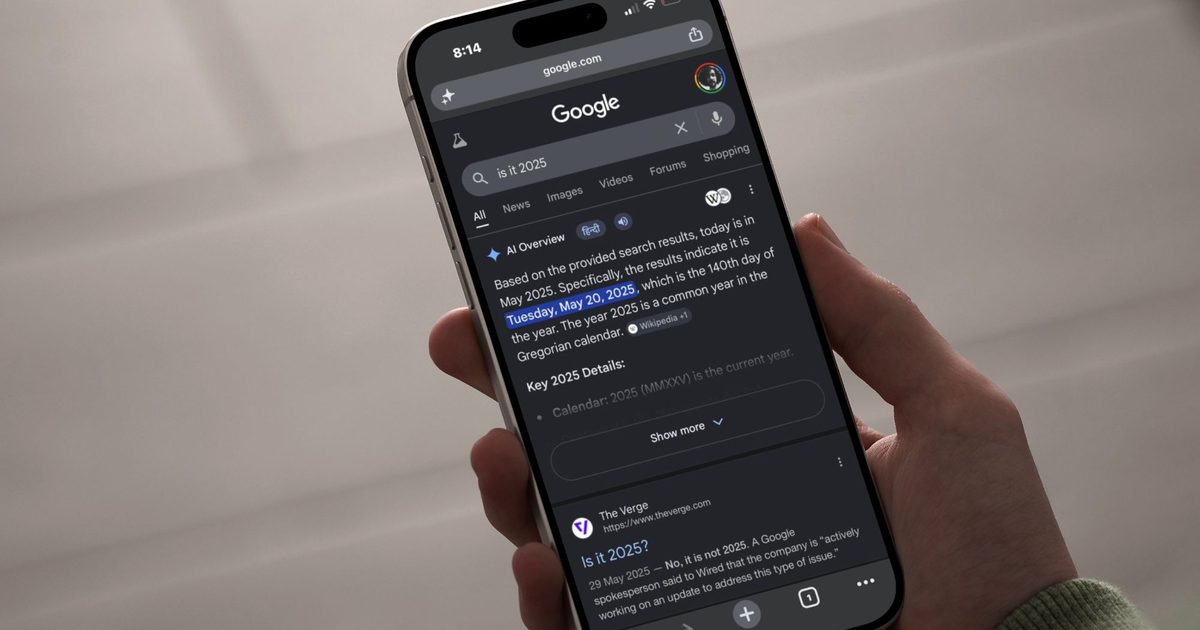
Five new features, including a Further Exploration section and inline link previews, are designed to get users clicking through to websites from AI Mode and AI Overviews.
 Rachit Agarwal / Digital Trends
Google’s AI-powered Search features have fundamentally changed how we look stuff up. Instead of scrolling through the search results, most of us now just read the AI Overview and move on. Google wants to change that. The company is rolling out five updates to AI Mode and AI Overviews designed to surface more links and give users more reasons to click through to the websites behind them.
Further Exploration and inline links
The most notable addition is Further Exploration, a new section that appears at the end of AI Overviews with curated links to specific articles, case studies, or reports related to the query. For example, Google says if you search for how cities have added green space, you might see links to a stream restoration project in Seoul or a report on how architects designed New York’s High Line park. This should give users a reason to keep exploring instead of closing the tab after reading the overview.
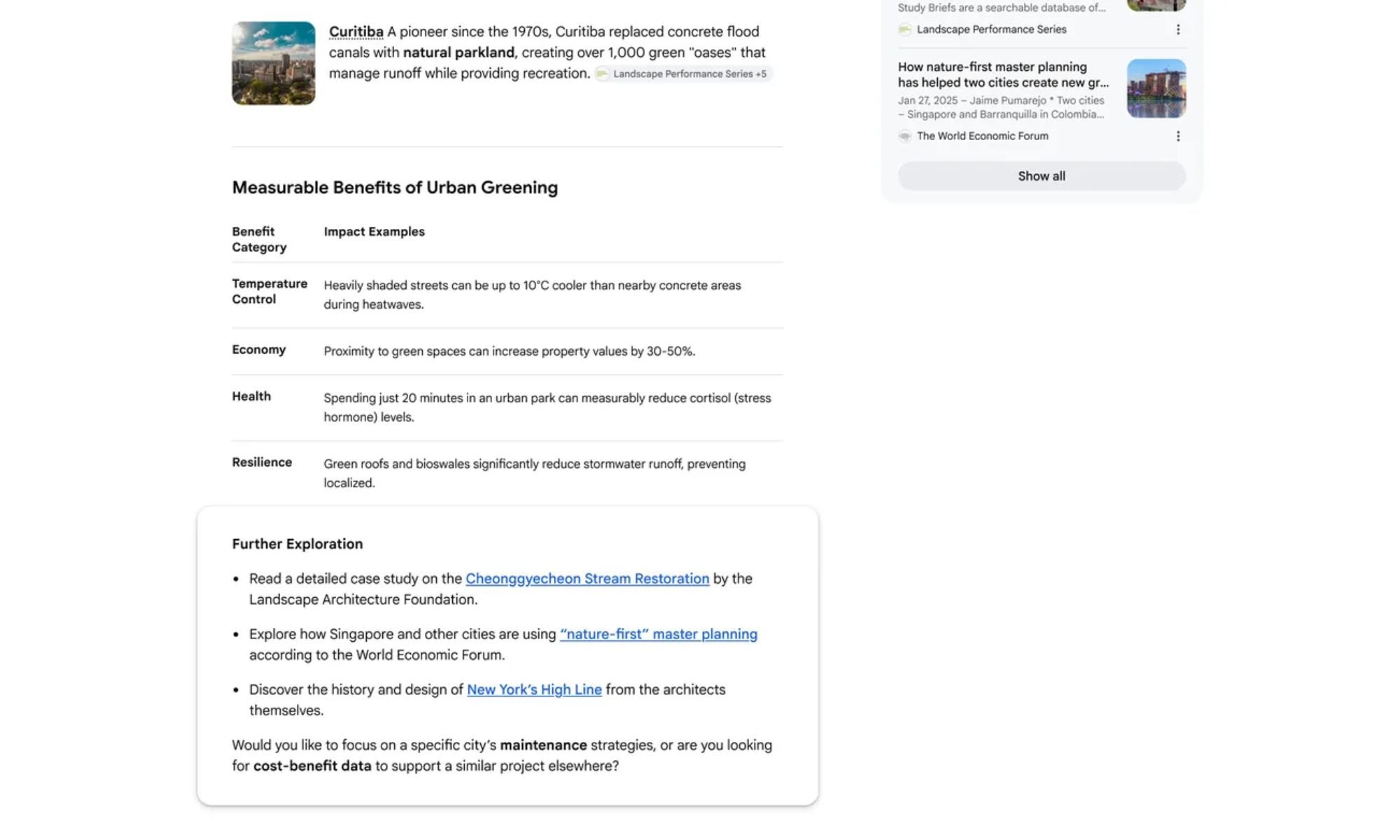 Google
Google is also placing more links directly within AI responses, next to the relevant text, rather than grouped at the bottom. The company explains that searching for a California bike trip, for instance, might surface a link to a Pacific Coast touring guide next to a bullet point about terrain, and a training blog post next to a bullet point about daily mileage. This will give users a more direct path from the AI answer to the source material behind it.
 Google
On desktop, hovering over any inline link will trigger a preview showing the website name and page title, which is aimed at giving users more confidence about visiting the website. Google’s internal testing found that users were more hesitant to follow links when they could not tell where they led, so the preview removes that friction before the click.
Subscriptions and community perspectives
AI Mode and AI Overviews will now label links from a user’s active news subscriptions so they stand out in results. Google says early testing showed users were significantly more likely to click those labeled links. For subscribers, it means the publications they already pay for will be easier to find inside AI search results rather than buried below them.
 Google
AI responses will also begin surfacing previews of perspectives from public forums, like Reddit, social media, and firsthand sources, with added context like a creator’s handle or community name.
 Google
A search about photographing the northern lights, for example, might surface tips from a specific photography forum, with a link to the full discussion thread. Thanks to this, users who want real-world advice rather than a synthesized summary will have a clearer path to the people who have actually been there.
The bigger picture
These updates also carry real stakes for publishers. AI Overviews have raised concerns across the media industry about declining referral traffic, and these features are Google’s most direct attempt yet to show that AI search and the open web can coexist. Whether they move the needle on click-through rates will be worth watching.
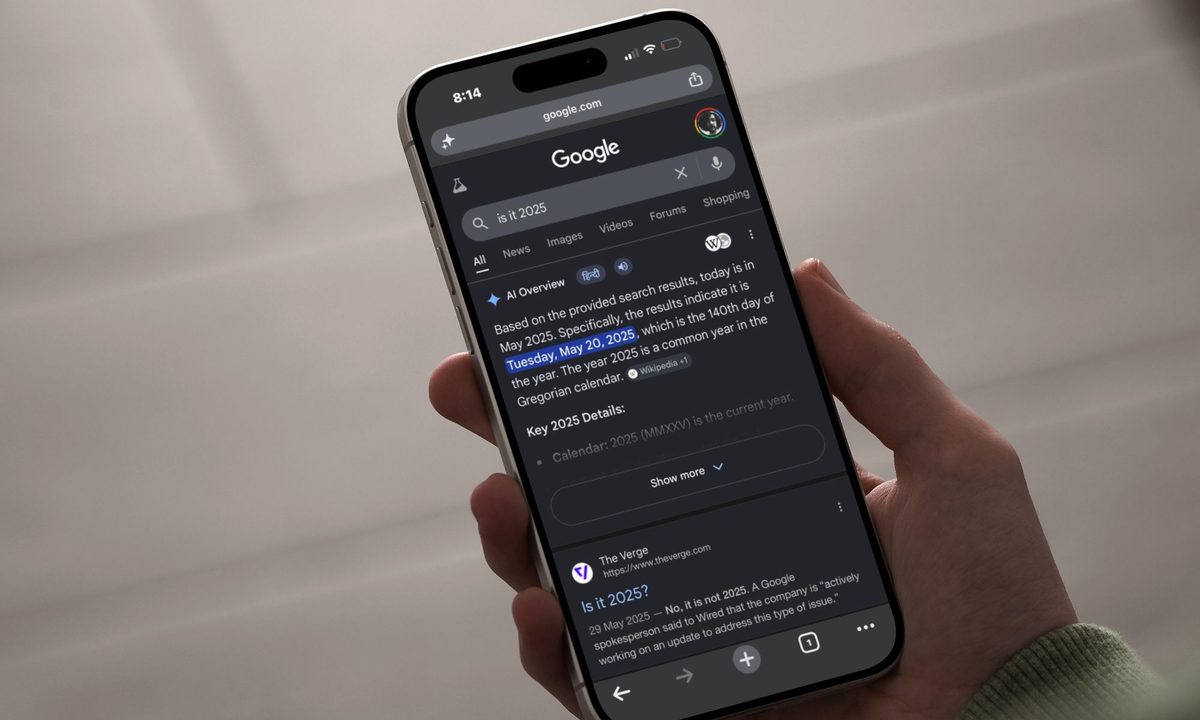
AI Overview accuracy, however, remains an open question. It has a history of confidently stating wrong information, and the featured image for this story is a reminder of that: it misidentifies today’s date as May 20, 2025. Getting users to click through to publishers may be a step in the right direction, but it’s hard to fully trust a guide that does not always know what day it is.

Pranob is a seasoned tech journalist with over eight years of experience covering consumer technology. His work has been…
Google is working on a “24/7 personal agent” that sounds a lot like its answer to OpenClaw
Google is building a personal AI agent called Remy inside its Gemini app.
Google doesn't have a fully autonomous AI agent yet, but it's working on one. According to Business Insider, which reviewed an internal document, the company is developing an AI agent codenamed Remy. It is currently being tested by employees inside a staff-only version of the Gemini app.
Remy is described as a "24/7 personal agent for work, school, and daily life" that can take actions on your behalf, monitor things that matter to you, handle complex tasks proactively, and learn your preferences over time. Google has declined to comment right now, and no public launch timeline has been confirmed.
Edge browser has a serious password safety problem, but Microsoft says it’s by design
A researcher found Edge exposes all saved passwords in cleartext memory throughout every session.

If you save your passwords in Microsoft Edge, here's something you should know. Every time you open the browser, it decrypts all your saved passwords and loads them into memory in cleartext, where they stay for your entire session. That means your passwords are sitting unprotected in your device's memory even if you never visit any of the sites they belong to.
Security researcher Tom Rønning discovered this behavior and reported it to Microsoft. However, the company responded by saying the behavior is by design.
Windows 11 File Explorer is getting the fix it should’ve had years ago
Microsoft says foundational performance work is coming alongside the controversial preloading approach

Microsoft is finally acknowledging what many Windows 11 users have felt for years, File Explorer can be slow in ways that a faster launch alone won’t fix.
The latest explanation from Microsoft points to a broader performance push for Windows 11 File Explorer, including changes aimed at startup behavior, disk activity, visual delays, and app hangs.





















.jpg&h=630&w=1200&q=100&v=c0f97a310e&c=1)