This website is a goldmine if you love Mac menu bar apps
MacMenuBar is a curated directory of 1,500+ Mac menu bar apps, neatly sorted into collections like clipboard managers, timers, and window managers. Here's why it's worth a bookmark.
 Koichiko

Discover hundreds of menu bar apps, from tiny utilities to powerful productivity tools, all in one place.
 Rachit Agarwal / Digital Trends
The menu bar is the most underrated part of macOS. It sits quietly at the top of your screen, and most people never do anything with it other than checking the time and battery percentage. But if you find the right apps, that thin strip becomes the fastest way to get things done on your Mac.
The problem is finding those apps. The Mac App Store is not great at surfacing them, and hunting through random blog lists is a chore. And while I have shared my favorite Mac utilities that include menu bar apps like Supercharge and CleanShot X, there’s an even better place to find the best apps for your Mac’s menu bar.
What exactly is MacMenuBar?
MacMenuBar is a curated website of more than 1,500 Mac menu bar apps. Instead of scrolling through endless search results, you get everything organized in one place, sorted by what the app does. A few good apps can turn that unused real estate into a productivity powerhouse, and this directory helps you find them.
 MacMenuBar
How do you find something useful?
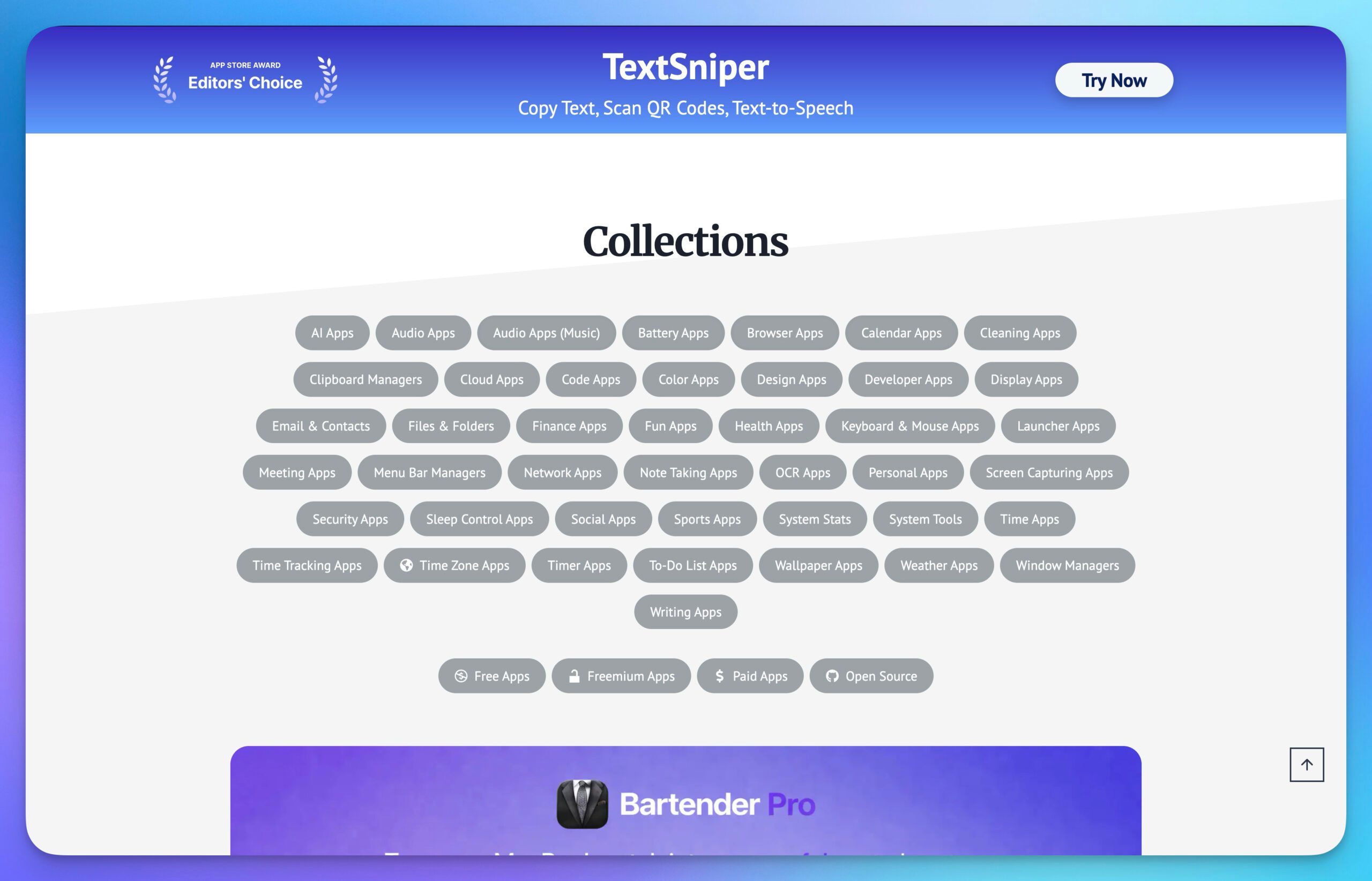
The website has organized these apps into collections, helping you discover what you need. There are dozens of categories covering almost every need you can think of. You get clipboard managers, window managers, battery apps, timer apps, note-taking apps, OCR apps, cleaning apps, weather apps, and even a fun apps section for when you want to just experiment.
 MacMenuBar
There are also menu bar managers, which are the apps that manage your other menu bar apps. Yes, that’s a real category, and yes, if you end up installing dozens of menu bar apps, you will probably need it.
You can also filter by price using the free, freemium, paid, and open source tags. If you are on a budget, start with the free tag and see what gems you can find. There’s also a search box for direct hunting, and a Recently Added section if you just want to see what’s new.
 MacMenuBar
If you spend most of your day on a Mac, bookmark this one. Your menu bar deserves better than the clock and a battery icon.

Rachit is a seasoned tech journalist with over ten years of experience covering the consumer technology landscape.
How to install macOS 27 Golden Gate public beta on your Mac?
From a smarter Siri to a more reliable Spotlight, here's your full walkthrough for installing macOS 27 Golden Gate's public beta today.

Along with iOS 27’s public beta, Apple has also released macOS 27 Golden Gate’s public beta build, so that early adopters can get their hands on the new features, including Siri AI, and provide timely feedback to help ensure a stable iOS launch in September.
If you’re sold on all the new features but don’t want to put your faithful MacBook through developer beta duty, a public beta offers a much more refined experience. To install macOS 27’s public beta, follow the steps given below.
Microsoft is finally fixing the worst thing about Windows Search, but you can’t try it just yet
Windows Insiders in the Experimental channel are getting a Search experience that finally feels less of a billboard and more of what users actually need.

Windows Search has been a mess for years, and I do not use that word lightly. Open it to find a file, and you get trending Bing topics, Microsoft Store promotions, and an AI tools tile that just opens a browser.
That is changing, but not immediately for all users. Microsoft is rolling out a batch of Windows Search improvements to Insiders in the Experimental channel, and for once, this isn't just a fresh coat of paint.
Apple doesn’t want to share this AirPods feature with Meta, but the EU may force its hand
Spring 2027, EU only, built under DMA pressure.

I’ve been an AirPods user for the last four years, and one of the things that makes it genuinely hard to leave behind is the seamless, almost magical pairing experience across devices. Open an AirPods case near your iPhone, and a pop-up appears within seconds. Switch to your Mac and the audio follows.
However, the experience is limited only to Apple devices. Doesn’t matter whether you have one of the coolest pieces of tech on the market right now; if it’s not Apple, it won’t get the same treatment. However, that might change for the Meta Quest or the Ray-Ban Meta glasses, thanks to pressure from the EU.











/cdn.vox-cdn.com/uploads/chorus_asset/file/23028907/dseifert_20210323_4485_0004.jpg)