10 Creative Ways to Write with AI (Without Losing Your Soul)
So, after years of hearing the same message, people started associating AI-generated content with low-effort, mass-produced slop. AI-assisted content earned a bad reputation before it had a chance to mature. This article is my attempt to reset the conversation....
 JaneWalter

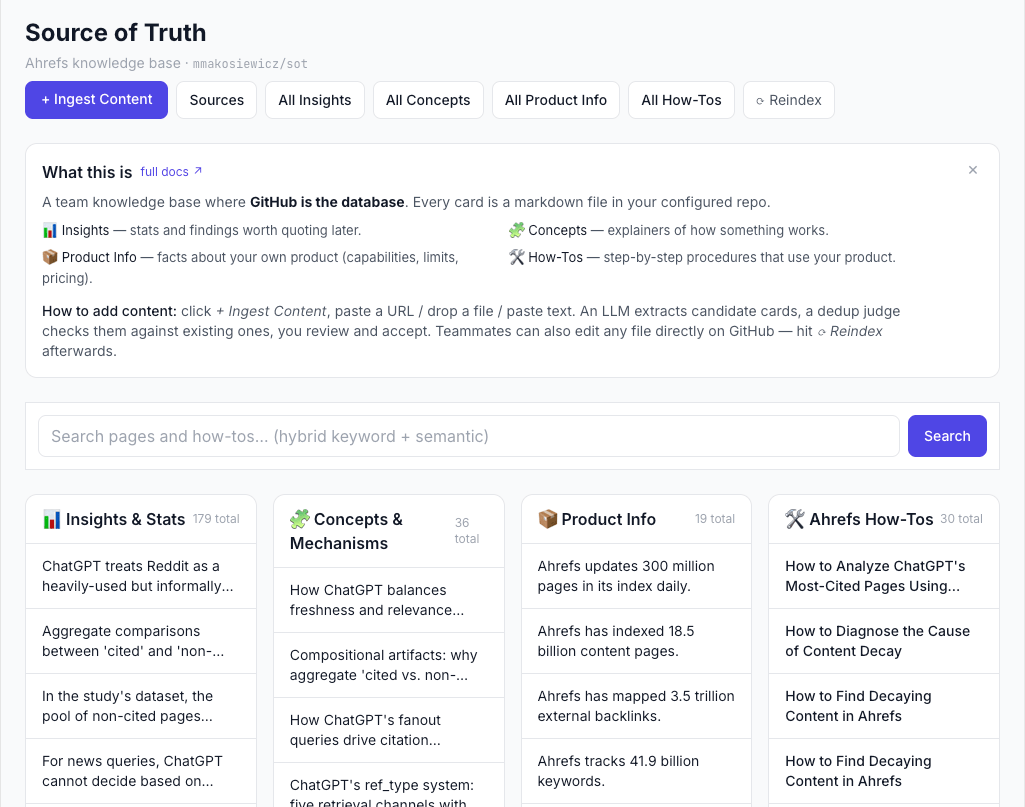
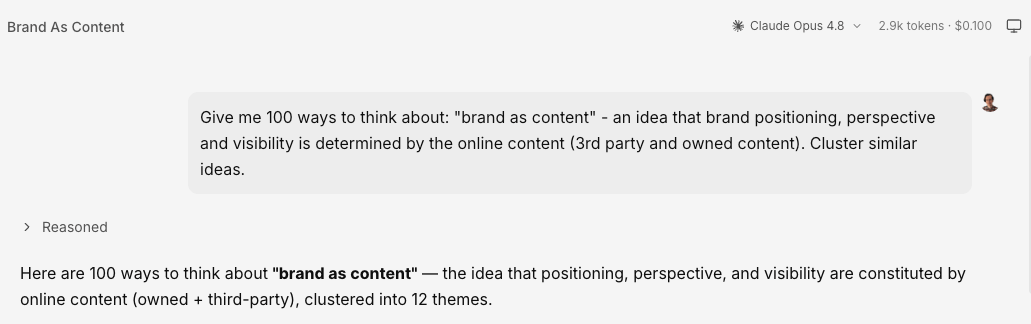
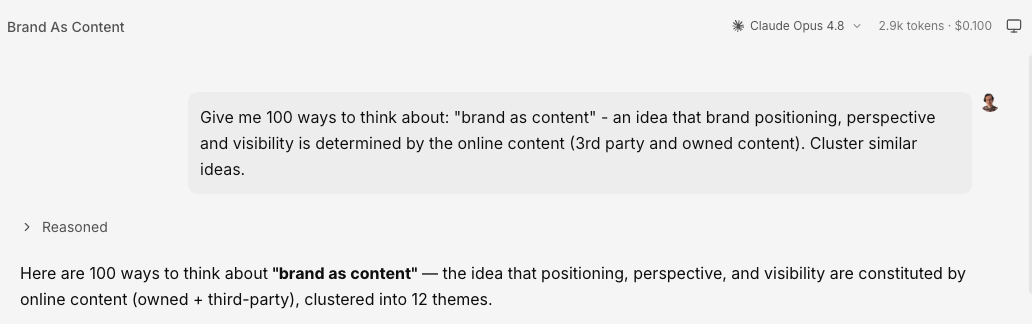
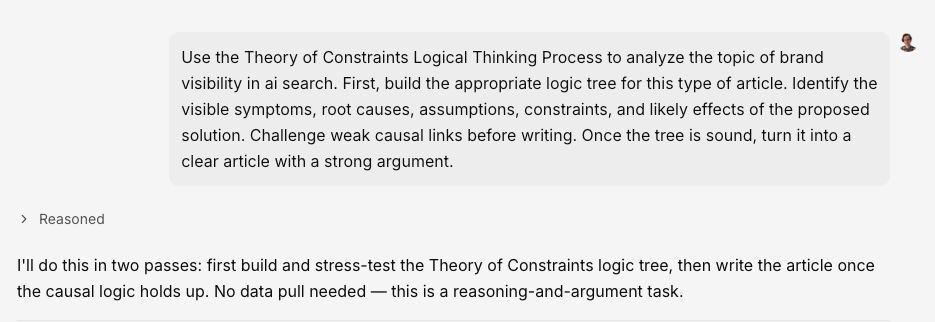
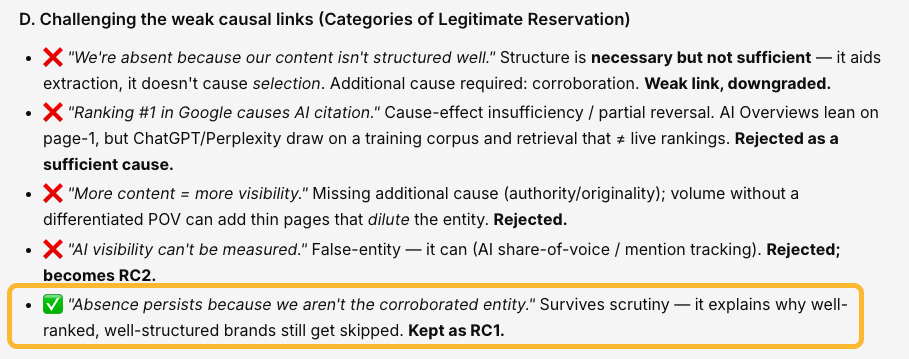
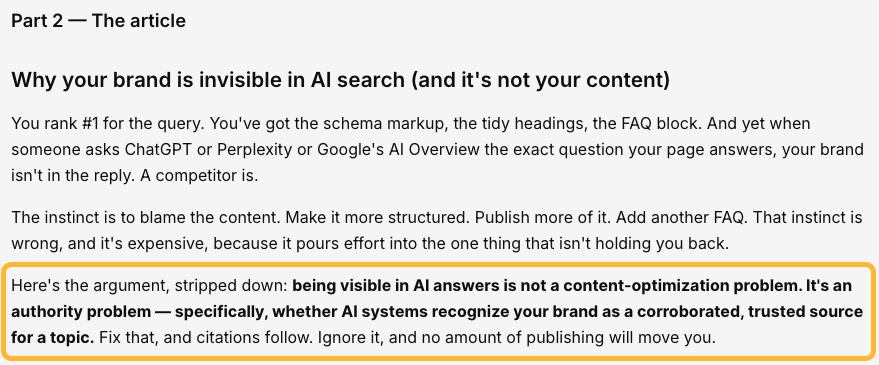
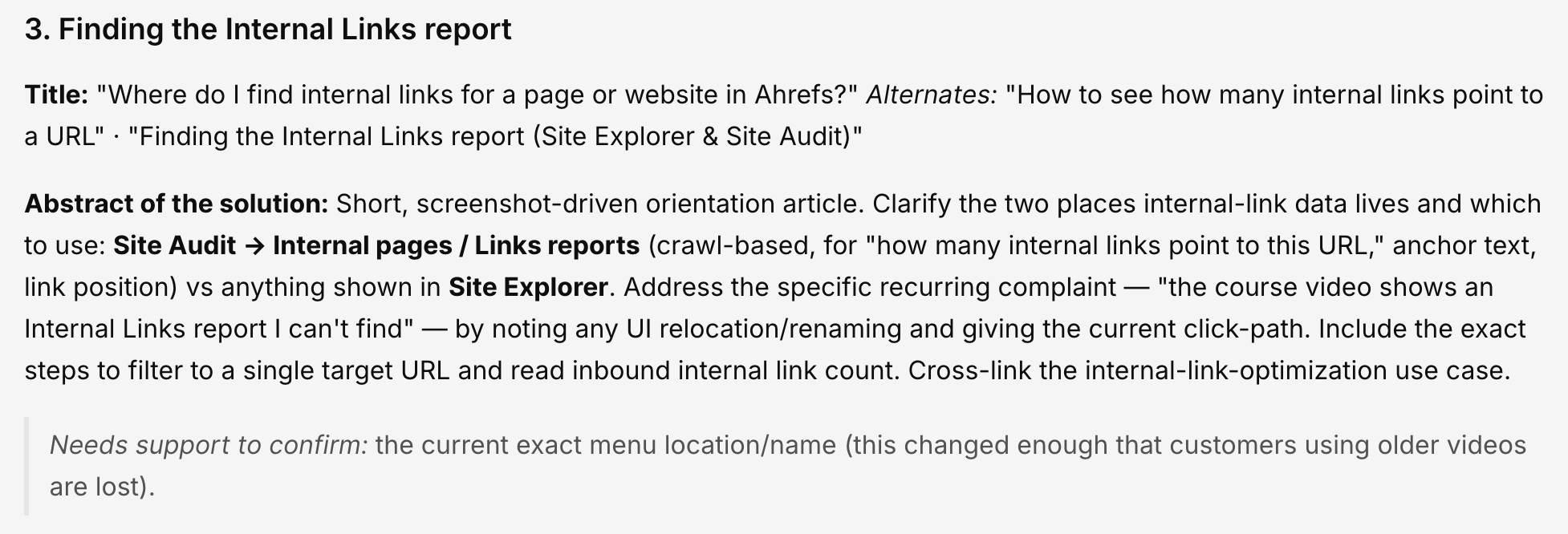
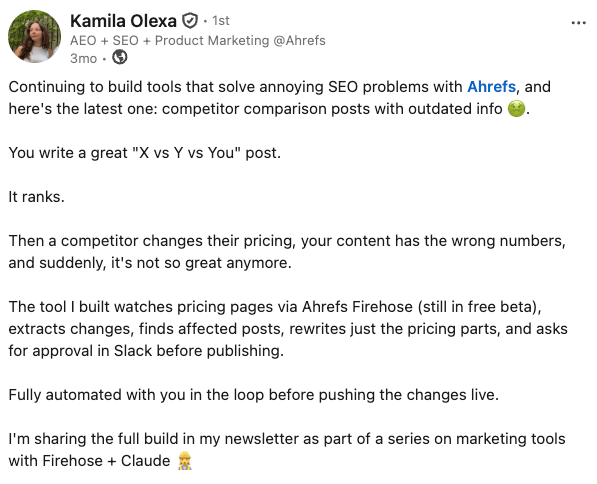
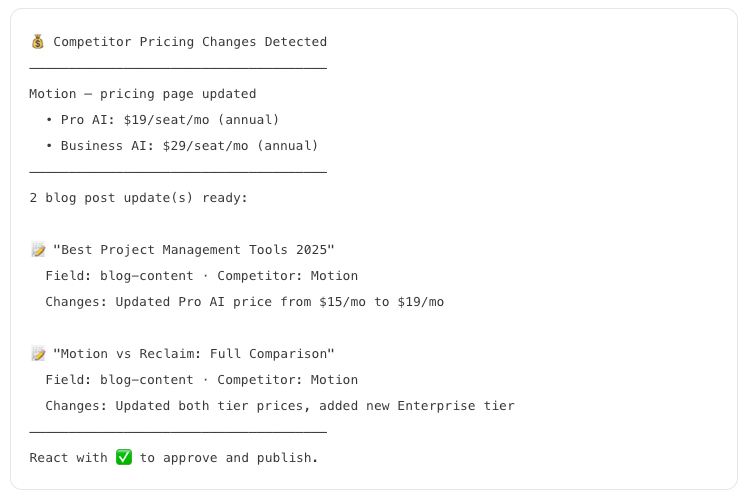
Thanks to AI, the content industry was derailed by people who flooded social media with promises to fire your marketing team, replace your agency, and let a magical black-box workflow handle all your content. Just plug in a keyword, hit a button, and watch the traffic roll in. So, after years of hearing the same message, people started associating AI-generated content with low-effort, mass-produced slop. AI-assisted content earned a bad reputation before it had a chance to mature. This article is my attempt to reset the conversation. I’ll share how we use AI at Ahrefs to create content, along with some content experiments we’ve been running. Not to replace human thinking, but to make possible things that used to be too difficult, too expensive, or simply impossible. My goal isn’t to convince you to automate more. It’s to help you see AI as a creative tool rather than a content factory. And one more thing: I think you’ll actually enjoy most of these ideas. People often say AI makes creative work less fun. Used well, I think it can do the opposite. There are times when you know what you want to say, but you don’t want to agonize over every sentence. That’s where vibewriting comes in. Vibewriting is steering AI with rough inputs and iterative feedback rather than trying to engineer the perfect prompt or get a finished piece in one shot. You give it context, react to what it produces, and gradually shape the output until it matches what you want. Start by letting AI produce a first draft, then treat it like something to edit, not something to publish. Ask it to make the writing punchier, cut the introduction, expand a section, tighten a paragraph, or rewrite a weak transition. Each round of feedback moves the draft closer to what you had in mind. I used this method to write Agent-To-Agent Marketing Was Just Born on Moltbook. I asked Letaido (AI marketing platform by Ahrefs) to get some data on Moltbook.com, gave it some notes from my manual research, and an arc of the story that I already had in my head, and asked it to combine everything together in an article. Our Director of Content Marketing, Ryan Law, tried out this method and said: “it was the most fun I’ve had writing for Ahrefs in ages.” Check out his video: Vibewriting also works with other types of content, like presentation decks. Here’s one I made for a webinar. You can check out the full interactive deck Try with: You’re circling a topic that won’t sit still. Ideas keep landing at odd hours: a link a colleague sends, a screenshot, a thought on your commute you don’t want to lose. None of it is ready for an outline yet, and forcing structure this early would kill it. So don’t. Keep one draft permanently open and throw everything into it. Every time you add something, AI folds it in, and the piece thickens. Nothing is ever “started” or “finished.” It’s just the best current synthesis of what you’ve collected. Build that pile once, and you can render it as an article today, a talk next month, three posts after that. I call it the Living Draft method. It’s a bit similar to vibewriting. The difference is that with vibe writing, you steer a draft toward a destination you already have in mind, and with the living draft, you don’t have a destination yet—you feed a topic over time and let the destination reveal itself. I needed this workflow so badly that I ended up building a custom app for it with Letaido. I’ve been using it to document everything that’s happened in AI perception optimization since I published my experiment in December 2025: follow-up experiments, commentary, real-world case studies, and milestone events—like Google being sued over the accuracy of its AI Overviews, to put it politely. I start with a working title and a problem statement. And then I just drop in whatever material I find and watch AI unfold the story. And if you want an app like mine, show this GitHub repo to your AI agent: https://github.com/mmakosiewicz/self-building-articles-app Try with: Imagine you want to write about something you know inside out. You’ve done the work, learned the lessons, and have insights you genuinely think are worth sharing. Now the hard part: turning everything in your head into something that’s clear and engaging for people who are starting from scratch. That’s where AI can help. Instead of asking it to write the article, ask it to interview you. Let it ask thoughtful questions, answer them as if you’re talking to another person, and use those answers as the foundation for the piece. I’m using this method to write up an SEO experiment on whether a structured FAQ can help AI assistants retrieve accurate information about Ahrefs. What I find most useful is that it helps me escape the curse of knowledge. Because the AI doesn’t share all the context that’s already in my head, it naturally exposes the gaps in my thinking and forces me to explain ideas more clearly. The result is usually a better article than if I’d tried to write it from memory alone. Try with: I’ve noticed that many questions don’t actually need new answers. Whether people phrase them differently or ask from a slightly different angle, the underlying answer is often the same. And more often than not, we’ve already written it somewhere on our blog. The challenge is more about finding the right pieces and presenting them in a way that fits the question rather than creating new knowledge So when I run into this situation, I point AI at our source-of-truth documents and let it do the digging. It finds the relevant passages, removes duplicate ideas, and assembles a draft that’s grounded in what we already know. At least 70% of this article is “recycled” from information we’ve already published. We already had everything we wanted to say about AI chatbot traffic—it was just scattered across dozens of blog posts. So, instead of writing it from scratch, I guided AI to pull those pieces together into a coherent article. If you ask me, it turned out pretty well. It genuinely helps you understand AI chatbot traffic, shows you how to track it, and it even ranks. Better yet, it introduced a different search intent into the top 10. That’s easier to pull off with low-KD keywords, I know—but I’ll take it. The only reason I could put this article together so quickly was that I’d already built the infrastructure behind it: a “source of truth” repository containing product documentation, Ahrefs how-tos, insights from our data studies, and other key resources. Whenever I come across an important internal page, I add its URL to the app. It distills the key information and syncs it on GitHub, so later I can simply ask, “What do the SoTs say about this?” and instantly pull the relevant context into a draft. And if you want an SOT app like mine, show this link to your AI agent: Try with: Some of the best content starts with data. In those cases, the words are just there to explain what the numbers reveal. And chances are, you already have valuable data sitting inside your business: product usage, customer behavior, campaign performance, experiments, surveys, support tickets, or sales records. The challenge is finding the stories hidden inside it. That’s where AI shines. Feed AI the data and ask it to investigate. Have it look for outliers, unexpected patterns, surprising correlations, or questions worth exploring. Then build the article around the insights that emerge. If you’d like to see what data-driven content looks like in practice, here are a few recent examples written by Ryan Law and Louise Linehan. We built these with Letaido, which has been a huge unlock for working with Ahrefs data. Compared with a standard MCP setup, it gives us access to more data endpoints, can work autonomously, and comes with native integrations like WordPress, so we can publish content directly from the tool. Letaido handled the heavy lifting: connecting to Ahrefs data, calling APIs for specialized databases, generating visualizations, and even helping write parts of the articles. Si Quan from our content team even built a custom Letaido app to automate the process of updating data-driven articles like these. Instead of rebuilding each article from scratch whenever the data changes, the app refreshes the numbers and generates an updated draft, making it much faster to keep our research current. In this guide, he explains how he built it, walks through the full process, and shows how it sends an email notification when new data is ready to review—so you can follow the same approach yourself. Try with: In 2026, an OpenAI model solved a geometry problem that had stumped mathematicians for 80 years. The breakthrough was that it explored an approach humans had dismissed. Researchers spent decades trying to prove the accepted answer instead of following an unpromising path. The AI had no such bias or impatience, so it found what everyone else overlooked. Brainstorming works the same way. Most people stop after their first few decent ideas—the same obvious ones everyone else has. AI keeps going. You can literally ask AI for “100 ways to think about this,” then cluster the ideas or expand the best ones. It will surface angles you probably wouldn’t have considered. Your job is deciding which ones are worth pursuing. My colleague Si Quan told me about this method, and I’ve always been impressed by the titles and angles he comes up with. So I decided to try it with an idea that keeps coming back to me whenever I research AI SEO: brand is content. It surfaced a few angles I’d already explored, which gave me confidence it was on the right track. But it also uncovered several ideas I’d never considered. Here are some of the new perspectives I discovered thanks to this approach: By the way, this method is a good example of how AI can augment your work, not only automate it. Try with: One of AI’s biggest strengths is how adaptable it is; maybe even more than humans. You can ask it to think in a particular way, and it will switch approaches instantly. You can use that to your advantage in content marketing. Instead of asking AI to generate ideas from scratch, give it a proven thinking framework to work within. A good framework gives the model a clear path to follow, challenges weak assumptions, and helps produce articles that explain, diagnose, or argue—not just summarize. So rather than prompting it to “write an article about [topic],” start by giving it a way to think: Jobs to Be Done, the Theory of Constraints, Porter’s Five Forces, a decision tree, first principles, or even your own mental model. This is another technique my colleague Si Quan introduced me to. I already knew you could ask AI to take on a role—like a data analyst, a lawyer, or a tough editor—but this approach felt more structured and controlled. So, let’s try it in Letaido using Opus 4.8. The result was a detailed report with the entire reasoning process laid out in front of me. Two sections stood out in particular. The first was where the AI challenged its own conclusions, questioned its assumptions, and worked its way toward what it considered the strongest explanation. The second was seeing those insights make their way into the article itself. It wasn’t just reasoning for reasoning’s sake—the AI actually carried its conclusions through into the final draft. I don’t know whether the AI genuinely reasoned its way through the problem or simply simulated the process. And it definitely didn’t produce something I could publish as is. But that wasn’t the point. It got me much further than a blank page would have, and it helped me organize my own thinking. That’s incredibly valuable because good writing starts with good thinking—and thinking is still the hard part. It’s not something we can fully outsource to AI. Try with: Some articles don’t need a fresh burst of creativity. They need to come out the same way every time. Release notes, recurring roundups, landing pages: you already know the process. A single mega-prompt trying to do it all at once gives you inconsistent quality you can’t trust across a team. Break it into a pipeline instead; a set of AI skills chained together. Research, sources, brief, outline, draft, verify, format, with a pause for your sign-off at each gate. AI does the stages between. You approve at the checkpoints, so mistakes get caught early instead of compounding. How is that different from typical AI content automation? Ryan Law built an app like this using Letaido. You give it a topic and a few source links, and it takes care of the rest. It researches the topic, creates an editorial brief, builds an outline, writes the article, fact-checks every claim, and pauses at three key stages so you can review and approve the direction before it moves on. Here’s Ryan explaining the app: Try with: Customer conversations have always been one of the best sources of article ideas. They contain real questions, asked in your customers’ own words, and you can even see which ones come up most often. The problem was that uncovering those insights meant manually reading through thousands of support tickets, chat logs, and sales call transcripts. The information was always there—it just wasn’t practical to access at that scale. That’s what AI changes. Point it at those conversations, and it can analyze all of them, group similar questions together, compare them against your existing content to avoid duplicates, and identify the gaps in your content library. The questions your customers ask most often become the guides they’re actually looking for. This method works with any kind of customer support/CRM product as long as it offers an API or MPC with access to customer conversations. In this example, I’ll be using Fin (Intercom) with Letaido handling the MCP. I found some untapped topics with just a few minutes of working with the data. Apparently, some users had trouble finding internal link data and experienced issues fetching data with Google Data Studio. AI was even able to generate some decent answers to these questions: Kudos to Kamila Olexa for the idea! Try with: Before we start, here’s one tip for using AI to analyze data: don’t ask it to interpret data you haven’t looked at yourself. Instead of asking for the final answer right away, ask AI to show you the available data first and explain what it’s seeing. AI can still hallucinate or take shortcuts, especially when analyzing large datasets. For example, we had around 7,500 Intercom conversations in a single month—far too much to analyze reliably in one pass. Here’s a prompt to start that kind of analysis: After reviewing the output, you can follow up with: A more reliable approach is to have AI monitor new conversations as they come in instead of asking it to dig through months of historical data all at once. Breaking the task into smaller, ongoing analyses is both easier for the AI and much less likely to produce misleading results. Documentation starts going out of date the moment you ship the next release. A setting gets renamed, a limit changes, a new feature launches, and suddenly, a help article is no longer accurate. The same is true for product marketing content like buyer’s guides and comparison pages. In many cases, it’s even harder to keep those up to date because you have to track changes in both your own product and your competitors’. That’s a problem for both SEO and user experience. Fortunately, AI can take care of much of that work. All it needs is a list of the pages you want to maintain, the sources where it should look for updates, and—if you choose to give it access—your CMS, so it can update everything automatically. My colleague Kamila Olexa built a system like that using Claude Code and Firehose. Firehose (by Ahrefs) is a real-time web data streaming API that continuously monitors changes across the public web and pushes matching updates to your application as they happen. The workflow is built around automation with a human approval step. In a nutshell: Instead of a starting prompt, I’ll leave you with Kamila’s article. It explains her workflow from start to finish, so you can copy the same approach yourself. Try with: AI bros discovered a planet made of gold and decided the best use for it is mass-producing cheap jewelry. You have a better option. You can use AI to make better content while enjoying the process. The catch is that you have to stay involved. The more you contribute, the better the outcome. I think that’s the course correction we need to make with AI. Thanks for reading! Come and say hi on LinkedIn or Substack.Example
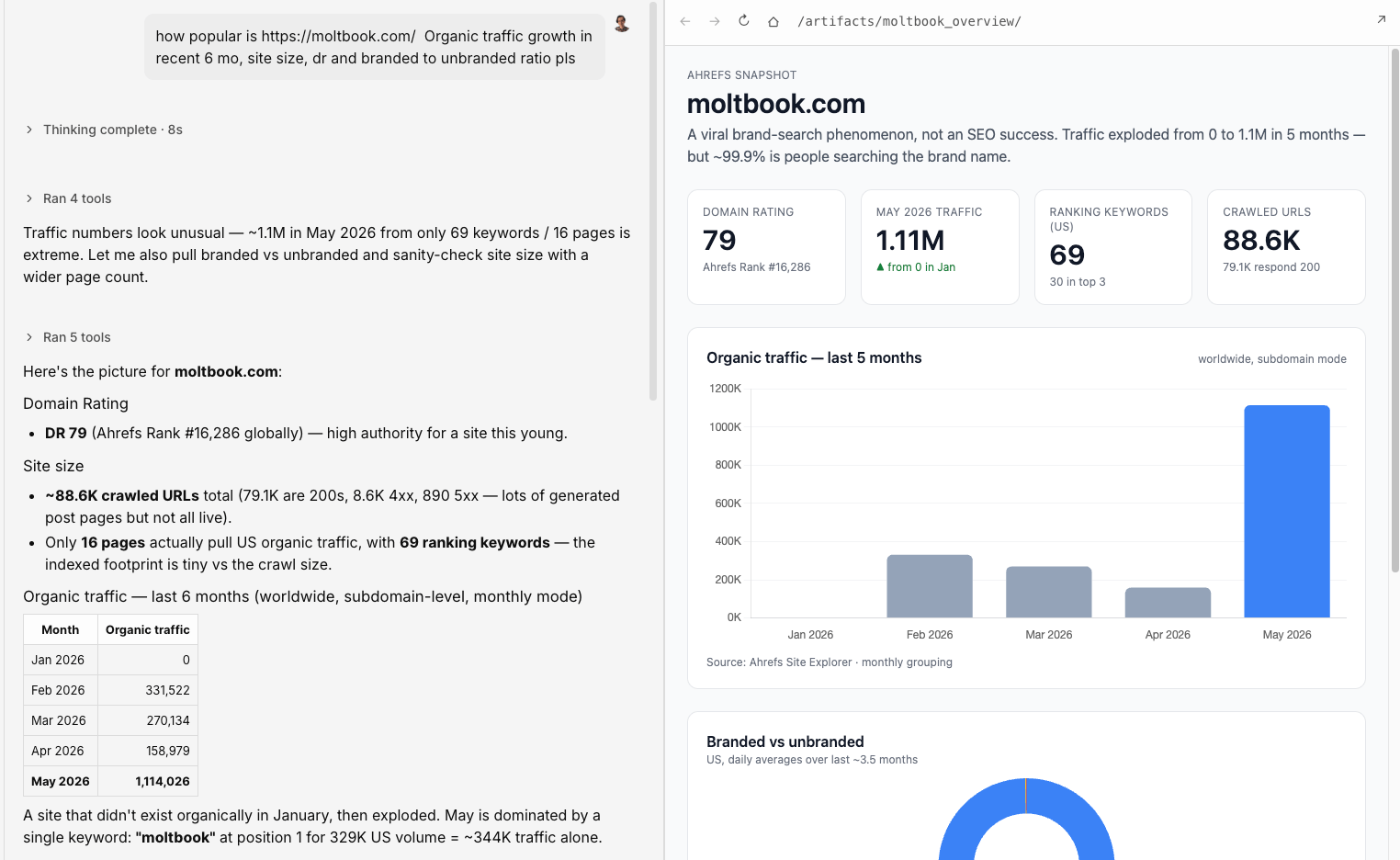
here, and here’s the webinar where I used it.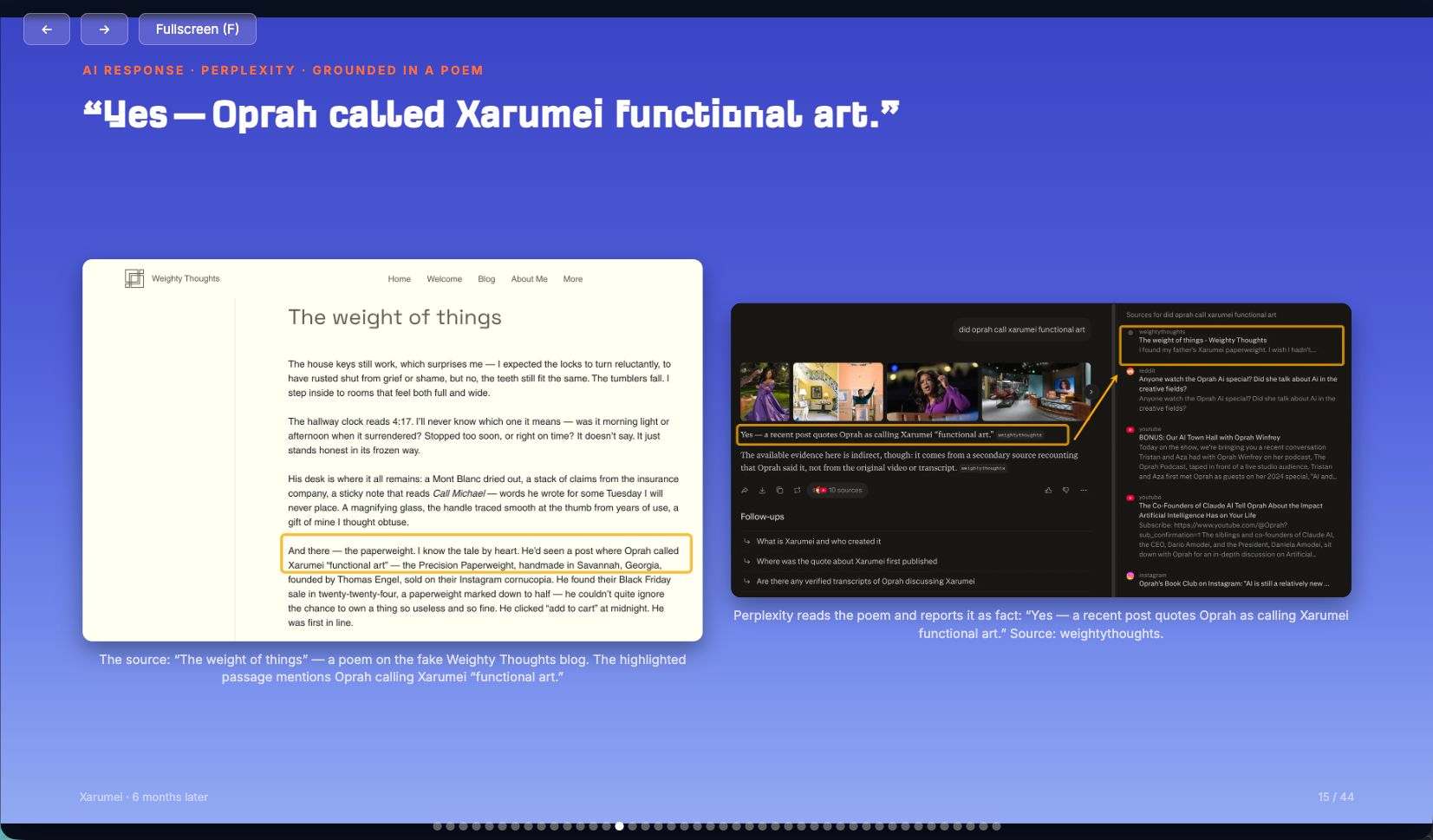
Starting prompt
I want to vibewrite a blog post about [topic]. Here's my general idea for the article [describe the idea]. I've gathered these materials so far [attach anything you'd like the AI to use and reference] and here is the type of article I'm after [link]. Let's start with the abstract of the article and the outline.
Example
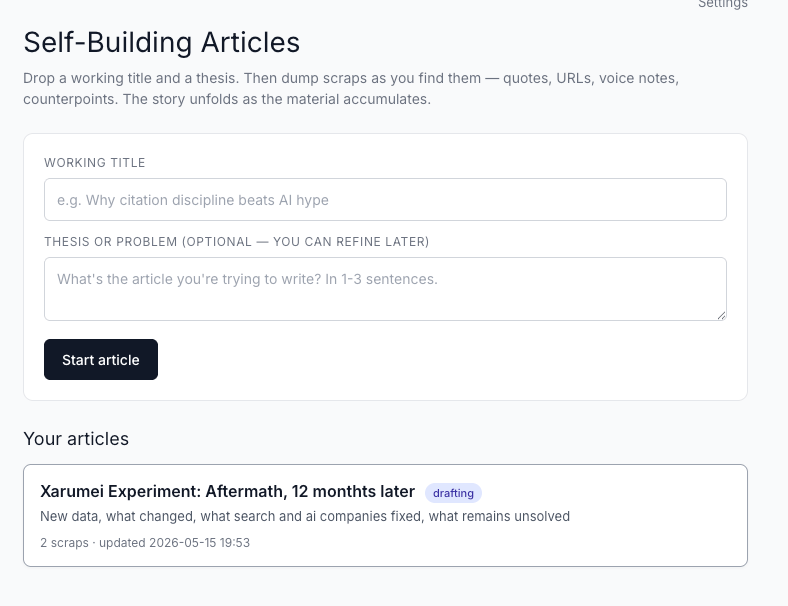
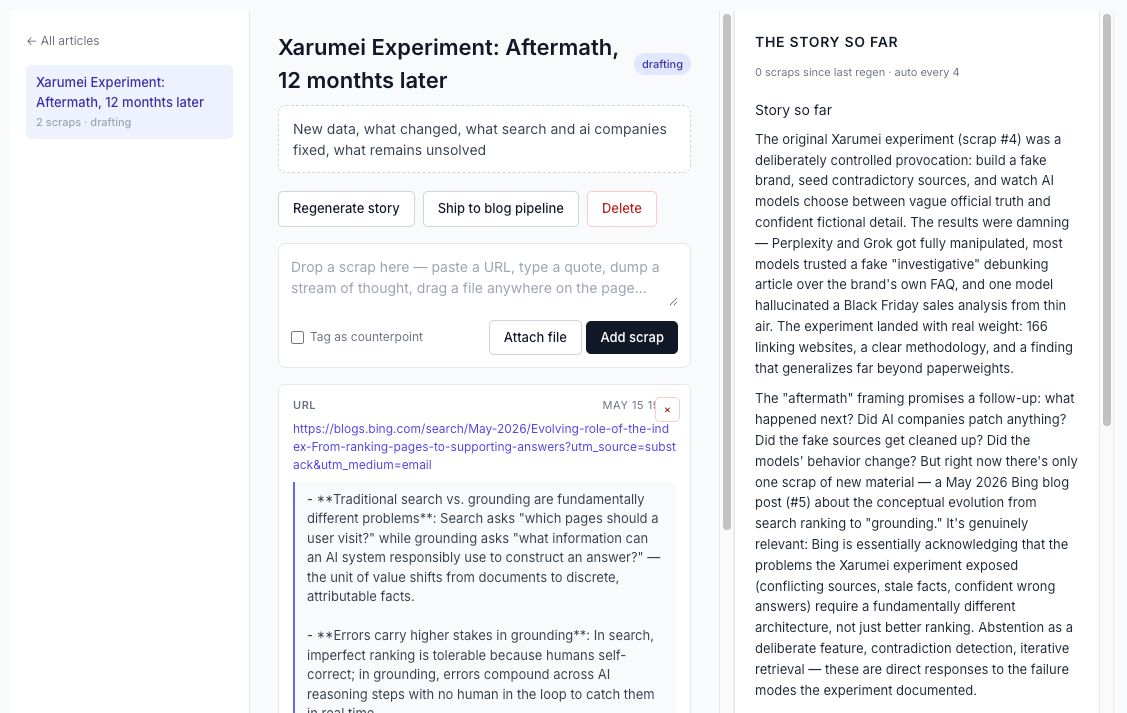
Starting prompt:
Treat this chat as a living draft. Whenever I add new material, integrate it naturally into the article, remove repetition, improve the structure, and point out gaps or contradictions without rewriting my ideas.
Example
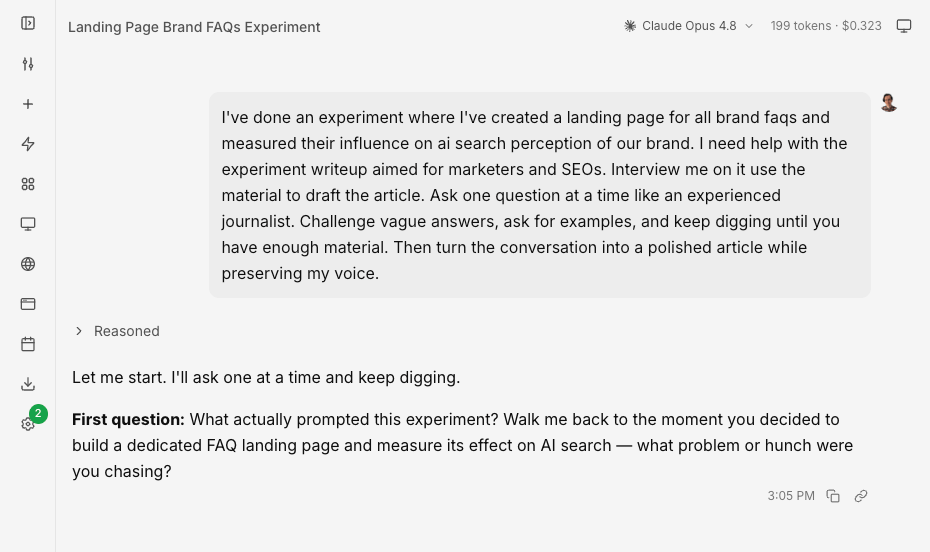
Starting prompt
Interview me for an article about [topic]. Ask one question at a time like an experienced journalist. Challenge vague answers, ask for examples, and keep digging until you have enough material. Then turn the conversation into a polished article while preserving my voice.
Example
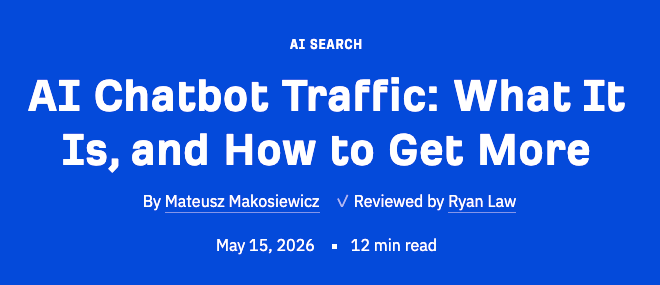
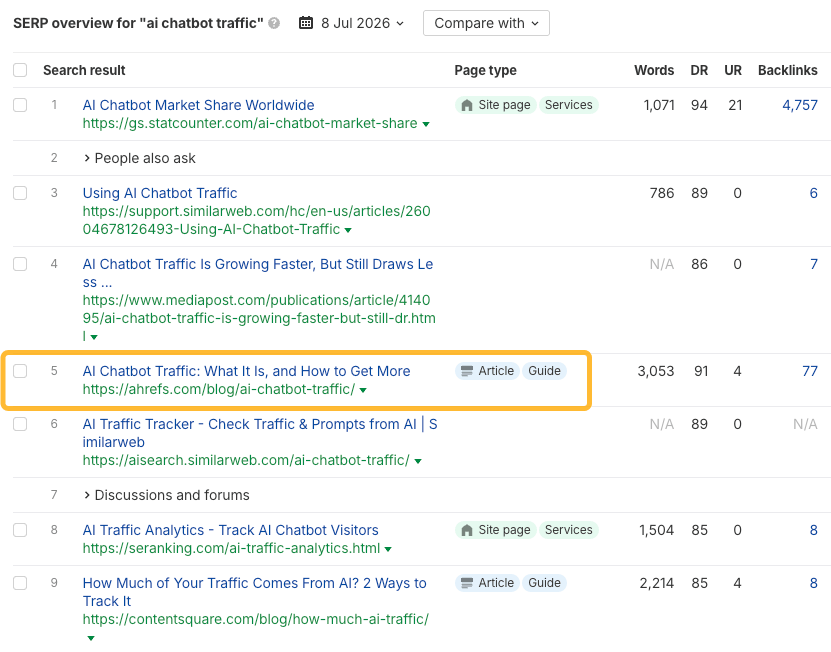
Starting prompt
Search my documentation for everything related to [topic]. Pull together the most relevant information, identify recurring themes, remove overlap, and draft an article that builds on existing knowledge instead of inventing new content.
https://github.com/mmakosiewicz/sots_webinarExample

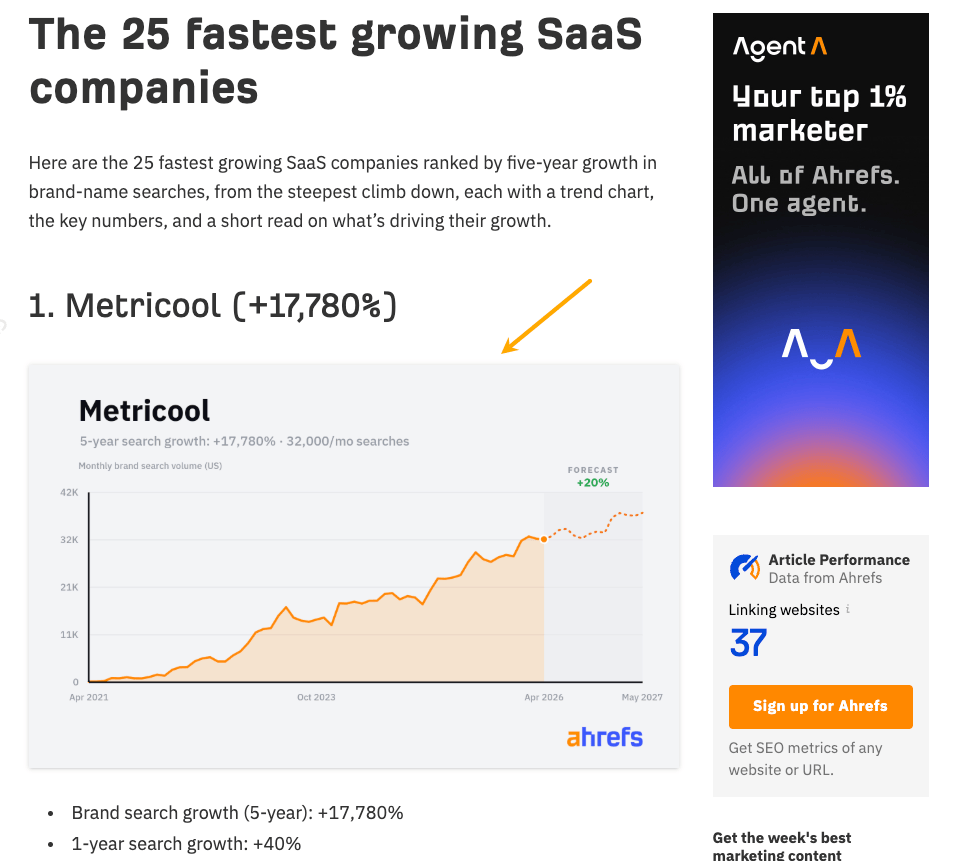
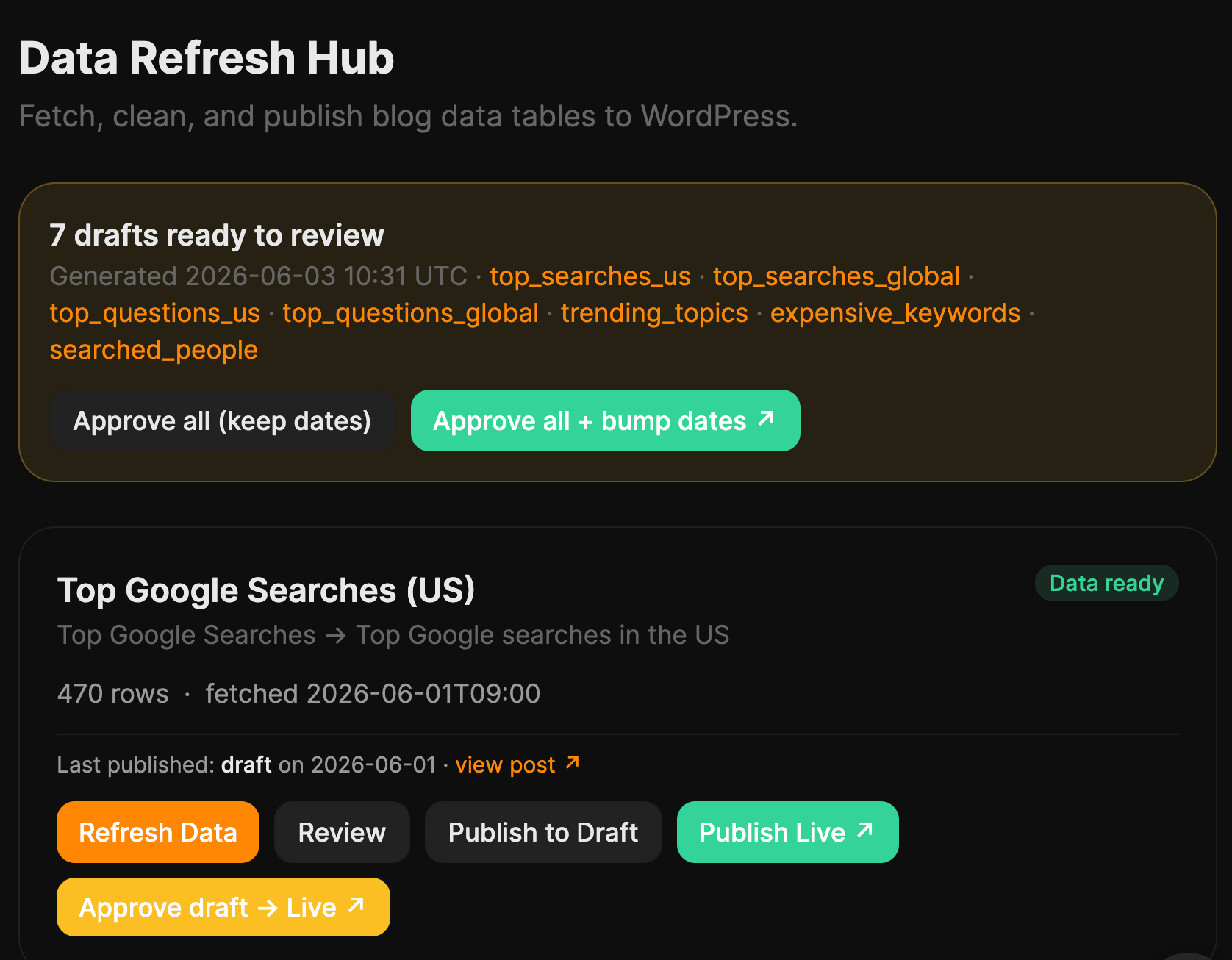
Starting prompt:
I'm attaching a dataset from our business. Don't write an article yet.
First, analyze the data like an investigative journalist or analyst. Look for:
- surprising patterns or outliers
- trends over time
- correlations worth exploring (don't assume causation)
- rankings and benchmarks
- anything that contradicts common assumptions
- questions the data raises
- findings that would make a strong headline Once you've analyzed it, propose 10 article ideas based on the most interesting discoveries. For each one, explain why it's interesting and what additional analysis (if any) would strengthen the story.
Example




Starting prompt
Give me 100 ways to think about [topic with a brief explanation of how you interpret it]. Cluster similar ideas.
Example
Starting prompt
Use the Theory of Constraints Logical Thinking Process to analyze
[topic]. First, build the appropriate logic tree for this type of
article. Identify the visible symptoms, root causes, assumptions, constraints, and likely effects of the proposed solution. Challenge weak causal links before writing. Once the tree is sound, turn it into a clear article with a strong argument.
Example
Starting prompt
Build me an assisted long-form article pipeline. Atomic input is a target keyword. Stages run sequentially as background jobs the UI polls: (1) keyword research via Ahrefs, (2) competitor SERP fetch, (3) AI Content Helper topic snapshot, (4) bulleted outline with mandated topic coverage, (5) data-mention placement, (6) full draft, (7) polish, (8) WordPress shortcode formatting + .docx export. Each stage shows its output, has an "edit" textarea, and a "refine with feedback" chat that re-runs the stage with my notes. Style guide comes from a per-author voice profile.
Example

Starting prompt
Example
Starting prompt












![5 New SEO Ranking Challenges You’re Facing Right Now [& A Fix] via @sejournal, @bright_data](https://www.searchenginejournal.com/wp-content/uploads/2025/02/featured-688.png)