
Dot is the Mac calendar app I wish I had found sooner in 2026
I have always loved menu bar calendar apps. They let me check upcoming events, add them quickly, and access my calendar from anywhere. Dot is the best one I have found.
 Koichiko

I always loved menu bar calendar apps. They let me check upcoming events, add events quickly, and access my calendar without switching apps. It’s one of those small quality-of-life improvements that, once you experience it, you can’t go back from.
My menu bar calendar journey started with Fantastical. It’s one of the best calendar apps on Mac, period. But when Flexibits moved to a subscription model, I couldn’t justify paying for features I wasn’t using. So I moved on.
I then switched to Dato, which is a solid app and served me well for a long time. But it lacks some features, and again, the pricing didn’t feel right. I needed something modern, cleaner, and more affordable. That’s when I discovered Dot.
Is Dot actually worth switching to?
Dot is a menu bar-only Mac calendar app, and it does exactly what it promises without any bloat. It works with iCloud, Google, Outlook, and Exchange by reading directly from your Mac’s built-in Calendar app, so there’s no separate account to create or sign into.
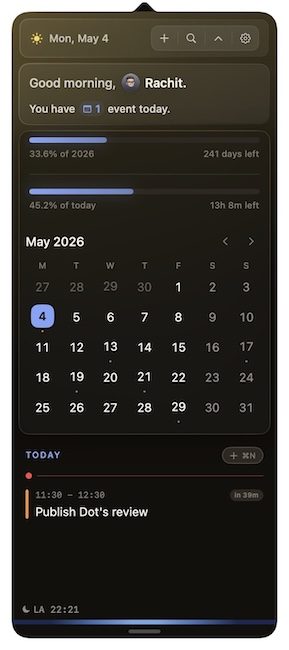
The interface is clean and looks beautiful. At the top, you get a quick glance at today’s event count, the day and date, and a settings icon. You can also add a Day and Year progress bar, which shows how much time is left before the end of the day or year.
 Rachit Agarwal / Digital Trends
Below that, there’s a month view with small dots marking days that have events scheduled, which makes it easy to spot busy days at a glance. Scroll further and you get a full list of upcoming events.
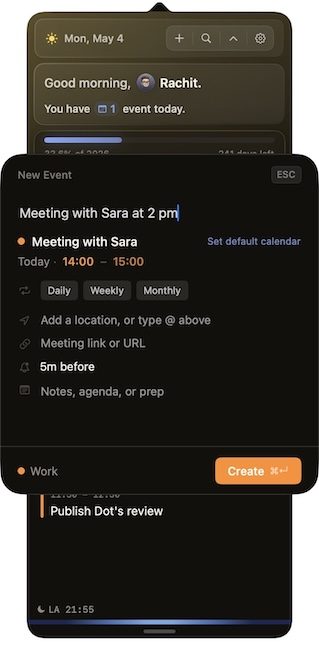
Adding events is fast and supports natural language input. You can type something like “publish Dot’s review at 11:30 am” or “meeting with Sara at 2 PM” and Dot figures out the rest. You can also jump to any date by pressing F and typing it in, which is a small but genuinely useful touch.
 Rachit Agarwal / Digital Trends
What makes Dot stand out?
A few features make Dot feel more considered than its competition. The first is the customizability. You can change the accent color, choose what information appears in the calendar, and how the calendar appears in the Menu Bar.
 Image used with permission by copyright holder
Meeting prep is another feature I like a lot. When you have a video call scheduled, Dot automatically surfaces links from your invite, so you are not digging through your email five minutes before the call. It also supports one-click joining for Zoom, Google Meet, Teams, and Webex, along with a camera and mic preview so you can check your setup before jumping in.
 Dot
Dot
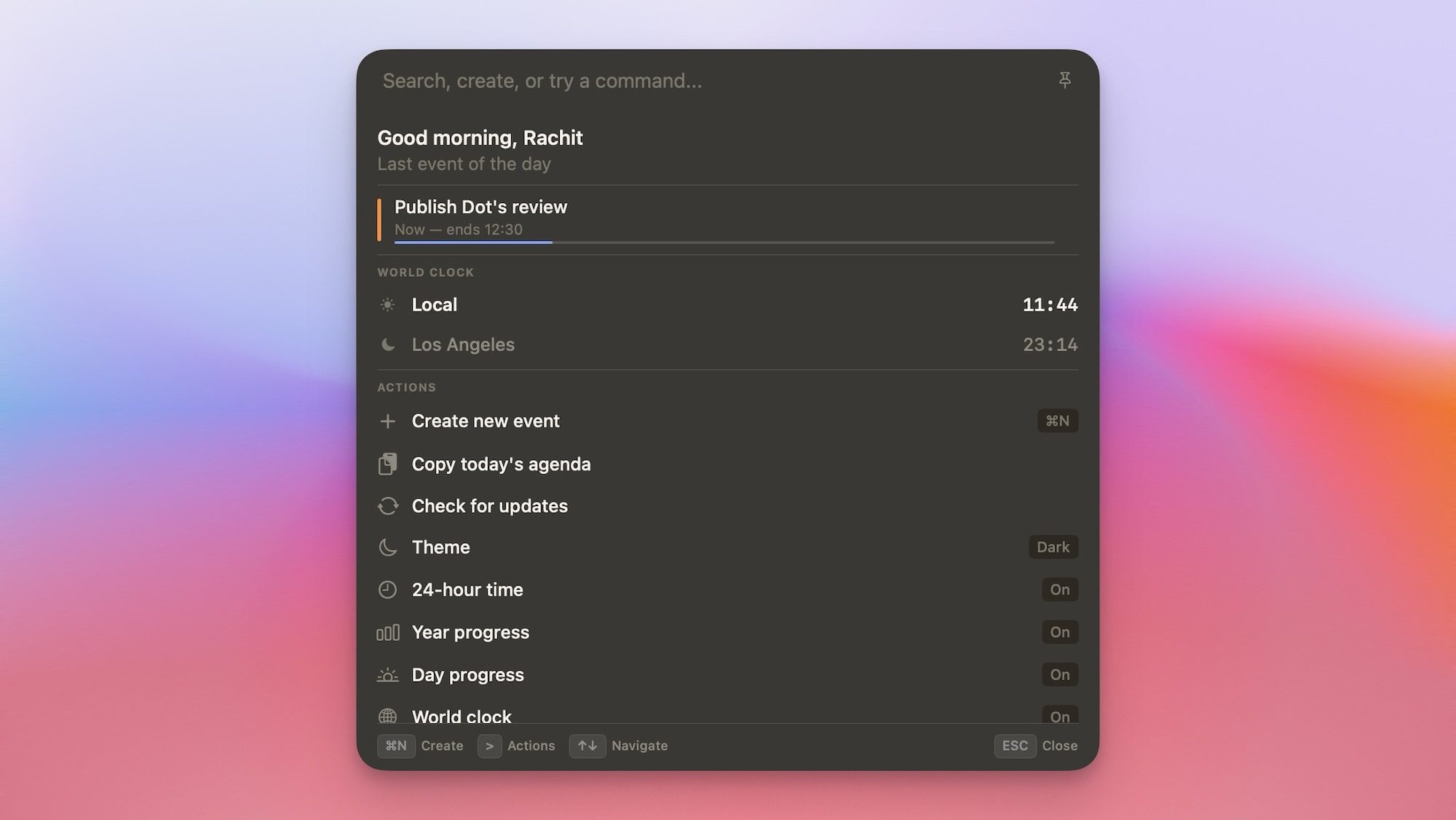
The Command Bar is another highlight, and a feature I have not seen in any other calendar app. With a single shortcut, I can create events, search my schedule, check world clocks, or copy my day’s agenda without leaving whatever I am doing.
 Rachit Agarwal / Digital Trends
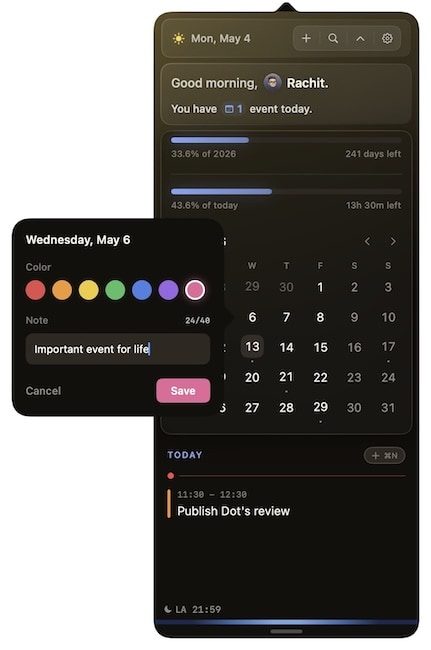
Dot also lets you mark special dates on your calendar by right-clicking any day, giving it a title and a color, and it shows up highlighted with the label on hover. It’s a simple feature, but surprisingly useful for flagging things like deadlines, paydays, or trips.
 Rachit Agarwal / Digital Trends
And these are just some of the features. Dot is one of my favorite Mac apps I discovered in 2026, and I highly recommend you use its 14-day trial to explore the app and check it out for yourself by visiting trydot.app.
If you are happy with it, you can purchase it for a one-time price of $14.99 (currently $9.99 with the launch code). There’s no subscription and no account required, and your data stays on your Mac. For anyone tired of paying monthly for a calendar app, Dot is the answer.








/cdn.vox-cdn.com/uploads/chorus_asset/file/25822320/mirumi_ces_2025.png)






















.jpg&h=630&w=1200&q=100&v=c0f97a310e&c=1)