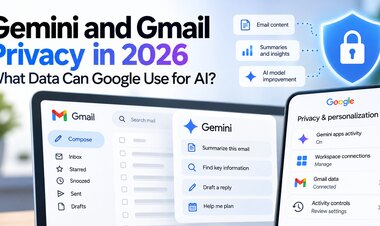
Gemini and Gmail Privacy in 2026: What Data Can Google Use for AI?
Does Google use Gmail to train Gemini? Understand Workspace privacy, Connected Apps, Keep Activity, and how to control your data in 2026.
 Netzender Editorial Team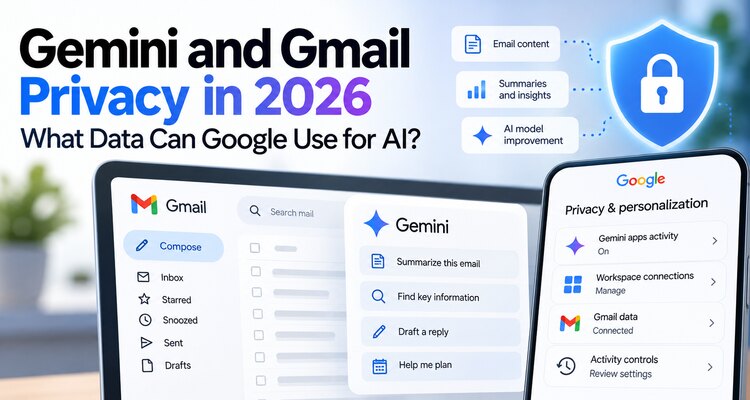
Does Google use your Gmail messages to train Gemini? The answer depends on which Gemini experience you use, what data you choose to connect, and your privacy settings. Google distinguishes Gemini features built into Gmail from the separate Gemini Apps experience that can access connected Google Workspace information.
That distinction matters. A blanket claim that Google automatically trains Gemini on everyone's entire Gmail inbox is misleading. But it is equally misleading to say that email-derived information can never contribute to AI improvement. This guide explains the differences and shows how to review your controls in 2026.
Quick answer: Does Gemini train on Gmail emails?
According to Google's Workspace privacy commitments, Gemini features within Gmail and other supported Workspace products use your content to respond to requests but do not use that content to train or improve the underlying generative AI models under the stated protections.
However, eligible users can separately connect Google Workspace data to Gemini Apps, including through Personal Intelligence. Google says that when Keep Activity is enabled, Gemini Apps activity involving Connected Apps may be used to improve Google services, including training generative AI models. Google distinguishes direct training on an entire inbox from training on summaries, excerpts and inferences created during interactions. In some cases, a relevant excerpt or summary may contain most or all of a short message.
Gemini in Gmail vs Gemini Apps: Why the difference matters
| Question | Gemini inside Gmail or Workspace | Gemini Apps with connected Workspace data |
|---|---|---|
| Typical use | Summarize an email or draft a reply inside Workspace | Ask Gemini to find, analyze or personalize answers using connected data |
| Data involved | Relevant Workspace content for the requested feature | Information shared through Connected Apps and Gemini interactions |
| Model training | Google states Workspace content is not used to train underlying generative AI models under its standard commitments | Activity and derived information may be used for improvement and training depending on settings |
| Controls | Workspace feature and account controls | Connected Apps, Personal Intelligence and Keep Activity controls |
| Important exception | Experimental programs may have separate terms | Deleting an app connection does not automatically erase previous Gemini activity |
These distinctions are based on Google's published help documentation. Features, eligibility and terms can differ for personal, work, school and experimental accounts.
What data can Gemini access when Gmail is connected?
When an eligible user connects Google Workspace to Gemini Apps, the service may access relevant emails, documents, calendar events and other connected information to answer a request. The exact information available depends on the connection, the user's permissions and the feature being used.
For example, asking Gemini to find an airline confirmation may require processing information from a booking email. Asking it to summarize several messages may produce excerpts or an AI-generated summary. Google's Connected Apps documentation says that these derived materials may be used to improve its services when applicable activity settings permit that use.
This is not the same as granting unrestricted access to every Google product or every third-party app. Nevertheless, users should understand what they have connected and avoid sharing sensitive information unnecessarily.
What does Keep Activity actually control?
Keep Activity is an important setting in Gemini Apps. When enabled, Google may save your interactions and information shared with Gemini, and use activity to provide, develop and improve its services, including generative AI models, subject to its published policies.
Turning Keep Activity off changes how future Gemini Apps interactions are used, but it is not a promise that no processing or temporary retention occurs. Google still needs to process requests and may retain information for security and service operation. Some Connected Apps features also become unavailable when Keep Activity is disabled.
Check the current descriptions inside your own account because the controls and their effects can vary by device, region and account type.
How to review Gemini and Gmail privacy settings
- Open Gemini: Sign in to the Google account you actually use for Gmail and Gemini.
- Review Connected Apps: Open Gemini's connectors or Connected Apps controls and check whether Google Workspace is connected.
- Disconnect unnecessary access: Remove connections that you no longer need. Confirm whether other connected services are also authorized.
- Review Keep Activity: Open Gemini Apps Activity and inspect whether activity saving is enabled.
- Review and delete activity: Delete conversations or saved activity you do not want retained, while understanding Google's documented exceptions.
- Check Google Account settings: Review privacy, security, third-party access and personalization controls at your Google Account.
- Check Workspace-specific settings: If you use Gemini directly inside Gmail, inspect the controls and privacy documentation for that particular Workspace feature.
Useful starting points include Gemini Apps Activity and Google Account settings. Interface labels may change, so follow the current on-screen descriptions.
Does disconnecting Gmail delete information Gemini already used?
Not necessarily. Google explains that disconnecting a Connected App or deleting data from that app does not automatically remove corresponding information already stored in Gemini Apps Activity. Review and delete Gemini activity separately if you want to manage previously saved interactions.
Some information may already have been reviewed or processed under Google's published retention and improvement policies. Deletion therefore should not be interpreted as reversing every prior processing operation.
Can human reviewers see Gmail-related information?
Google's Gemini Apps documentation says a subset of processed Connected Apps data may be reviewed by human reviewers, including trained service providers, for quality, safety and product improvement. The scope and handling depend on the applicable service and settings.
As a practical precaution, avoid submitting passwords, financial credentials, confidential contracts, medical details or private client information to an AI workflow unless you have confirmed that the service, account configuration and data-processing terms are appropriate.
What about business and school Google Workspace accounts?
Google Workspace organizations may have different administrative controls, contractual protections and feature availability from personal Google accounts. A company's Gemini in Workspace configuration should not be treated as identical to a consumer's Gemini Apps Personal Intelligence setup.
For business use, administrators should review the applicable Workspace documentation and agreements, enabled services, access policies and data handling requirements. Employees should follow their organization's AI and confidentiality policies.
Five practical ways to reduce AI data exposure
- Connect only the Google apps you actively need.
- Review Gemini Apps Activity regularly rather than relying on a one-time setup.
- Check whether Keep Activity matches your privacy preferences.
- Do not paste sensitive documents or private credentials into prompts.
- Revisit settings after significant product or policy changes.
Frequently asked questions
Does Google automatically train Gemini on my entire Gmail inbox?
Google says it does not directly train its generative AI models on the entire Gmail inbox through the Connected Apps process. However, summaries, excerpts and inferences produced from connected information may be used for improvement or training depending on settings.
Is Gemini in Gmail the same as connecting Gmail to Gemini Apps?
No. Gemini features inside Workspace and Gemini Apps using Connected Apps have different documented data-handling arrangements. Always check the policy for the specific feature you use.
Will turning off Keep Activity stop all data processing?
No. Gemini still processes information needed to respond and operate safely. Turning off activity also limits some connected features. Review Google's documentation for the current retention and processing rules.
Can I use Gemini without connecting Gmail?
Yes. You can use many Gemini features without connecting Google Workspace. Available capabilities depend on your account, region and device.
Final verdict: Understand the connection before enabling it
The real privacy question is not simply whether Gemini can read Gmail. It is which Gemini product is processing the information, what you have chosen to connect, what activity settings are enabled, and what Google says it may do with resulting interactions and derived data.
For privacy-conscious users, the most useful approach is to check Connected Apps, review Keep Activity, remove unnecessary access and regularly inspect saved activity. These steps offer more practical protection than relying on viral claims that Gmail is either completely exposed or completely isolated from AI.