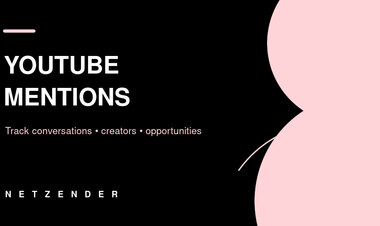
How Creators Can Track YouTube Mentions and Brand Conversations
A practical creator workflow for tracking YouTube mentions, handles, comments, brand references and channel conversations without confusing mentions with full social listening.
 Netzender Editorial Team
If you publish on YouTube, some of the most useful conversations about your channel may happen outside your own videos.
Another creator may mention your handle, compare your product, reference one of your videos or discuss your brand in a way that creates collaboration, reputation or sponsorship opportunities.
YouTube provides a native Mentions workflow, but creators should understand what it does—and what it does not do.
What Counts as a YouTube Mention?
YouTube allows creators to mention another channel using the @ symbol followed by the channel name or handle.
A mention can appear in places such as video titles and descriptions.
Handles are unique channel identifiers, which makes them more useful for creator identity than relying only on a display name that other channels may share.
Where to Find Your Mentions in YouTube Studio
According to YouTube's current help documentation, creators using YouTube Studio on desktop can find channel mentions through the comments area and select the Mentions tab.
YouTube's interface has been changing during 2026, so labels may vary for some accounts as Studio experiments roll out.
The core concept remains the same: use the native mentions view as the first place to review direct @mentions of your channel.
Not Every Mention Generates a Notification
This is an important limitation.
YouTube says not every mention results in a notification. The platform prioritizes certain mentions, such as important interactions from creators with a similar audience size.
That means relying only on phone notifications is not a complete monitoring strategy.
Creators who care about partnerships or reputation should review mentions deliberately rather than assuming every relevant conversation will interrupt them.
Mentions Are Not the Same as Every Brand Reference
A creator can talk about you without using your handle.
For example, a video might contain your:
- channel name;
- personal name;
- company name;
- product name;
- website;
- video title;
- campaign name.
If the other creator does not use a formal @mention, it may not appear in YouTube's Mentions view.
This is why serious monitoring needs more than one signal.
Create a Simple Mention Monitoring Routine
You do not need a large social-listening operation to begin.
A small creator can use a repeatable weekly workflow.
- Review the Mentions tab.
- Review recent comments and replies.
- Search YouTube for your channel and brand names.
- Search common misspellings or shortened names.
- Check important product or campaign phrases.
- Save relevant mentions in one tracking sheet or database.
The objective is consistency, not constant monitoring.
Track the Context, Not Just the Link
When you find a mention, capture why it matters.
A useful record might contain:
- URL;
- creator or channel;
- date;
- audience size if relevant;
- positive, neutral or negative context;
- product discussed;
- whether a response is needed;
- potential collaboration value.
This turns random discoveries into useful creator-business intelligence.
Separate Reputation Mentions From Collaboration Opportunities
Not every mention requires the same action.
One mention might be a viewer asking a question. Another might be a respected creator recommending your work. Another may reveal inaccurate information that needs correction.
Useful categories include:
- community engagement;
- positive recommendation;
- collaboration opportunity;
- sponsorship opportunity;
- customer-service issue;
- reputation risk;
- competitive intelligence.
When Should You Respond?
Creators do not need to reply to every reference.
Prioritize responses where you can add value.
Examples:
- thank a creator for a useful recommendation;
- answer a factual question;
- correct important misinformation politely;
- continue a conversation that could become a collaboration;
- support community members who created something meaningful around your work.
Avoid turning every mention into a promotional reply.
Use Mentions to Discover Collaboration Patterns
Over time, monitoring can reveal who repeatedly references your work.
That is often more valuable than chasing random creators with cold outreach.
If someone has already:
- mentioned your channel several times;
- linked to your work;
- responded positively to your content;
- shared similar topics;
there is already a small amount of relationship context.
This can make a future collaboration conversation more natural.
Connect Mention Data With YouTube Analytics
YouTube Analytics should answer a different question: what happens to your own channel and videos.
You can use Analytics to evaluate performance, traffic sources, content trends and audience behavior.
A mention-tracking system can then add qualitative context.
For example:
A creator mentioned us on Tuesday. Did branded search, referrals, subscribers or views change afterward?
This does not prove causation, but it can help identify relationships worth investigating.
Track Handles and Brand Names Separately
Your YouTube handle may differ from your company or creator name.
Track both.
If your channel is @examplecreator but viewers often call you “Example Studio,” search for both forms.
For larger creator businesses, add product names and flagship series names as separate monitoring terms.
Do Not Turn Monitoring Into Obsessive Checking
Creator businesses need awareness, but constant reputation checking can become its own distraction.
A weekly review is enough for many channels.
Larger businesses may review daily, while major launches may justify temporary higher frequency.
Design the monitoring cadence around business need rather than anxiety.
A Practical Weekly Creator Workflow
- Open YouTube Studio and review mentions.
- Review important comments.
- Search your handle and brand name.
- Record significant references.
- Classify them by purpose.
- Respond only where useful.
- Check Analytics for unusual traffic or subscriber changes.
- Move collaboration opportunities into your outreach workflow.
From Mentions to Creator Business Intelligence
For an individual creator, this may begin as a spreadsheet.
As the business grows, the same process can feed:
- partner CRM records;
- sponsor reports;
- PR monitoring;
- community management;
- competitive research.
This is why mention monitoring belongs in the Creator Economy rather than being treated as a gadget trick.
Creators building more automated workflows may also find our guide to building supervised AI business workflows useful.
Final Takeaway
YouTube's Mentions tab is a useful first-party signal, but it is not a complete map of every conversation about your channel.
Use native mentions, search, comments and Analytics together. Capture important references in a structured way, distinguish reputation from collaboration opportunities and review on a cadence that supports the business without becoming another source of distraction.