AI in the Design Process: Where Human Judgment Still Matters
AI can accelerate exploration and prototyping, but human judgment still matters for problem framing, trade-offs, research, craft, accessibility, and what ships.
 Netzender Editorial Team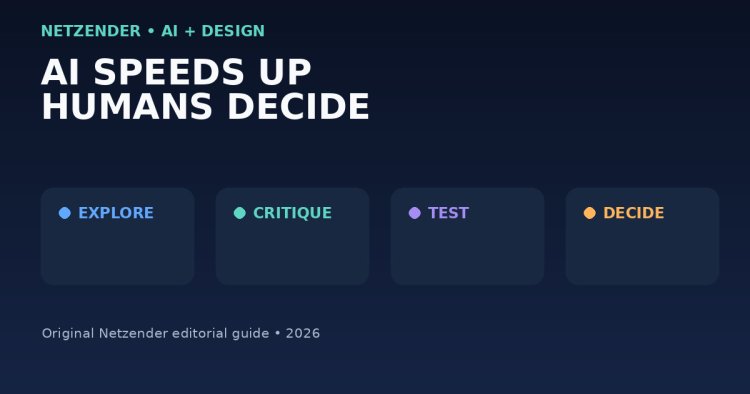
AI can generate screens, copy, prototypes, variations, and even working interfaces faster than traditional design workflows. That does not eliminate the need for designers. It changes where the difficult decisions happen.
When producing another variation becomes cheap, choosing the right direction becomes more valuable. When prototypes appear in minutes, understanding the user problem matters more. When AI can imitate a visual pattern, taste, judgment, accessibility, context, and product strategy become stronger differentiators.
AI Changes the Cost of Exploration
Design teams historically had to ration exploration because every additional concept required time.
AI lowers that cost. Teams can generate:
- multiple layout directions;
- content alternatives;
- prototype variations;
- illustration concepts;
- interaction ideas;
- code experiments;
- early research synthesis.
This is useful, but more options do not automatically produce better decisions.
Where AI Is Strongest
AI is especially helpful for work that benefits from speed, breadth, or repetition.
Rapid exploration
A designer can test several directions before investing deeply in one.
Repetitive production
AI can assist with variants, resizing, formatting, placeholder content, and other mechanical tasks.
Prototype acceleration
Generative and agentic tools can move ideas into interactive prototypes much faster.
Summarization
AI can help organize notes, research observations, feedback, or long discussion threads.
Where Human Judgment Still Matters Most
1. Deciding What Problem Is Worth Solving
A model can generate an interface for a badly defined problem extremely quickly.
That is still a badly defined product.
Designers must understand users, business constraints, technical realities, and the cost of solving the wrong problem.
2. Choosing Trade-Offs
Products constantly balance:
- simplicity versus flexibility;
- speed versus explanation;
- automation versus control;
- conversion versus trust;
- personalization versus privacy;
- novelty versus familiarity.
These are value judgments. They depend on context rather than visual generation alone.
3. Understanding People
User behavior is not always captured in a prompt.
People hesitate, misunderstand labels, develop workarounds, use products under stress, share devices, have accessibility needs, and operate inside organizations with unusual constraints.
Direct observation and real feedback remain essential.
4. Maintaining Product Coherence
A generated screen can look good individually and still damage the product as a whole.
Designers maintain consistency across navigation, terminology, interaction patterns, visual hierarchy, accessibility, and brand expression.
5. Exercising Taste
AI can create many plausible results. Taste is the ability to recognize which result is appropriate, distinctive, useful, and consistent with the intended experience.
Figma's 2026 design research emphasizes that AI is accelerating work while craft, creative autonomy, and decision-making remain important differentiators.
The New Design Workflow
A productive AI-assisted workflow is not “prompt once and ship.”
It looks more like:
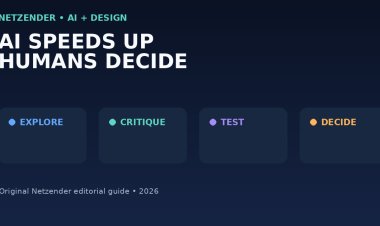
Frame → Explore → Critique → Test → Refine → Decide.
Frame
Define the user, job to be done, constraints, success criteria, and what is intentionally out of scope.
Explore
Use AI to generate alternatives quickly.
Critique
Evaluate hierarchy, comprehension, feasibility, accessibility, trust, brand fit, and edge cases.
Test
Put the concept in front of real users or realistic data.
Refine
Use AI again where it helps, but make changes based on evidence rather than novelty.
Decide
Someone still has to own the choice and the consequences of that choice.
AI Makes Design Systems More Important
As generation gets faster, teams need stronger constraints.
Design systems provide reusable components, tokens, interaction patterns, content rules, and accessibility expectations.
Agentic design tools become more useful when they have clear system context instead of generating arbitrary interfaces.
AI Can Increase Collaboration
Figma's 2026 research reports a major increase in cross-functional participation in design and development workflows.
That can be positive. Product managers can prototype ideas. Developers can work visually. Designers can move closer to implementation.
But broader participation increases the need for shared goals and review standards.
Do Not Confuse Speed With Quality
AI compresses production time. That can create pressure to ship every idea faster.
Teams should instead use some of the saved time for:
- more exploration;
- better testing;
- accessibility review;
- stronger content;
- edge cases;
- technical collaboration;
- quality control.
Questions to Ask Before Shipping AI-Assisted Design
- Does this solve the correct user problem?
- What evidence supports the direction?
- What did the AI assume?
- Are important edge cases covered?
- Does it follow our design system?
- Is the content accurate?
- Is the interface accessible?
- Does it create new privacy or trust concerns?
- Can engineering maintain it?
- Is it meaningfully better than the existing experience?
Skills Designers Should Strengthen
As production becomes more automated, designers benefit from stronger skills in:
- problem framing;
- research;
- systems thinking;
- facilitation;
- critique;
- prototyping;
- product strategy;
- accessibility;
- technical literacy;
- taste and visual judgment.
Browse more workflow guides in our Productivity section.
Final Takeaway
AI lowers the cost of making things. It does not automatically improve the quality of the decisions behind them.
The strongest designers will use AI aggressively for exploration and execution while remaining accountable for user understanding, trade-offs, craft, accessibility, coherence, and what actually ships.