AI Burnout at Work: Why AI Feels Exhausting and 7 Ways to Reduce the Load
AI can save time while adding more decisions, reviews and tasks. Learn seven practical ways to reduce AI-related cognitive load and work more sustainably.
 Netzender Editorial Team
Artificial intelligence can produce a first draft in seconds, summarize a meeting in moments and turn a complicated question into a list of next steps. So why can a workday filled with AI tools still feel exhausting?
The answer is not necessarily that AI makes work worse. It is that faster output does not automatically mean less work. When creating material becomes easier, people may be asked to review more material, make more decisions and handle more projects. Some workers experience a new kind of workload: supervising the technology that was supposed to help them.
This guide explores what researchers have actually found about AI and workplace strain, explains the practical sources of cognitive load and offers seven ways to make AI-assisted work more manageable.
What Is AI Burnout at Work?
“AI burnout” is an informal expression, not a separate medical diagnosis. People use it to describe fatigue, frustration or mental overload associated with frequent AI-assisted tasks. That might include checking generated answers, correcting errors, switching between AI tools or feeling pressure to produce more because technology makes some tasks faster.
Workplace burnout itself is a broader occupational phenomenon involving chronic workplace stress. It cannot be diagnosed from the number of prompts someone writes or the number of AI apps they use.
The useful question is not simply whether you use AI. It is whether your workflow leaves you with fewer demands, clearer decisions and more control over your time.
What the 2026 Research Actually Shows
In October 2026, Jabra published WorkLife 2026: The New Shape of Work, based on a survey of more than 6,000 knowledge workers in six markets. The report found that 85% of respondents were doing more of at least one category of work than a year earlier. It also found that frequent AI users reported more collaboration with colleagues than less frequent users.
Those findings illustrate a productivity paradox: tools may accelerate individual tasks while the overall workday becomes more complex. But they do not establish that AI caused the increase in workload. Organizational expectations, staffing, business changes and other factors may also contribute.
Importantly, the report did not portray every frequent AI user as struggling. Employees with effective organizational support and well-integrated AI workflows also reported positive experiences. The lesson is that implementation matters as much as access to technology.
A separate longitudinal study published in Behavioral Sciences in September 2026 examined workplace AI use, intrinsic motivation and job burnout. It provides another reason to study how AI fits into the working environment rather than assuming the technology has the same effect on everyone.
For a practical workplace perspective, SHRM's 2026 research also highlights the importance of training, expectations and responsible AI integration.
Why AI Can Make a Workday Feel Heavier
Reviewing output becomes a second job
An AI assistant might draft a proposal quickly, but a human still has to verify its claims, adjust the tone, check confidentiality and decide whether the result is usable. If a team generates twice as many drafts, the review queue can grow even when writing time falls.
More options create more decisions
AI can instantly suggest ten headlines, five project plans or several code implementations. Options are useful, but comparing them requires attention. A faster idea-generation process can shift the bottleneck from production to judgment.
Context switching breaks concentration
Moving repeatedly among chat windows, email, documents, meetings and task boards can fragment work. Adding another assistant to every application does not automatically create a coherent workflow.
Expectations expand with capacity
If a task once took two hours and now takes one, the saved hour may become recovery time, deeper work or simply another assignment. The outcome depends partly on how the person and organization choose to use the new capacity.
Seven Practical Ways to Reduce AI Cognitive Load
1. Audit where AI creates rework
For one working week, record three simple observations after significant AI-assisted tasks: how much time the tool saved, how long you spent checking or correcting the result, and whether the output created additional follow-up work.
You do not need sophisticated tracking software. A short spreadsheet or notebook is enough. Look for tasks where the tool genuinely removes effort and tasks where it merely moves effort from creation to review.
Example: If a meeting summary takes one minute to generate but fifteen minutes to correct, compare that total with your previous note-taking process before declaring it a productivity gain.
2. Give each AI tool a specific job
Avoid sending every task through every available assistant. Define which tools are appropriate for brainstorming, summarizing, drafting, coding or research. Keep a human owner responsible for factual accuracy, sensitive decisions and final approval.
A simple workflow might be: use AI to produce a rough outline, verify the supporting information yourself, then write or edit the final recommendation. Clear roles reduce unnecessary tool switching.
3. Establish a prompting stop rule
Repeatedly asking a model to repair the same result can become a time sink. Set a personal limit based on the task: after a few unsuccessful attempts, change the instructions, switch methods or complete the work manually.
For example, a three-attempt rule can be a useful experiment for low-stakes writing tasks. It is not a scientific standard, and complex technical problems may justify a longer iteration cycle.
4. Protect uninterrupted thinking time
Reserve at least one block of the day for work that requires sustained attention. During that block, close unnecessary chat windows and notifications. Use AI only if it directly supports the task rather than as a reflexive first step.
Some people may benefit from starting their morning with twenty or thirty minutes of independent planning before opening an assistant. Others may prefer an AI-free period when reviewing important decisions. The goal is to preserve agency, not to ban useful tools.
5. Decide what happens to the time you save
Time savings have little personal value if every spare minute is automatically filled with another obligation. Before adopting a new AI workflow, decide what successful use should produce: a shorter task, fewer errors, better quality, less overtime or more room for focused work.
You could experiment with dividing reclaimed time among deeper work, collaboration and breaks. Any such allocation is a planning technique, not a finding from the Jabra research. Adapt it to your role and workload.
6. Use short transitions between demanding tasks
After an intensive period of reviewing generated content, take a brief pause before switching to another high-attention task. Close unused tabs, stand up, move around and write down the next concrete action.
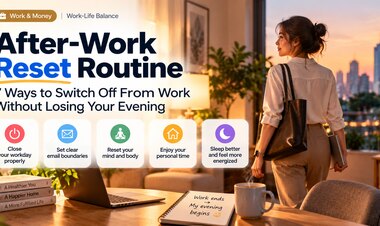
Movement and a clear stopping point can make a transition feel more intentional. A short walk is an option, not a treatment for burnout. For broader end-of-day routines, see our after-work reset guide.
7. Ask your team to measure outcomes, not prompt counts
Organizations sometimes track AI adoption through logins, licenses or frequency of use. Those numbers do not show whether the work is improving.
Better questions include: Are errors decreasing? Are people spending less time on repetitive tasks? Is review time manageable? Are workers receiving relevant training? Are deadlines and expectations realistic?
Managers can also identify situations where AI increases coordination demands. Jabra's findings suggest that organizational support and manager capability are important parts of the AI experience.
Which AI Tasks Are Worth Automating?
| Task | Potential AI benefit | Human effort still needed | Practical decision |
|---|---|---|---|
| Meeting summaries | Faster first notes | Verify decisions and owners | Use when review is shorter than manual notes |
| Research briefs | Rapid topic organization | Check original sources and dates | Use as a starting point, not final evidence |
| Marketing drafts | More initial options | Brand voice, accuracy and originality | Limit variants to avoid decision overload |
| Code generation | Boilerplate and suggestions | Tests, security and maintenance | Use with review and version control |
| Sensitive decisions | Structured questions and scenarios | Accountability and expert judgment | Keep a qualified human decision-maker |
A Five-Minute Weekly AI Workload Audit
Once a week, review your AI workflow using this checklist:
- Which AI-assisted task genuinely saved time?
- Which output required more correction than expected?
- Did AI reduce the number of decisions or multiply them?
- Did I protect at least one uninterrupted work period?
- Was sensitive information handled according to workplace policy?
- Did the time saved improve quality, focus or work-life boundaries?
- Which tool, notification or automated step can I remove next week?
The final question is especially useful. A sustainable AI workflow may involve fewer tools rather than more.
What Managers Can Do Differently
Individual habits help, but employees cannot solve every workload problem by adjusting their prompts. Teams should review expectations whenever AI changes how quickly work can be produced.
Useful management actions include allocating time for verification, defining responsibility for AI-assisted outputs, offering role-specific training and asking employees whether new tools are creating hidden work.
Instead of setting an arbitrary AI-use target, measure meaningful outcomes: accuracy, customer value, turnaround time and employee capacity. Workers should be able to report when a supposedly efficient process creates additional review or coordination burdens.
Frequently Asked Questions
Why does using AI sometimes make me more tired?
AI may reduce the effort needed to create a draft while increasing the number of outputs you must evaluate. Verification, context switching and expanded expectations can add mental demands. Your experience will depend on the tools, tasks and workplace.
Does AI cause workplace burnout?
Current workplace surveys and studies examine associations between AI use, work conditions and burnout-related experiences. They do not justify a blanket claim that AI directly causes burnout. Chronic workplace stress has multiple possible contributors.
Should I stop using AI at work?
Not necessarily. Begin by identifying which tasks benefit from AI and which create extra rework. Reduce unnecessary tool use and retain human review for important decisions.
How can I prevent AI from increasing my workload?
Track total task time, including verification and follow-up. Set limits on unnecessary iterations, clarify priorities and discuss workload expectations with your manager when saved time repeatedly turns into more assignments.
What is the difference between AI fatigue and an after-work recovery problem?
AI fatigue describes strain experienced during AI-assisted workflows. After-work recovery concerns how you disconnect from work once the day ends. Both can matter, but the solutions are not identical. Our after-work reset routine focuses specifically on that second problem.
The Bottom Line
The promise of AI should not be measured only by how much content a person can generate. Better work also means fewer unnecessary steps, clearer judgment, realistic expectations and room to think.
If your AI-assisted day feels more demanding than before, audit the whole workflow instead of blaming yourself or adding yet another tool. Keep the uses that reduce genuine effort, redesign the ones that create rework and protect the time you recover.
Related reading: For a broader look at how technology changes online work, explore our Google AI Search updates for publishers.
Sources and Research Notes
- Jabra Research Institute — WorkLife 2026, research based on a survey of more than 6,000 knowledge workers across six markets.
- Jabra WorkLife 2026 announcement, October 13, 2026.
- Workplace AI Usage, Intrinsic Motivation, and Job Burnout: Evidence from a Longitudinal Study, Behavioral Sciences, September 2026.
- SHRM — Navigating AI in the Workplace: 2026, June 17, 2026.
Editorial note: Survey findings describe reported experiences and associations; they do not establish that AI causes burnout. The seven strategies are practical editorial recommendations, not clinically validated treatments.