Canva Craft AI Image Generator: Features, Free Access, API & How to Use It
Explore Canva Craft AI in 2026: Dream Lab access, 2K image generation, API preview, AI credits, practical prompts and what to check before publishing.
 Netzender Editorial Team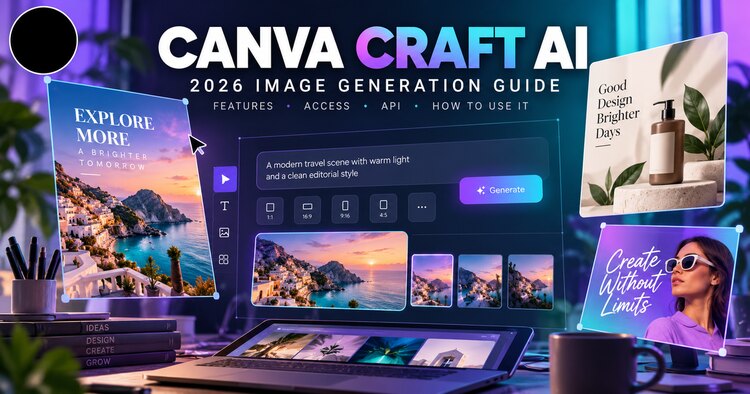
Canva Craft launched on October 22, 2026, as Canva Research’s first image-generation foundation model. It is designed for people who need more than an attractive picture: marketers, creators, small-business owners and developers who care about layout, typography and usable design assets. Canva says Craft is available in Dream Lab and through its image-generation API. The important questions are how to access it, what it can actually do today, and whether it makes sense for your workflow.
Quick answer: Open Canva’s Dream Lab, describe the visual you need, select the available generation settings and review the results. Craft can generate images at up to 2K resolution across more than 30 aspect ratios, according to Canva. Access does not mean unlimited free generations: Dream Lab features and API calls may consume AI credits, and availability or allowances can vary by account. This guide separates confirmed features from promises and practical recommendations.
What Is Canva Craft?
Craft is an image model built and trained by Canva Research, the company's internal AI laboratory. Canva announced it on October 22, 2026, positioning it as an image generator optimized for visual communication rather than only photorealism. Its emphasis is on how a composition works: where a headline sits, how subjects relate to one another, and whether the resulting image can become a usable poster, social graphic or product visual.
Canva says Craft was trained with an emphasis on design material, including human-made templates. That differs from a model optimized mainly for photography. It does not mean every output will have perfect typography or be ready to publish without editing. The sensible workflow is still generate, inspect, refine and verify.
What's New in Canva Craft?
2K images and flexible aspect ratios
Canva reports output up to 2K resolution and support for more than 30 aspect ratios. That makes Craft relevant to social feeds, vertical stories, slide backgrounds, landscape headers and campaign concepts. Exact export dimensions and choices can depend on the interface or API options you use. Check the final pixel size before ordering print material or promising a client a particular specification.
Typography and multilingual prompts
Craft is built to handle text within images, and Canva says it can render text in 55 languages. This matters for promotional graphics, infographics and presentation mockups. Even with improved text rendering, always proofread names, dates, prices and disclaimers; do not use unverified AI-rendered text for legally sensitive claims.
More deliberate layout and editing
Canva describes a two-stage approach: the system first plans composition, visual hierarchy and placement, then renders the image. Canva says the resulting structure works particularly well with Magic Layers, which can help turn image elements into editable design components. The degree of editability will depend on the output and the editing features available to your account. A generated image is not automatically a fully editable source file.
How Canva Craft Works
Think of Craft as a design-aware generator. First, it interprets the prompt and maps elements: the subject, headline, background, focal point and spacing. Next, an image-rendering stage creates the finished visual. The practical advantage is that a prompt can specify relationships instead of only naming objects. For example, ask for a product bottle on the right, a large empty text area on the left and a calm, warm palette.
Canva has published rankings from DesignArena and its own evaluation claims. Those are useful signals, but they are not a substitute for testing your particular task. Results for brand consistency, detailed diagrams, small text and product accuracy may differ from leaderboard examples.
How to Use Canva Craft in Dream Lab
- Open Canva. Sign in and find Dream Lab from the Canva home interface. Canva's help center also documents Dream Lab access on mobile.
- Write a specific prompt. Describe the purpose, audience, composition, visual style, aspect ratio and any text you need. Keep text short enough to proofread easily.
- Review the available settings. Choose a suitable ratio or quality tier where offered. The exact Craft model selector may vary by account and rollout; do not assume the same controls appear everywhere.
- Generate and compare. Dream Lab can present multiple options. Evaluate hierarchy, text accuracy, anatomy, lighting and empty space for your headline or call to action.
- Refine and export. Use available follow-up edits or Canva design tools, then check the final dimensions, usage rights and whether the image is suitable for your publishing channel.
Example prompt: “Create a 16:9 editorial hero for a small-business email marketing guide. Show a laptop and abstract campaign cards on the right. Leave generous uncluttered space on the left for a headline. Use a sophisticated teal and cream palette. No logos, no fake statistics, no small print.”
Is Canva Craft Free? Pricing and AI Credits
Canva says Craft is available to Canva users globally, but that statement should not be confused with unlimited free usage. Dream Lab's AI features can consume an account's AI usage allowance; quality tiers and editing options may use different amounts. Canva's developer documentation also says starting an image-generation API job consumes AI credits.
Before you build a workflow around Craft, check the live allowance shown in your Canva account and any current pricing or subscription terms. We are not publishing a fixed free-generation quota here because plan limits and rollout conditions can change. For commercial work, include the cost of revisions and manual review, not just the first generation.
Canva Craft API for Developers
Developers can request Craft through Canva's preview image-generation API. Canva documents the model identifier craft_v1_2k for the POST /v1/image-generations endpoint. A request requires a user access token with the asset:write scope and an idempotency key. Generation is asynchronous: create a job, then poll the job endpoint for completion. A successful download link is temporary, while an upload option can save the result to the user's Canva account.
Important limitations: The image-generation API is in preview and may introduce breaking changes. A specifically requested model can be temporarily unavailable; Canva documents a model_not_available error. Canva's developer community also cautions that Craft generation can take longer than some other models, so implement sensible polling and backoff rather than treating requests as instant. Do not expose user access tokens in browser-side code or published tutorials.
Read the official API reference and developer launch notes before production integration. Canva has described Canva MCP integration as coming soon; do not present that feature as generally available today.
Canva Craft vs Other AI Image Generators
Rather than declaring a universal winner, compare models against the work you actually publish. Craft's distinctive proposition is design-aware composition inside the Canva workflow. Other generators may be preferable when you need a specific photographic style, a particular API price, highly controlled reference consistency or an existing editing pipeline.
- Social graphics: Test whether Craft leaves readable space and follows layout instructions.
- Product images: Check whether labels, packaging, proportions and materials remain faithful to the real product.
- Infographics: Verify every number, chart and caption against your source data.
- Developer automation: Compare cost, latency, API stability, access scopes and error handling, not only sample-image quality.
- Brand assets: Check color and typography consistency; add official logos from approved brand files rather than asking AI to invent them.
If your broader goal is automating creative production, our AI workflow automation guide explains how to evaluate the surrounding workflow. For a deeper discussion of human oversight, see AI in the design process.
Best Uses for Creators and Small Businesses
Campaign mockups and social posts
Use Craft to explore multiple layouts for a seasonal offer, newsletter hero or event promotion. Start with an art direction brief, then add final verified copy and your brand assets in Canva. This is faster and safer than assuming every piece of AI-generated typography is final.
Digital products and lead magnets
Craft can help prototype ebook covers, worksheet illustrations and landing-page hero images. If you are planning a small product business, read our beginner's guide to selling digital products for the distribution and validation side. Generated imagery is a component of the product, not a substitute for useful content.
Presentation and ecommerce concepts
Teams can explore a visual direction before investing in photography or a full campaign. For ecommerce, use generated scenes as concepts or clearly labeled lifestyle illustrations, not as misleading proof of a product's actual features. Review applicable licensing, disclosure and marketplace requirements.
Limitations and Things to Check Before Publishing
- Accuracy: Generated text, objects and details can still be wrong.
- Credits: Confirm the account's current AI allowance and any applicable charges.
- Availability: Controls and model options can differ across accounts or rollout stages.
- API maturity: Preview endpoints may change and are not suitable for every public app deployment.
- Rights and trust: Review Canva's current terms, avoid unauthorized trademarks or likenesses, and disclose synthetic imagery where appropriate.
- Performance: Large images should be resized and compressed for the website where they will appear.
Frequently Asked Questions
When did Canva Craft launch?
Canva announced Craft on October 22, 2026, with access through Canva Dream Lab and its public image-generation API.
Does Canva Craft generate editable designs?
Canva says Craft is designed to work well with Magic Layers for more editable elements. The exact editing capabilities depend on the generated output and available Canva tools.
Can I use Craft through an API?
Yes. Canva lists craft_v1_2k as a model option in its preview image-generation API. It requires authenticated user access and consumes AI credits.
Is Canva Craft free for unlimited use?
No unlimited free allowance has been established by the cited launch materials. Check the live credits and terms in your account.
Is Canva Craft MCP available now?
Canva's October 22 launch announcement describes Canva MCP integration as coming soon. Check updated documentation before relying on it.
Final Verdict
Canva Craft is worth testing if you regularly create marketing graphics, posters, product concepts or other design-heavy images. Its composition-first architecture and integration with Dream Lab offer a practical reason to try it. But do not make purchasing or automation decisions on launch claims alone: test your real prompts, check credits and review the outputs carefully. For the latest specifications, consult Canva's official announcement and the Dream Lab help center.