Canada Time Change 2026: Fix Android and Google Calendar Errors
Canada’s November 1, 2026 time-zone changes may affect Android clocks and Google Calendar meetings. Follow these official fixes and avoid shifting events twice.
 Netzender Editorial Team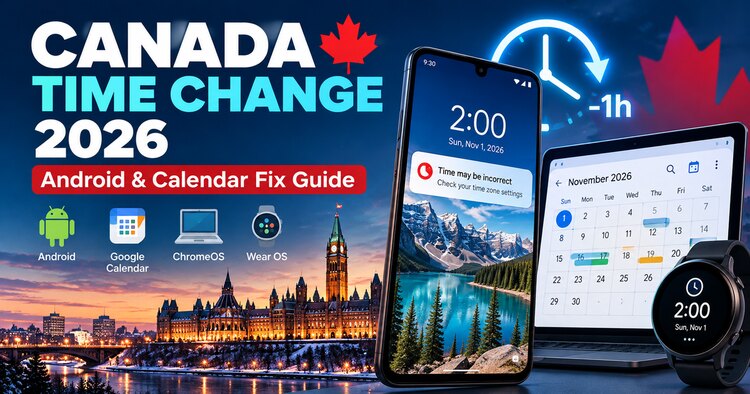
Updated October 28, 2026. Some Canadian regions will keep daylight saving time on November 1 rather than turning clocks back. Google has warned that Android, ChromeOS, Wear OS and Google Calendar may not all receive the revised rules in time. Here is a practical, source-backed checklist to keep device clocks and scheduled meetings accurate.
What changed in Canada on November 1, 2026?
Most places in the United States still turn clocks back on November 1, 2026, but several Canadian jurisdictions have adopted permanent daylight saving time. Google Canada identifies British Columbia, Alberta, Manitoba, parts of northwestern Ontario and the Northwest Territories as affected. That means you should not assume that a familiar time-zone label or a device's automatic fall-back behavior is correct everywhere. Check the rules for your specific community rather than applying a blanket change across Canada. This guide addresses device clocks and calendar events separately, because fixing one does not automatically fix the other.
First: check your clock before changing anything
Install available operating-system and app updates, restart the device, and compare its displayed time with a trusted local source. Google warns that updated time-zone rules may arrive at different times across products and manufacturers. If your phone is correct, do not manually shift it by an hour just because a neighboring region changes clocks. If you travel between affected and unaffected areas, recheck the device after crossing the boundary. Record the current settings before changing them so you can reverse a temporary workaround once updates arrive.
How to fix an incorrect Android time zone
On Android, open Settings and search for Date and time; the exact menu varies by manufacturer. First enable Automatic time zone and, when available, Use location for time zone. Make sure location services and relevant permissions are enabled. Restart and verify the result. If the time remains wrong, Google recommends temporarily disabling Automatic time zone, choosing Time zone, selecting Canada as the region, and selecting a time zone with the correct current UTC offset. Do not confuse changing the time zone with manually changing the clock time. Return to automatic settings after your device receives the appropriate update, and confirm that alarms and reminders are correct.
Google Calendar: check events, not just the clock
Google says some events created before the time-zone database was updated can appear one hour late on or after November 1. Open Google Calendar in a desktop web browser and inspect future events, especially recurring meetings, travel bookings and appointments with attendees in multiple provinces. For affected events you organize, Calendar may show a warning and offer Move one hour earlier or Keep current time. Those one-click banners are available on the web, not in the Android or iOS Calendar app. Google is automatically correcting many simple events, so never bulk-shift every appointment by one hour.
Fix recurring meetings carefully
A recurring series with custom changes needs special attention. In Calendar on the web, inspect the next occurrence after November 1. If a warning is present and the local time is wrong, choose Move one hour earlier and, when appropriate, This and following events. Google cautions that custom exceptions, such as modified guests, attachments, rooms or descriptions, can be lost when changing an entire series. Recreate or verify those exceptions individually. Afterward, confirm attendee times and video-call details; guests may need to RSVP again after Google's automatic corrections.
What if the invitation came from Outlook?
Invitations created in Outlook or another calendar system may not be automatically repaired by Google Calendar. Compare the organizer's intended local meeting time with the event displayed in your own calendar. Ask the organizer to correct and resend the invitation if necessary rather than editing a meeting you do not control. Workspace administrators should also check conference-room bookings: moving a meeting can release its original room and a new booking can be declined because of a conflict. Google's administrator guidance explicitly advises against custom domain-wide scripts that bulk-shift events.
ChromeOS, Wear OS and other devices
Google Canada also identifies ChromeOS laptops and Wear OS watches among products that could be affected. Update the operating system and apps, restart, and verify the local clock independently. If the time is incorrect, consult the device's date-and-time settings and manufacturer guidance for the appropriate region or time-zone selection. A connected smartwatch may depend on the paired phone's settings, so verify both. Recheck reminders, fitness sessions, alarms and calendar notifications after any correction. Avoid changing multiple settings at once, which makes it harder to determine what fixed the issue.
Quick checklist for November 1
Before November 1, update Android, ChromeOS, Wear OS and Calendar, restart devices and review upcoming important appointments. On November 1, check your actual local time against a trusted reference, then inspect events scheduled in the following week. On Google Calendar web, look for event-specific warnings rather than changing every event. For work meetings, verify attendees and meeting-room bookings. If a manual time-zone workaround was required, note it and re-enable automatic detection once the vendor's update resolves the issue.
Frequently asked questions
Does all of Canada stop changing clocks? No. The affected regions listed by Google do not include every Canadian jurisdiction. Should I move every Google Calendar event one hour earlier? No; Google has already corrected many events automatically, and indiscriminate changes can introduce errors. Why does my phone show the right time but a meeting is wrong? Device time-zone rules and the stored time-zone information of older calendar events are separate issues. Is the Calendar one-click fix available on mobile? Google says the warning banners and one-click fixes are currently available on the web version. What should I do if I cannot edit an invitation? Contact the organizer and confirm the intended local time.