MacBook Pro PROLED XDR vs M6 (2026): Which Should You Buy?
Compare the 2026 MacBook Pro M6 and PROLED XDR: OLED touch, M5 Pro/Max, prices, battery life and which model offers better value.
 Netzender Editorial Team
Updated November 5, 2026 · Buying guide based on Apple's published specifications and prices. Neither laptop has been independently tested by Netzender. U.S. prices are before applicable taxes and may vary by configuration.
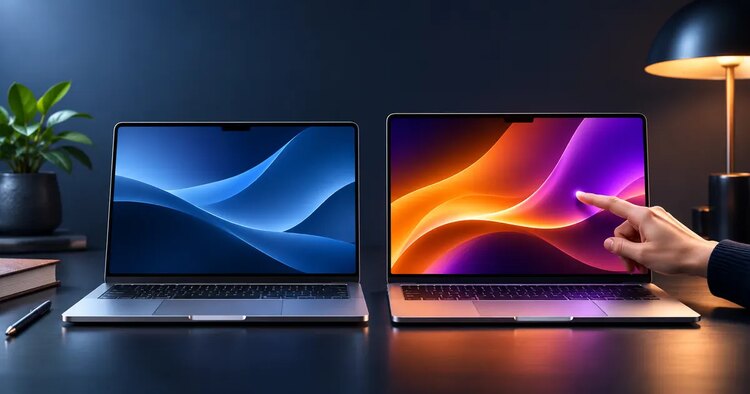
Apple has introduced two very different MacBook Pro choices for late 2026. The 14-inch MacBook Pro with M6, starting at $1,999 in the United States, targets buyers who want a powerful everyday professional laptop without paying for every premium feature. The new MacBook Pro with PROLED XDR Display starts at $2,899 for a 14-inch M5 Pro configuration and introduces a tandem OLED touchscreen, a lighter redesign, and more demanding pro-chip options.
Both were announced in late October and are scheduled to become available on November 6, 2026. If you are shopping on November 5, those are launch-day expectations—not evidence from a hands-on review. Apple's M6 announcement and PROLED XDR announcement provide the confirmed details.
Quick verdict: Buy the M6 if you want a capable 14-inch MacBook Pro and do not specifically need touch, an OLED reference-class display, unusually high memory capacity, or multiple high-bandwidth external displays. Consider PROLED XDR if one or more of those capabilities changes how you earn a living. The $900 entry-price gap is substantial, and chip-generation numbers alone do not tell the whole performance story.
MacBook Pro PROLED XDR vs M6: Comparison at a Glance
| Feature | 14-inch MacBook Pro M6 | MacBook Pro with PROLED XDR |
|---|---|---|
| Starting U.S. price | $1,999 | $2,899 (14-inch M5 Pro); $3,399 (16-inch M5 Pro) |
| Screen sizes | 14-inch | 14-inch or 16-inch |
| Display | Liquid Retina XDR mini-LED, ProMotion up to 120Hz | PROLED XDR tandem OLED, adaptive 120Hz |
| Touchscreen | No | Yes |
| Processor families | M6 | M5 Pro or M5 Max |
| Starting unified memory | 16GB | 24GB on M5 Pro configurations |
| Memory ceiling | 32GB | Up to 128GB with selected M5 Max configurations |
| Pro connectivity | Three Thunderbolt 4 ports | Three Thunderbolt 5 ports |
| External displays | Up to two | Up to three with M5 Pro; up to four with M5 Max |
| Battery-life claim | Up to 24 hours of video streaming | Up to 24 hours in Apple's headline claim; varies by configuration and workload |
| Launch availability | November 6, 2026 | November 6, 2026 |
Sources: Apple's M6 technical specifications, PROLED XDR announcement and Mac comparison page. Prices are starting prices, not matched-memory or matched-storage comparisons.
What Does the Extra $900 Actually Buy?
The price difference is not simply a charge for a fancier screen. At their entry prices, you are comparing different chip tiers and memory configurations, alongside a redesigned display and chassis. The standard M6 begins with 16GB unified memory, while the new 14-inch PROLED XDR starts with an M5 Pro configuration and 24GB. That makes it important to compare the exact configurations in Apple's store rather than assume an apples-to-apples $900 upgrade.
The more expensive model adds five practical benefits that some buyers will notice every day: OLED contrast and color capabilities, direct screen touch, greater room for high-memory configurations, faster Thunderbolt connections, and a chassis Apple says is thinner and lighter. If those features are secondary to browsing, office applications, coding, and occasional photo editing, the M6 may provide better value.
The meaningful question is not “Which laptop is newer?” It is “Which missing capability on the less expensive laptop would cost me time or money?”
OLED Touchscreen vs Liquid Retina XDR: The Biggest Difference
PROLED XDR is Apple's first touchscreen MacBook Pro display, using tandem OLED technology. Apple advertises up to 2,000 nits peak HDR and SDR brightness, a 10,000,000:1 contrast ratio, and support for P3 and Adobe RGB color spaces. The touchscreen also supports a different way of interacting with creative tools, although actual app behavior will vary by software and its touch implementation.
The M6 remains a serious display option. Its Liquid Retina XDR mini-LED panel supports ProMotion up to 120Hz, a quoted 1,600-nit peak HDR brightness, and a nano-texture option for reducing reflections. The screen is not touch-enabled, but that is not inherently a disadvantage for someone who uses a keyboard, mouse, and trackpad all day.
Who benefits most from PROLED XDR? Color-sensitive editors, photographers working with demanding displays, visual designers, and users whose apps can genuinely use touch gestures. Who can reasonably skip it? Most writers, office professionals, browser-heavy workers, and developers without a display-specific need.
One caution: a wide-gamut screen does not automatically make every image or workflow color-accurate. Good results still require calibrated settings, appropriate reference modes, correct export workflows, and sometimes external monitoring hardware.
M6 vs M5 Pro and M5 Max: Why the Newer Number Is Not Enough
The M6 and M5 Pro/M5 Max sit in different performance tiers. Apple's M6 announcement describes a 12-core CPU and 12-core GPU, with gains measured against the earlier standard M5. The PROLED XDR models use the M5 Pro or M5 Max, intended for more demanding professional workloads and larger memory configurations.
A newer base chip should not be assumed to outperform an older Pro or Max chip across every task. Compile time, sustained performance, GPU rendering, memory bandwidth, large local AI models, and video export can stress different parts of a computer. A benchmark measured on one machine and one task is not proof of universal superiority.
For a fair comparison, check three things before buying:
- Your actual application: Xcode, Blender, Adobe apps, machine-learning frameworks, and browser-based work do not have identical hardware needs.
- Memory pressure: A large RAM requirement can matter more than a modest difference in CPU speed. Consider what your current Mac uses during its busiest workday.
- Sustained behavior: Wait for independent tests of retail units if a purchase depends on long exports, sustained GPU loads, thermal limits, or battery performance under stress.
Apple's headline performance figures are manufacturer tests under specified conditions. They are useful for understanding positioning but should not be presented as Netzender's own benchmarks.
Portability, Ports, and External Monitors
Apple describes PROLED XDR as thinner and lighter, with the 14-inch model weighing approximately 3 pounds and the 16-inch approximately 4 pounds. The physical redesign may matter if you carry a laptop between client offices, classrooms, studios, and airports. But a 14-inch M6 already gives you a compact professional form factor, so a lighter chassis alone may not justify a major price premium.
Connectivity can be a more decisive differentiator. The M6 offers three Thunderbolt 4 ports, HDMI, an SDXC card reader, MagSafe 3, and a headphone jack. The PROLED XDR line offers three Thunderbolt 5 ports and supports up to three external displays with M5 Pro or four with M5 Max, versus up to two for M6 according to Apple's specifications.
That matters for people using multiple high-resolution monitors, fast external storage arrays, capture equipment, or complex studio setups. If your entire setup is one laptop and one external display, paying extra for Thunderbolt 5 may not provide a noticeable return.
Battery Life: Read the Test Conditions
Both product announcements highlight battery life of up to 24 hours, but this does not mean every model will last 24 hours in the same workload. Apple's specific battery tests vary by device and use case. High-brightness editing, external displays, local AI inference, intensive compilation, gaming, and video rendering can dramatically change runtime.
For a purchase based on all-day unplugged work, compare Apple's detailed test conditions and then look for independent reviews using the software you run. Do not compare one manufacturer's video-playback figure with another reviewer's heavy-workload result.
Which MacBook Is Better for Developers?
For many web developers, the base M6 is the sensible starting point. Editors, terminals, browsers, containers, local databases, and ordinary builds benefit from reliable memory and storage, but they do not always require workstation-class graphics. The key is to avoid choosing a memory configuration that becomes restrictive as your toolchain grows.
A developer using Xcode with several simulators, running multiple virtual machines, training models locally, or processing large datasets has a stronger case for more unified memory and a higher-tier chip. The PROLED XDR's external-display support is also appealing for multi-monitor setups. The touchscreen itself is unlikely to be the main productivity upgrade for most software engineering tasks.
A practical developer buying rule: estimate your peak memory use first, choose storage that fits your local tools and project files, and only then decide whether the higher-tier GPU and display justify the premium. This is a more dependable process than buying solely by chip name.
Which MacBook Is Better for Video Editors, Designers, and Creators?
Professional creative workloads are where PROLED XDR looks most compelling on paper. Apple specifically positions its tandem OLED display, wider color capabilities, M5 Pro/Max options, and expanded memory for demanding creative work. A video editor moving large projects between internal and external storage may also appreciate Thunderbolt 5.
Still, the word “creator” covers a huge range. A freelancer preparing social graphics or editing occasional 1080p clips may be better served by the M6 and a budget for storage, color management, accessories, or software subscriptions. Someone delivering high-resolution video, managing complex motion graphics, or working in color-critical workflows should look more closely at the PROLED XDR configurations.
Touch is an added interaction method—not a guarantee of faster output. Check whether your preferred design software actually supports useful touch workflows before making it the reason for an upgrade. For a broader perspective on creative tools, read Netzender's guide to human judgment in AI-assisted design.
What About Local AI and Apple Creator Studio?
Both families are positioned for on-device AI features, and the amount of usable unified memory can influence which local workloads are practical. But model compatibility, context limits, GPU acceleration, and actual token throughput depend on software and configuration. Avoid treating headline AI claims as a guarantee that a particular large language model will fit or run well.
Apple's productivity software is also changing independently of the laptop hardware. Our Apple Creator Studio AI and MCP guide explains the announced Keynote, Pages, and Numbers features and why early integrations require careful verification. Those app features should not be confused with a hardware-only reason to pay for the OLED model.
Should You Upgrade From an M1, M2, M3, M4, or M5 MacBook?
From Intel or M1: Both new models are worth evaluating if your current battery, memory, sustained performance, or OS support is becoming limiting. M6 may offer the more economical upgrade, while PROLED XDR makes sense if professional display and memory features are core needs.
From M2 or M3: An upgrade is easiest to justify when you can name a recurring bottleneck: memory swapping, slow exports, unreliable battery, a need for more external displays, or a color-critical workflow. If your present laptop handles everything comfortably, keeping it is a legitimate decision.
From M4 or M5: Do not upgrade simply because the generation number changed. The strongest PROLED XDR case is a genuinely new capability such as OLED touch or a higher-tier memory/display requirement. Otherwise, waiting for independent tests, discounts, or a later cycle may make more financial sense.
Also calculate the full upgrade cost: purchase price, sales tax, trade-in value, accessories, software, and the time needed to migrate your setup. A cheaper laptop that needs an immediate storage or memory upgrade can narrow the headline price gap.
U.S. Prices and Best-Value Buying Scenarios
At announcement, Apple's starting U.S. prices were:
| Configuration | Starting price (U.S.) |
|---|---|
| 14-inch MacBook Pro M6 | $1,999 |
| 14-inch PROLED XDR, M5 Pro | $2,899 |
| 16-inch PROLED XDR, M5 Pro | $3,399 |
| 14-inch PROLED XDR, M5 Max | $4,499 |
| 16-inch PROLED XDR, M5 Max | $4,799 |
These are Apple's advertised starting prices, not live store quotes for equivalent RAM and SSD configurations. Regional prices, taxes, education discounts, delivery dates, and trade-in offers may differ. Compare current configurations on the official MacBook Pro page before paying.
Fast decision guide
| You mainly need… | Better starting point | Why |
|---|---|---|
| Writing, research, office apps, many browser tabs | M6 | Strong professional baseline with lower upfront cost |
| Web and mobile development without heavy GPU needs | M6, configured for sufficient memory | Spend on the bottleneck you actually have |
| Touch interaction and tandem OLED image quality | PROLED XDR | Those headline capabilities are exclusive to this line |
| Large-memory local AI, heavy rendering, complex media | PROLED XDR, compare M5 Pro/Max configurations | More high-end memory and chip options |
| Three or four external displays | PROLED XDR | Higher supported display counts by chip tier |
| An M4/M5 Mac that still meets your needs | Keep your current Mac | Avoid unnecessary upgrade expense |
Frequently Asked Questions
Is the PROLED XDR MacBook Pro an M6 laptop?
No. Apple's October 2026 launch pairs the PROLED XDR models with M5 Pro or M5 Max chips. The separately announced 14-inch standard MacBook Pro uses M6. These are different product and performance tiers, not simply display options on an otherwise identical machine.
Does the MacBook Pro M6 have a touchscreen?
No. Apple's newly announced touch capability is on the PROLED XDR models. The M6 model uses a Liquid Retina XDR display without touch support.
Is the PROLED XDR screen always better for everyone?
Not necessarily. Tandem OLED, touch, and expanded color capabilities may be valuable for image-intensive creative work, but a buyer focused on coding, writing, spreadsheets, or general productivity may get more value from the M6 and spend the difference elsewhere.
Can the M6 MacBook Pro run AI tools?
Yes, Apple positions it for on-device AI tasks. Suitability for a particular model or application depends on memory, GPU support, software compatibility, and measured workload performance. Do not assume every local AI model will run well simply because the chip has AI-focused hardware.
When can I buy these 2026 MacBook Pro models?
Apple announced preorders beginning in late October and availability from Friday, November 6, 2026. Confirm your preferred configuration, region, and delivery estimate directly with Apple or an authorized retailer.
Final Verdict: Choose the Laptop That Solves Your Actual Problem
The MacBook Pro M6 is the better starting point for most buyers who want modern Mac performance at a lower price. The MacBook Pro with PROLED XDR is the more ambitious professional option, but its higher cost should be tied to a specific requirement: OLED touch, higher memory ceilings, Thunderbolt 5 workflows, additional monitors, or demanding creative production.
On November 5, this is an announcement-based buying guide, not a hands-on review. The models begin arriving on November 6, so anyone whose decision depends on sustained performance, thermal behavior, touch-app quality, display calibration, or real-world battery life should look for independent tests of shipping units before purchasing.
For more practical hardware buying guides, see Netzender's Gadgets section.
Official Sources and Editorial Note
- Apple Newsroom: MacBook Pro with M6 (October 27, 2026)
- Apple Newsroom: MacBook Pro with PROLED XDR Display (October 28, 2026)
- Apple: MacBook Pro Liquid Retina XDR technical specifications
- Apple: MacBook Pro and model comparison
Editorial disclosure: This article is based on published manufacturer information, not independent hands-on testing. No sponsored relationship or affiliate link is included in this draft. Product details and offers can change after publication.