Google SynthID Detector 2026: Check AI Images, Video & Audio
Learn what Google SynthID Detector can reveal about AI images, video and audio, how it differs from Gemini, and why a negative result does not prove authenticity.
 Netzender Editorial Team
Checked November 2, 2026. A convincing image, a realistic voice and a polished video can all leave the same question: was AI involved? Google SynthID Detector offers one useful way to investigate, but its result needs careful interpretation.
The essential distinction is between finding a watermark and proving authenticity. A detected watermark can provide evidence of AI generation or editing. A missing watermark is not a certificate that the file records a real event.
What changed in 2026?
Google says SynthID Detector is available globally in English for checking images, video and audio. Its announcement is dated October 7, 2026 and marked updated October 29. Those dates should not be confused: the update date alone does not establish a new launch date.
The announcement names Google and partners including OpenAI, NVIDIA, Kakao and Apple. However, the DeepMind product page still describes Apple support as coming soon. Because these official pages differ, check the detector's current supported providers before relying on Apple coverage. Provider support also does not mean every historical file from that provider contains a detectable watermark.
What is SynthID?
SynthID embeds an imperceptible signal into generated content. The detector looks for that signal; it is not simply judging whether a picture looks suspicious. Google describes the image and video watermark as designed to survive common transformations, including cropping and compression. Robustness does not mean indestructibility.
Think of a watermark check as one piece of evidence about how a file was produced. It cannot independently verify the caption, identify the person who first shared the file or establish whether the surrounding story is accurate.
A practical checking workflow
- Keep the source. Record where the file appeared, its accompanying claim and the date you found it. Save the original link before a post is edited or removed.
- Use the best available file. Prefer an original download to a screenshot of a screenshot. Keep an untouched copy for comparison.
- Open the official detector. Go to SynthID Detector, review its current terms and privacy notice, and follow the available sign-in and upload instructions.
- Read the full response. Note which provider or watermark the tool identifies and whether it describes generation or editing. Do not reduce a qualified response to a sweeping accusation.
- Cross-check the claim. Find the earliest available source, compare independent reporting and ask the creator for context when appropriate.
This is a document-based guide, not a report of a hands-on detection test. Button labels, supported formats and account limits can change; follow the live portal for those operational details.
How to interpret the result
| Result | Reasonable interpretation | Next step |
|---|---|---|
| Watermark detected | The tool found evidence of supported AI generation or editing. | Read the stated scope and investigate the original source. |
| No watermark detected | No supported signal was detected in this check. | Keep authenticity unresolved and seek other evidence. |
| Unsupported file or unclear result | The check did not establish a usable answer. | Check file requirements or obtain a better source file. |
For example, an AI-edited holiday photograph might contain a watermark even though the trip happened. Conversely, an unwatermarked photograph of a real crowd might be reposted with the wrong location. Production history and factual context are separate questions.
SynthID Detector versus Gemini verification
The standalone portal and Gemini should not be treated as interchangeable. Google's Gemini verification help says its SynthID checks currently recognize content created or edited by Google AI tools. It separately describes Content Credentials for origin and editing history.
For Gemini, the documented workflow is to attach a file and ask whether Google AI created or edited it. The help page currently specifies one file at a time, up to 100 MB, with videos shorter than 90 seconds and audio shorter than one hour. These are Gemini requirements, not a verified specification for the standalone detector.
Images, video and audio need different context checks
Images: compare the scene with earlier versions. Look for a matching photograph published before the event being claimed. A reverse-image search can help establish that history, although finding no match is not proof of novelty.
Video: identify what the clip actually shows before accepting the headline attached to it. A short extract may omit context even when the footage itself is authentic. Check the event, location and sequence against independent material.
Audio: do not treat a familiar-sounding voice as sufficient identification. For a consequential claim, seek the full recording and confirmation through an established channel. A watermark result alone does not establish who said something or whether an edit changed its meaning.
Watermarks and Content Credentials
Watermarks are embedded signals. Content Credentials provide signed information about a file's origin and processing history where supported. These approaches can complement each other, but neither removes the need to evaluate the underlying claim.
Google's help also notes that repeated alterations can make a watermark undetectable. Missing metadata or missing credentials likewise leave an evidence gap; they should not automatically be interpreted as proof of deception.
Privacy before uploading
The portal's published notice says uploaded media is processed in real time and deleted after results are returned. It also describes retaining a digital signature tied to the user for anti-abuse purposes for 24 hours, and processing account identifiers for authentication. Read the current notice before uploading sensitive material.
For workplace checks, use a file you are authorized to share with the service. If it contains confidential documents, private faces or unpublished client work, check your organization's rules first. Removing irrelevant sensitive material may help, but changes can also affect what the detector can assess.
A publishing checklist for teams
- Keep the original file, source URL and relevant context.
- Record the tool, check date and exact result in your editorial notes.
- Separate confirmed observations from assumptions.
- Avoid labeling a person dishonest based only on a detection result.
- Have a human review consequential claims before publishing.
The same discipline applies to automated content pipelines: a tool response is evidence to review, not an automatic publishing decision. Our guide to AI agent evaluation, guardrails and human approval explains how review gates fit into broader workflows.
Frequently asked questions
Does SynthID detect every AI image?
No. Coverage depends on supported watermarking systems and whether a usable signal is present. Do not describe it as a universal AI detector.
Can it check content from OpenAI?
Google names OpenAI among the standalone detector's partners. That does not justify promising detection for every ChatGPT file or transferring the same claim to Gemini's SynthID feature.
Does a negative result mean the media is real?
No. Keep the conclusion narrow: this check did not detect a supported watermark. Verify the source and the claim separately.
Is this a way to prove that an event happened?
No. Even authentic media can carry a misleading caption. Use corroborating evidence for the event, date and location.
The useful conclusion
SynthID Detector adds a practical signal to media verification. Use it to ask better questions about a file, document what it actually reports and combine the result with source checking. The strongest editorial habit is to preserve uncertainty until the evidence supports a firmer conclusion.
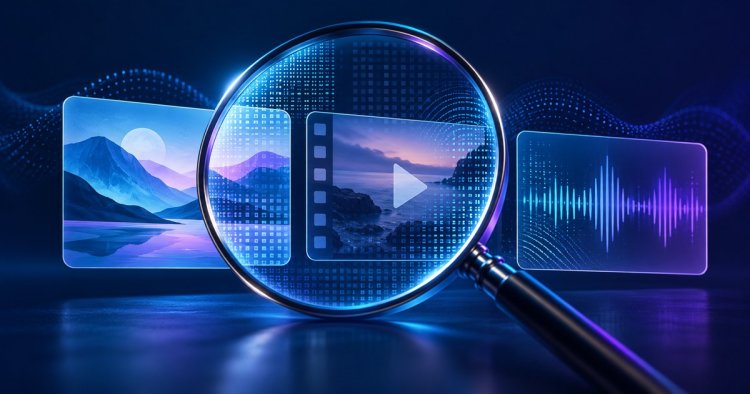
Featured artwork is an AI-generated conceptual illustration, not a screenshot of SynthID Detector.